

How do I fit images for the inner(centre) bleed?
Hi, good folks!
I've got a problem with fitting images to bleed lines.
So, this is the case:
I've set a 3.2mm bleed for all sides. How do I fit the full-page images to those bleed lines? The inner(or centre, more like) bleed lines don't really show.
I've fit the images on the outer bleed lines and the centre line like this one below:
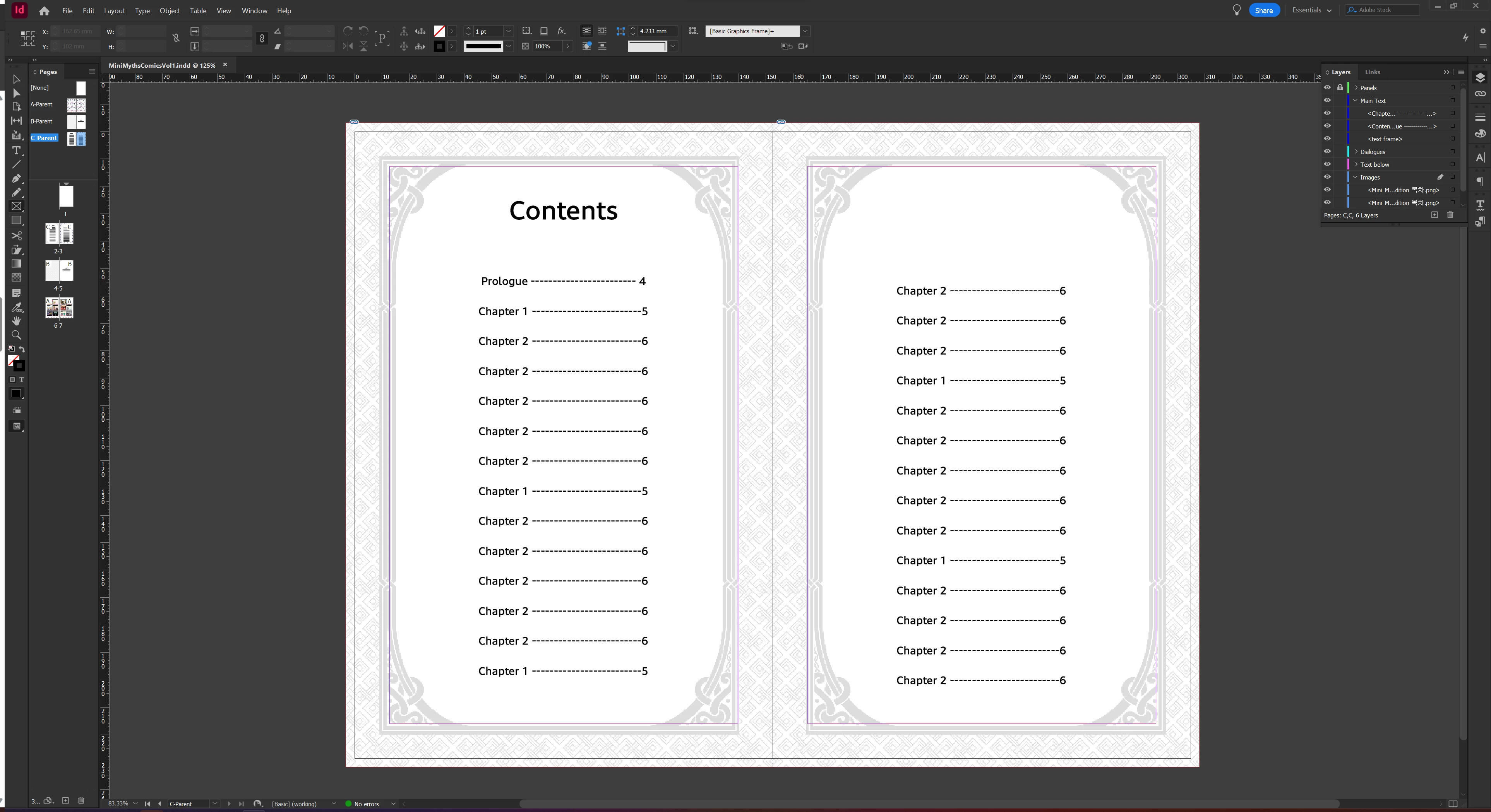
and although on InDesign, it looks a bit misaligned, on the PDF file, it looks just fine, like this:
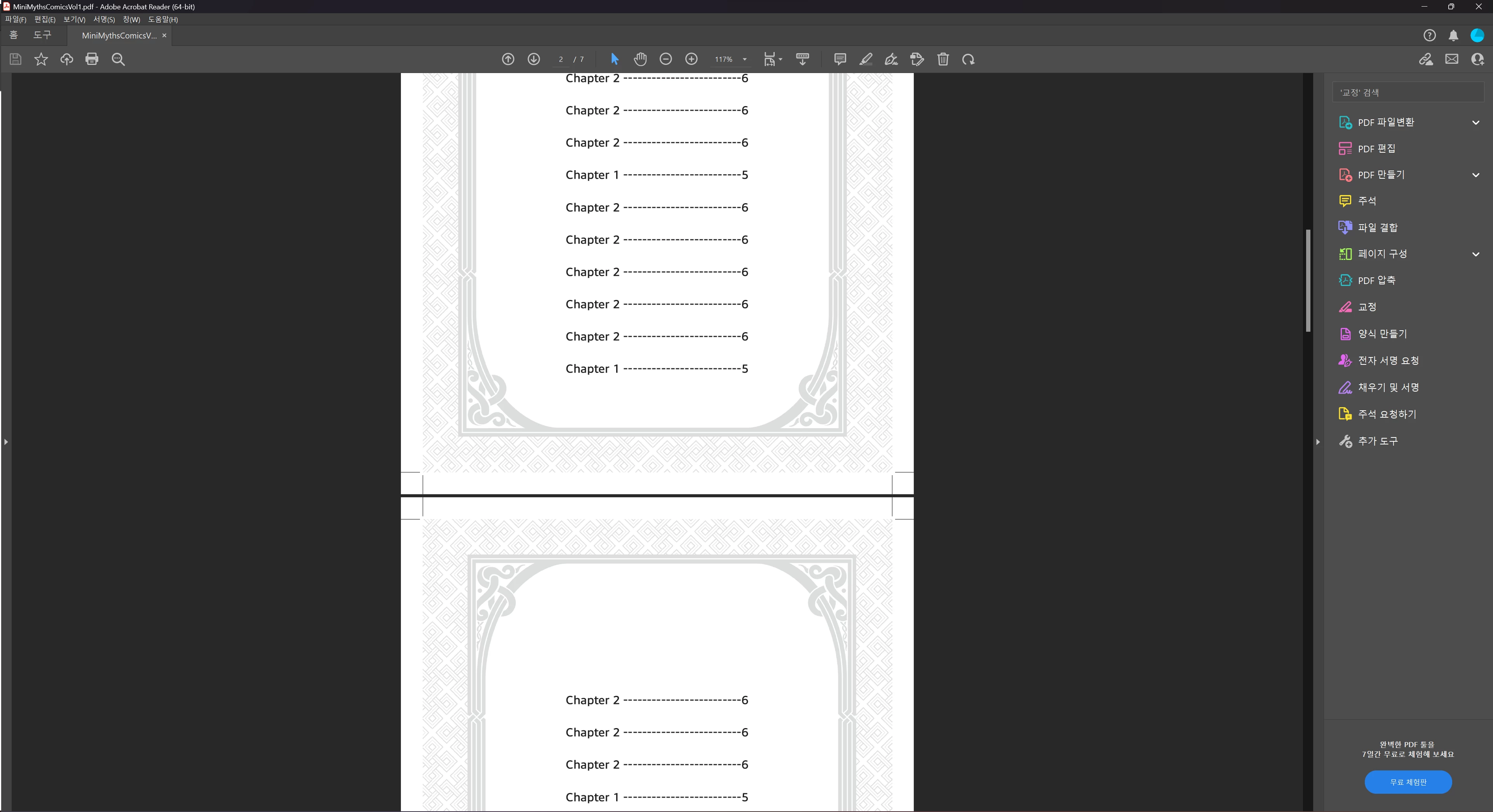
The images are centred and filled to the bleed area... or so I believe.
I did the same thing for my chapter introduction page, placing a rectangular frame fit to out bleed lines and the centre of the book:
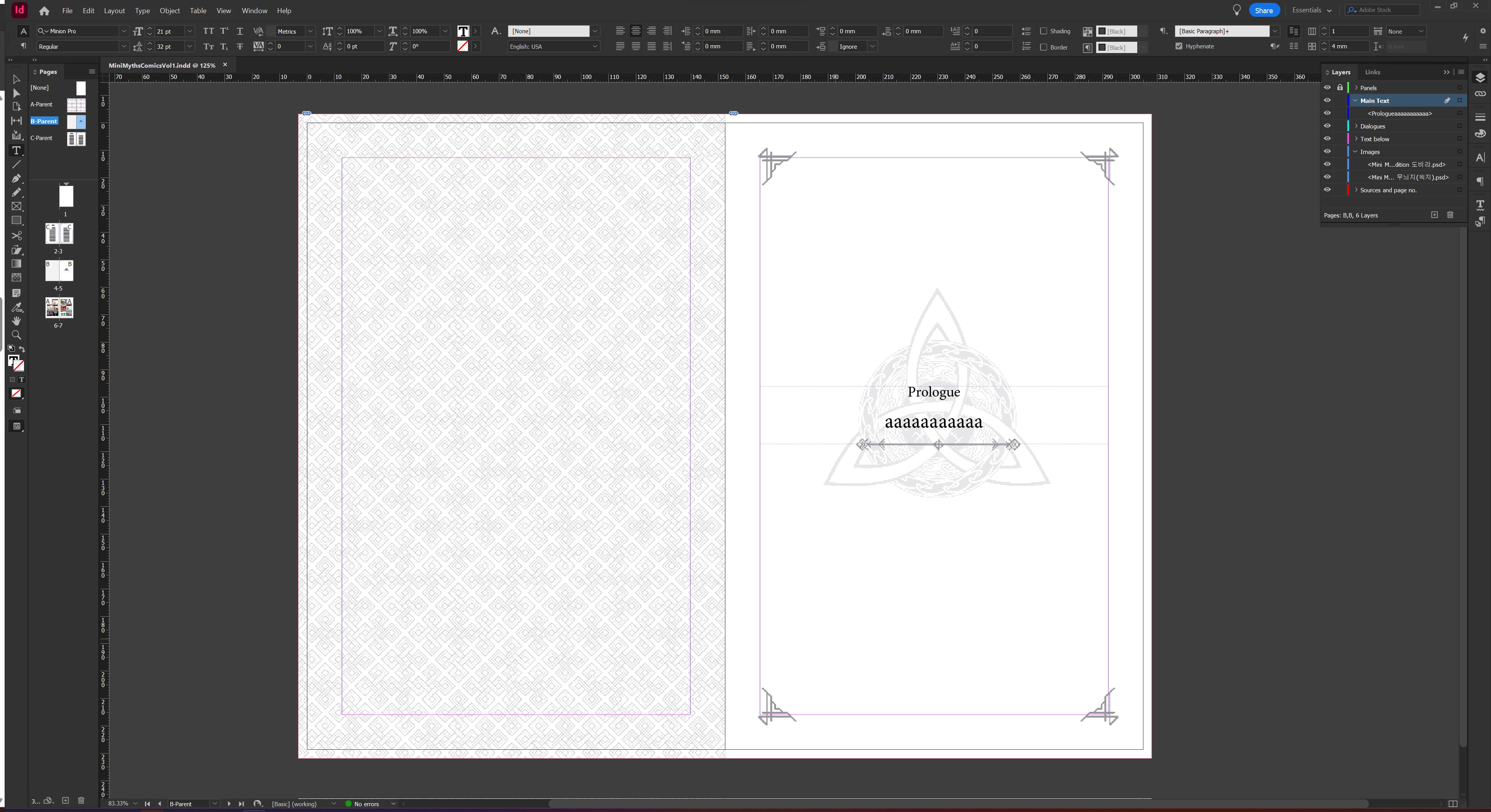
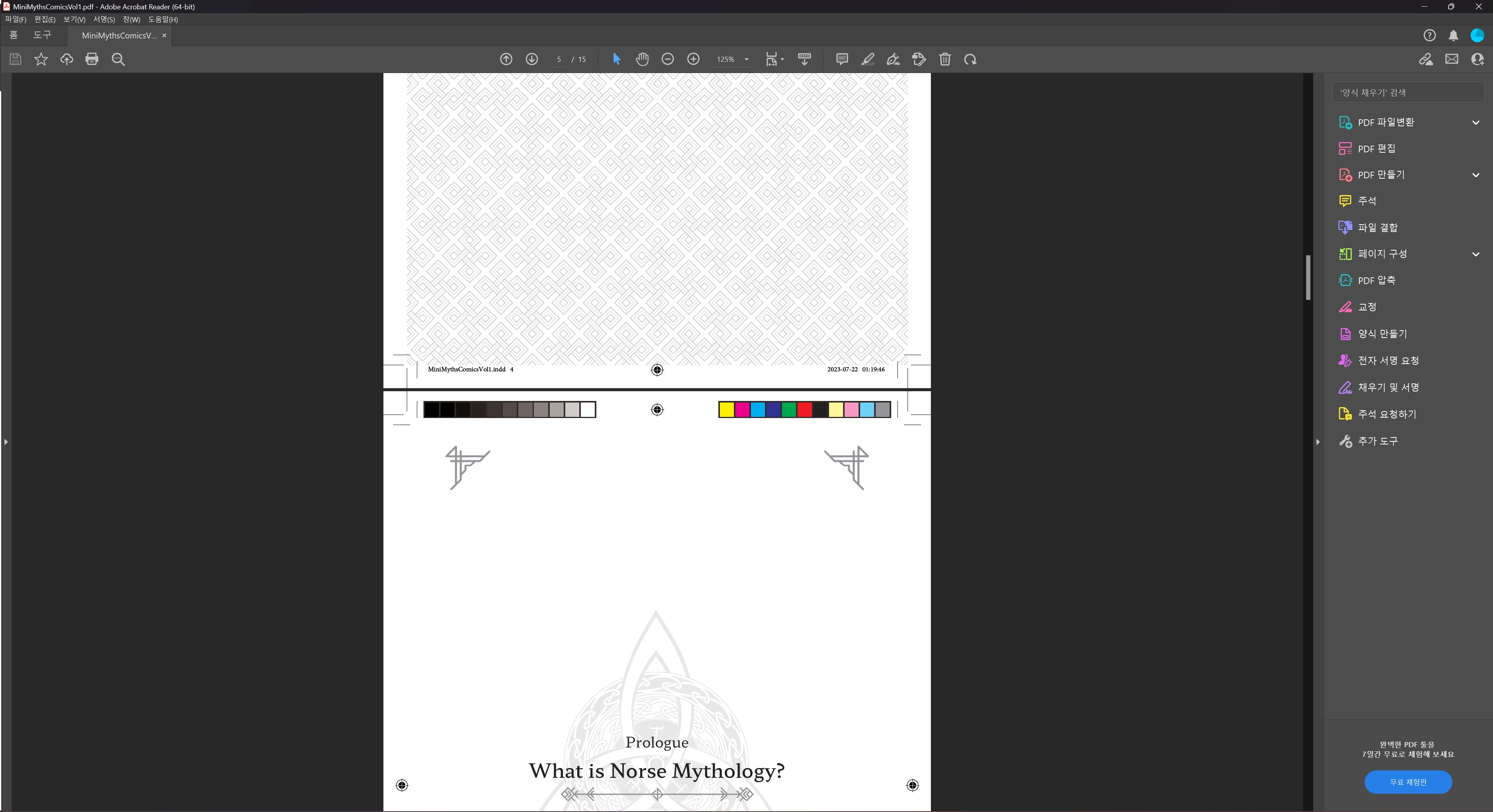
but this time, something was wrong in the PDF file. You can see the patterns on the before page is also shown on the after page.
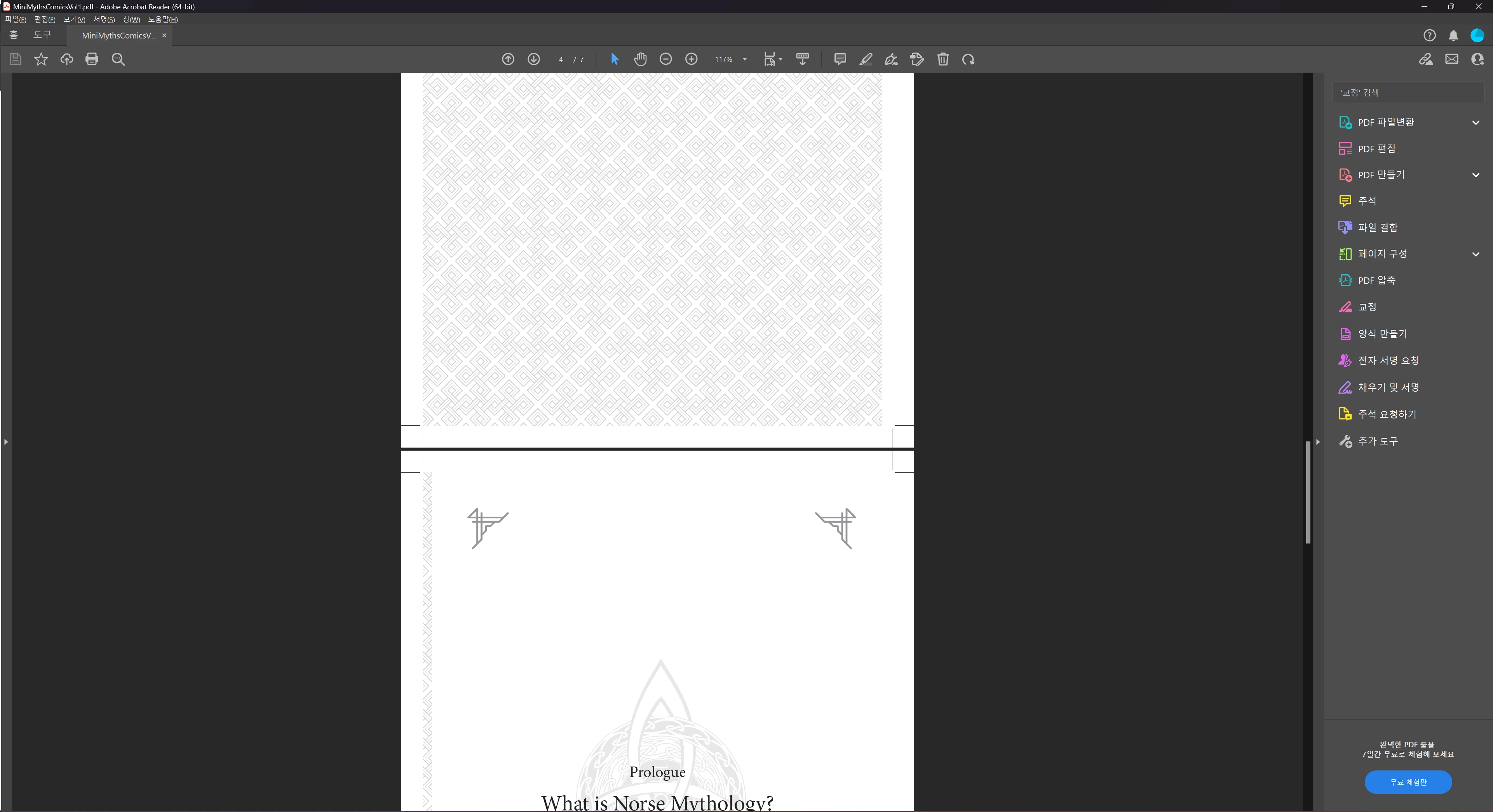
So my questions are:
1. (I think) I did just the same thing for both pages, but the results are different. What would be the cause, and how should I fix this?
2. All is good if things look good on the PDF file, even if it looks misaligned on the indd file, right?
Thank you for your help, have a great day!
Bob
 AdChoices