Inspiring
March 29, 2018
Answered

How do I get the baseline grid to start at the top of the frame?

  • March 29, 2018
  • 2 replies
  • 1910 views

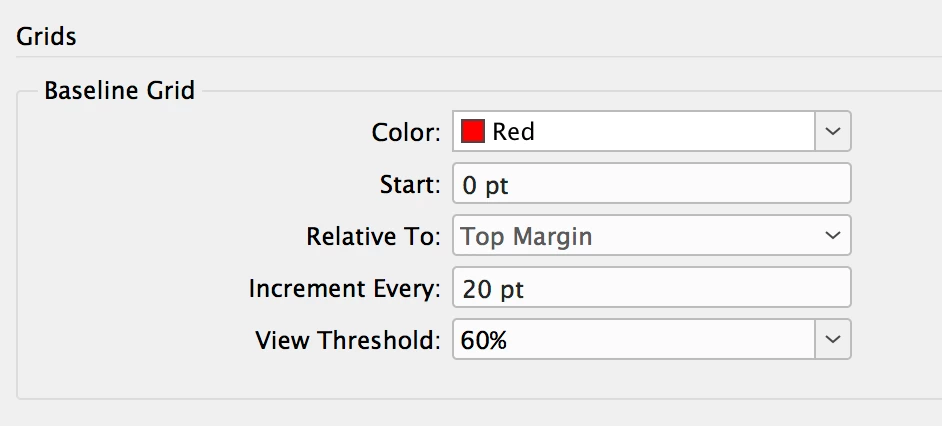
How do I get the baseline grid to start at the very top of the frame? I assumed I could do it by using these settings.
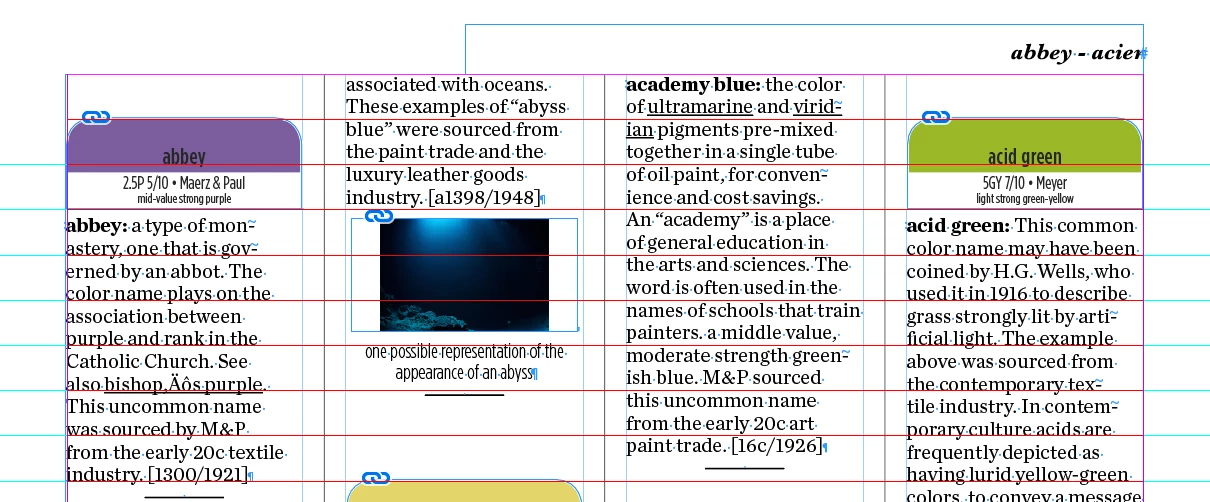
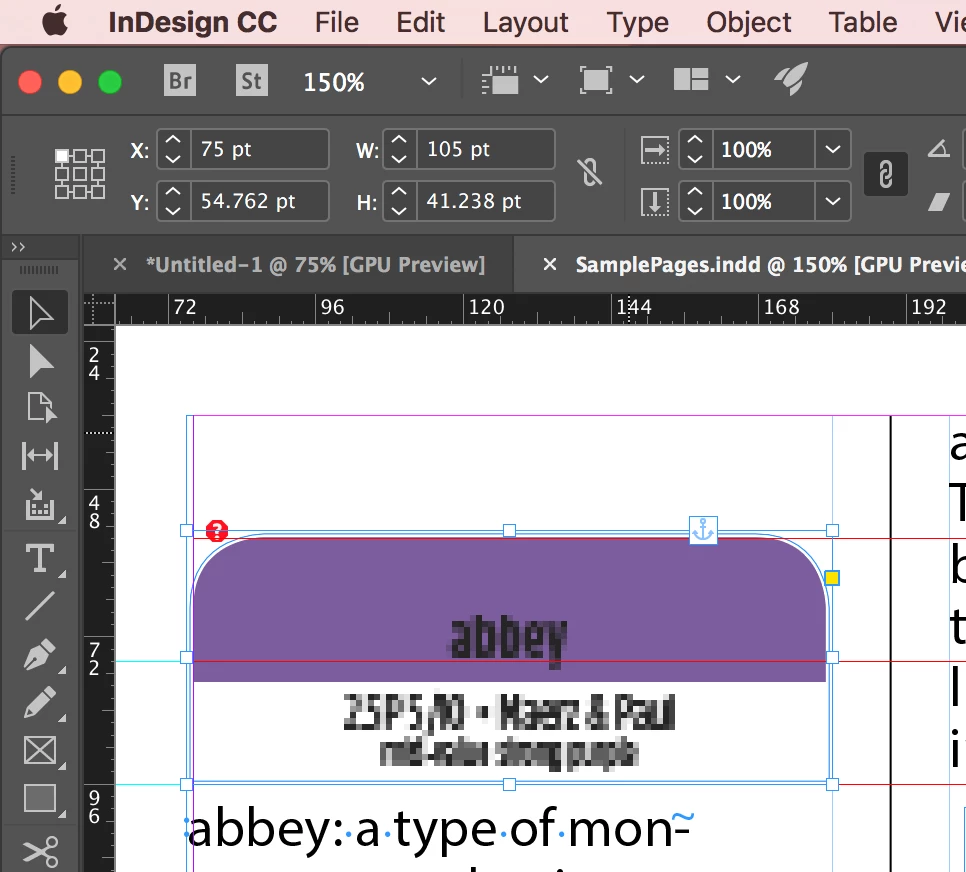
However, that isn't working. The purple and green tabs have a paragraph style applied to them that includes snapping to the grids; the text does not. you can see that they are snapping to the first grid line 20pt below the top margin of the frame. That is not what I want. I want the top margin of the frame to be the first gridline.
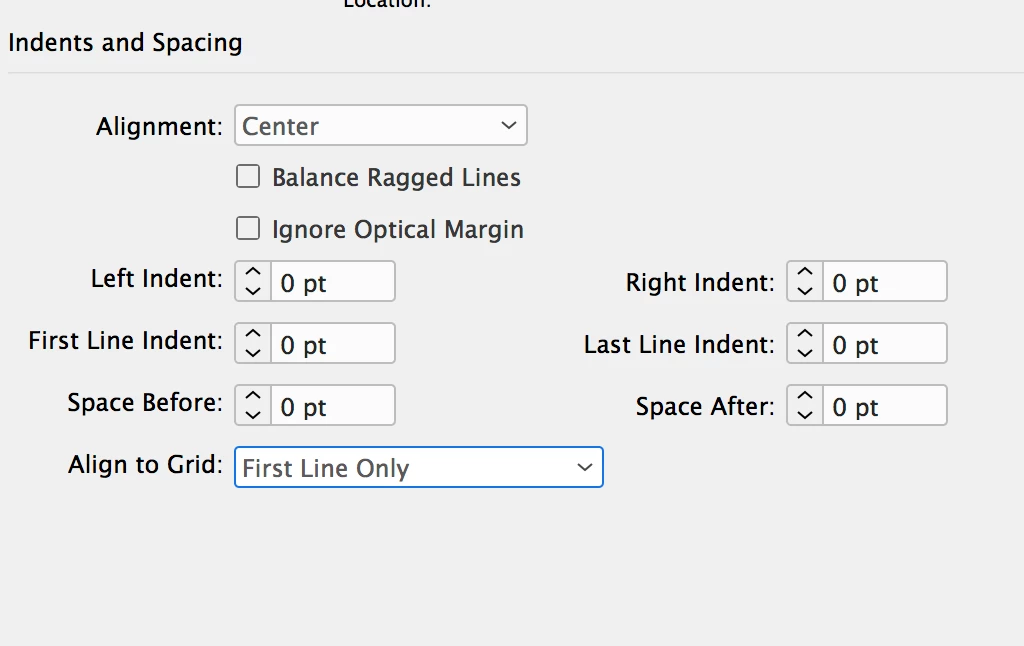
Here are the paragraph style settings.
    This topic has been closed for replies.
    Correct answer Barb Binder

    Here is a link to three pages:

    Dropbox - SamplePages.indd


    Hi Marie:

    I'm glad you shared the file—it was not set up the way I was assuming it was from the screen shot.

    The trick to using baseline grids is everything on it should be a multiple of the grid value. Your grid value is 20 pts, so you need to be using values of 20, 40, 60, 80, etc.

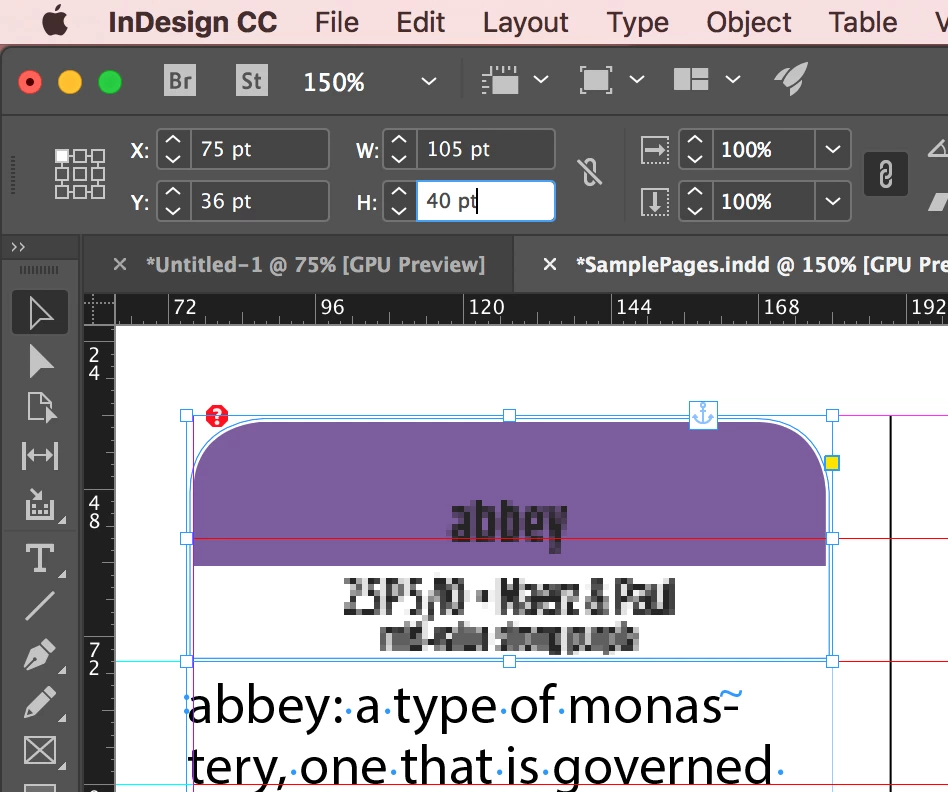
    Your frame was 41.238 pts so it didn't fit on the grid and moved to the next line:

    Make it 40 pts, and it does.

    All values: leading, spacing, frames, etc. should follow that rule.

    ~Barb

    2 replies

    amaarora
    Inspiring
    March 29, 2018

    Hi,

    You can set the baselines relative to the text frames using the Text frames options(ctrl+b). Also, you have aligned “The first line” to the grid and which is what is happening.

    Can you please check if using “Custom baseline option” in the Text frame option can help you...

    -Aman

    Barb Binder
    Community Expert
    Community Expert
    March 29, 2018

    You haven't given us the specs of the anchored images, Marie, and I suspect they are playing a part. Text this theory by removing them to see if the text will snap to the first gridline.

    Have you considered building that shape into the paragraph style with shading? You can still change the colors.

    ~Barb

    ~Barb at Rocky Mountain Training
    Inspiring
    March 29, 2018

    Which specs for the anchored images do you need to see?

    Barb Binder
    Community Expert
    Community Expert
    March 29, 2018

    Marie:

    You can see from my screen shot that InDesign can do what you want, but we can't recreate your file from the screen shot without the specs for the anchored frame (width, height, anchored frame settings) and the paragraph specs. If you want to stay with anchored frames, it would be quicker for all of us not to have to recreate your file, but for you could share one page of that document on dropbox, and then post a link to it instead. You can post the link here (public) or you can hover over my name and message me directly (private). If you are concerned about content, you can always replace it with placeholder text.

    Before you do any of this, would you mind letting me know if you were able to delete the frame behind "abbey" and then snap the text to the top grid line, as I asked in my first post? That will help us determine if I'm on track with the anchored frame concerns, or if there is an issue with your settings.

    ~Barb

    ~Barb at Rocky Mountain Training