robins8116726
Participant
February 23, 2024
Answered

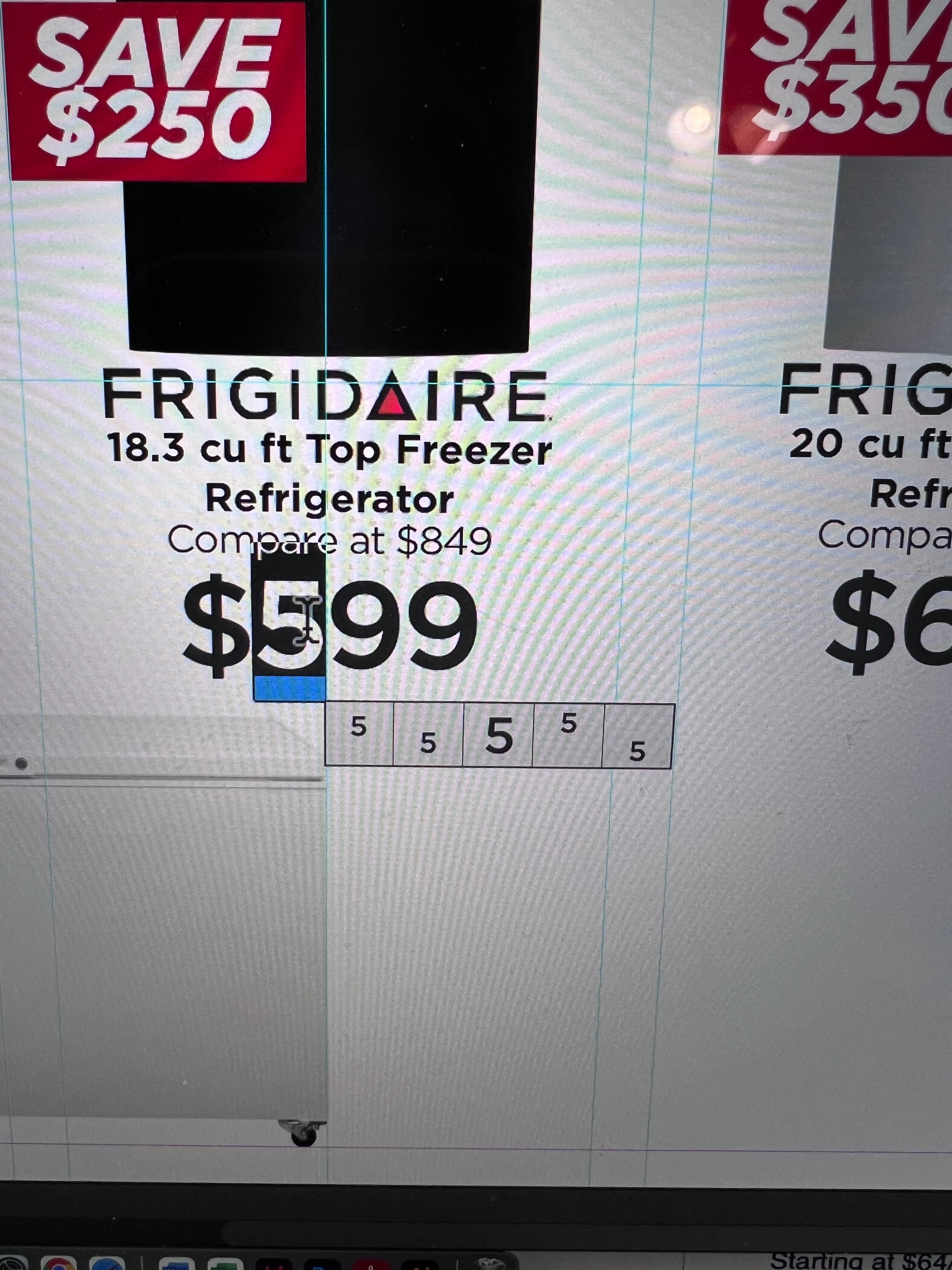
How do I get these subscripts turned off?
  • February 23, 2024
  • 2 replies
  • 431 views

This topic has been closed for replies.
Correct answer James Gifford—NitroPress

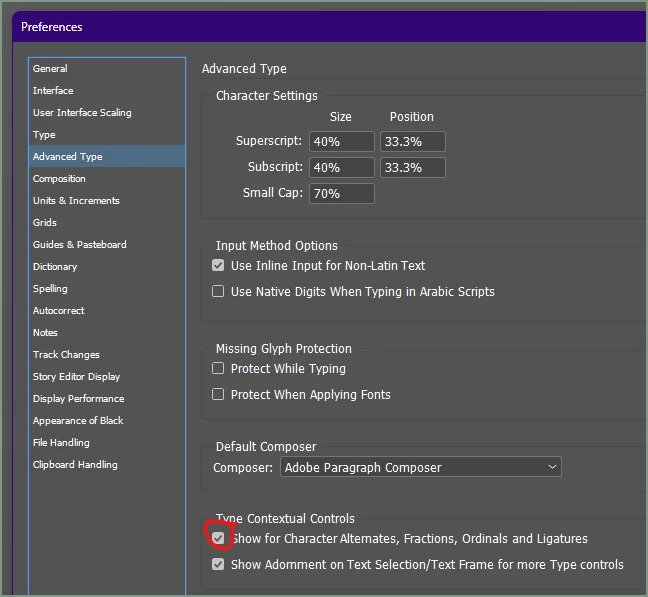
Uncheck this:


Uncheck the following box (both at the bottom) if you don't want any OpenType context menus at all.

2 replies

Barb Binder
Community Expert
Community Expert
February 23, 2024

Hi @robins8116726:


I'm marking James' answer as correct, and so that you understand the feature because you may want to use it in an different project: hovering over selected text that displays the blue line will display alternate glyphs for the selection. This allows you to bypass Type > Glyphs > Show Alternates for Selection if you want to access them.


The font you are using offers two variations of the number five: one has rounded edges and the one you are using does not. It also offers both versions of the five as superscript and both versions as subcript. 


~Barb

~Barb at Rocky Mountain Training
James Gifford—NitroPress
Legend
February 23, 2024

True of a lot of features. I think a lot of developing users turn off things in something like annoyance and then take a long time to learn that those features exist and can be very helpful/productive.


I rarely use this glyph touch-up feature more than once in a blue moon — I tend to do mostly publication design, not "art" design for posters, flyers, etc. where such tweaks are common — but I haven't found it useful to disable it, either.

James Gifford—NitroPress
Legend
February 23, 2024

Uncheck this:


Uncheck the following box (both at the bottom) if you don't want any OpenType context menus at all.

robins8116726
Participant
February 23, 2024

Thank you! This didn't start happening until my latest update. It was definitely a pain.


[abuse removed by moderator]