
Participant
May 9, 2023
Answered

How do I Import another JSX file to My Main JSX File

  • May 9, 2023
  • 3 replies
  • 1799 views

Hey, So I am trying to seprate code for readablity. I have two files so far. I am trying to import the file into the main file. I tried using #include but i got an error saying I could not use it outside a class. I saw online another example //@include but that does not work. It just comments out the import. What is the proper way of importing a file ?
This topic has been closed for replies.
Correct answer rob day

This example works for me. Create a file named HelloWorld.jsxinc with a function you want to run:


/**
* Discription 
* @ param a string
* @ return string 
*/

function helloWorld(s){
  return "From Hello World: " + s
}


Save the .jsxinc file in the same directory with the script that will include it—here is an example script that incudes the .jsxinc file:


#include "HelloWorld.jsxinc"
alert(helloWorld("Hi There!"))


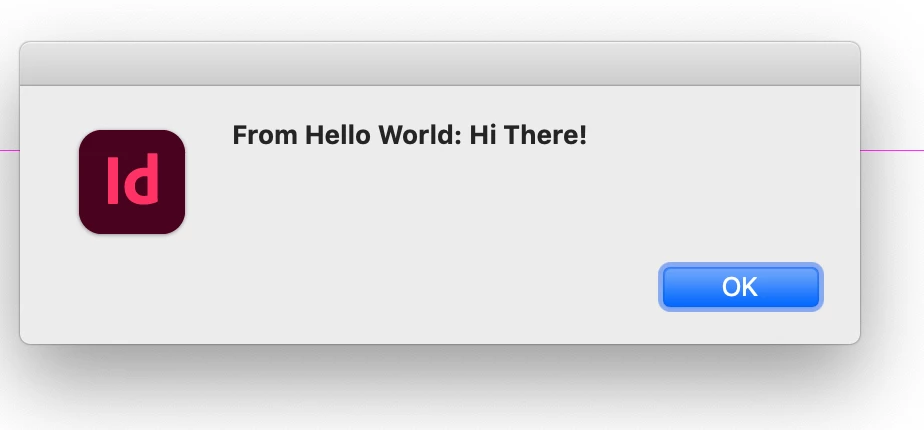
The include sample run:


3 replies

Charu Rajput
Community Expert
Community Expert
May 9, 2023

@Victor29751988fsbx , if solution by @rob day does not work, could you post your separate code file, so that we can help?

Best regards
Participant
May 9, 2023

Thanks they have been really helpful

rob day
Community Expert
rob dayCommunity ExpertCorrect answer
Community Expert
May 9, 2023

This example works for me. Create a file named HelloWorld.jsxinc with a function you want to run:


/**
* Discription 
* @ param a string
* @ return string 
*/

function helloWorld(s){
  return "From Hello World: " + s
}


Save the .jsxinc file in the same directory with the script that will include it—here is an example script that incudes the .jsxinc file:


#include "HelloWorld.jsxinc"
alert(helloWorld("Hi There!"))


The include sample run:


rob day
Community Expert
Community Expert
May 9, 2023
Inspiring
December 3, 2024

thank you