Known Participant
July 29, 2024
Answered

How do I make the distance the same between the text above and below so that the gap is equal

  • July 29, 2024
  • 2 replies
  • 433 views

This topic has been closed for replies.
Correct answer Barb Binder

Hi @James3669094303ct:


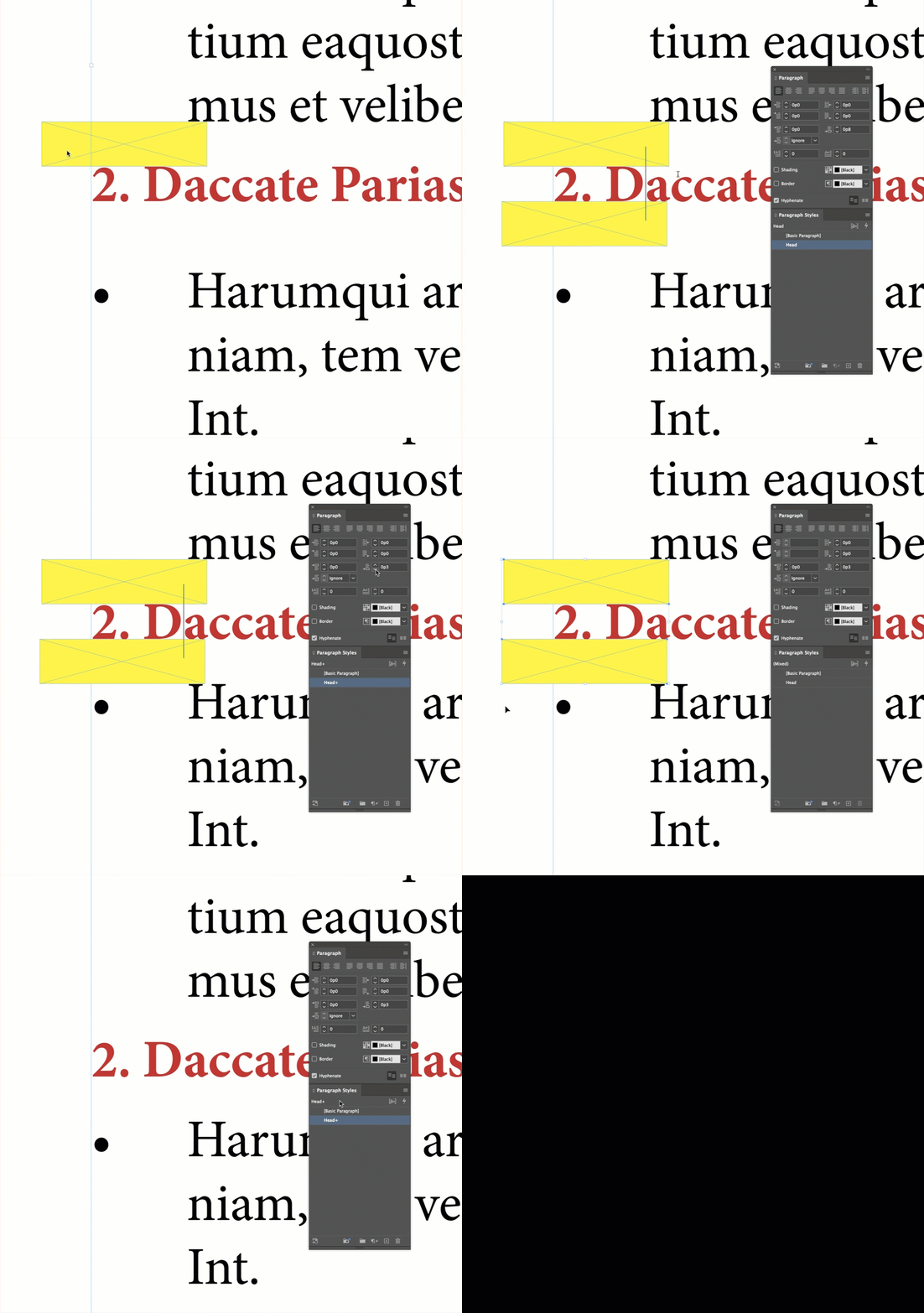
It looks like you've already figured out how to use and spacing before and after commands? Because of the leading values on the nearby paragraphs, using the same number doesn't always make them match exactly. If that's the goal, a little trick is just to use a temporary frame to make sure they are the same, and then update the style so that all of the other heads match that one.


~Barb
 

2 replies

Barb Binder
Community Expert
Barb BinderCommunity ExpertCorrect answer
Community Expert
July 29, 2024

Hi @James3669094303ct:


It looks like you've already figured out how to use and spacing before and after commands? Because of the leading values on the nearby paragraphs, using the same number doesn't always make them match exactly. If that's the goal, a little trick is just to use a temporary frame to make sure they are the same, and then update the style so that all of the other heads match that one.


~Barb


~Barb at Rocky Mountain Training
James Gifford—NitroPress
Legend
July 29, 2024

I assume you mean so that space above and below the orange #2 heading is equal?


Adjust the spacing for the heading's paragraph style so that the visual balance is equal. It's that simple. However, the spacing may be unequal in the style definition to balance the spacing set for the bullet paragraphs. (That is, you might set 6 points of spacing above the head and 10 points below to get that visual balance.)


This might be complicated a little by the bullet settings. Lists have some complex spacing options so that you can set, for example, 12 points above and below each item BUT specify a different amount in between them — so that a list overall has 12 points before and after, but a closer 6 points in between, for a more compact, pleasing look. It doesn't look as if that's been used here but be aware of it.


The question is why you would want equal spacing, though. It's more usual to give headings more space above than below, to visually offset the start of a new section or subsection; the higher-level the head, usually, the more space above, while the space below is some small amount, down to zero (extra space) for minor heads. So consider that.


This is very, very basic stuff with InDesign. I'd suggest you look through some tutorial pages to learn the basics of text formatting. Here are some starting points—


And feel free to ask more questions here, too!
