
How do i make the inner cell border colour different to the outer
Ok, this is a very picky (and seemingly insignificant) point but it's something that is bugging me and I just can't find a method that doesn't require an extra step after I create a new table.
I want to create a table like image A below.
Simple right? Yeah, I thought so too.
Please pay attention to the header strokes in particular. (The rest is fine)

I would like blue border around the entire table and ONLY have the inner borders between the headings white. I have set up an overall table style with an embedded cell styles for both header and body.
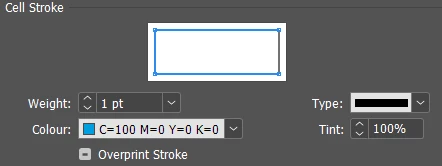
The header cell style has cyan top/left/bottom strokes,
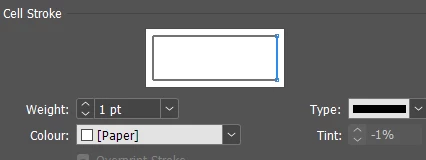
and a white, right-hand stroke.
The problem is, when you create a table and apply the table style, the cell style stroke overrides the overall table style border and shows a white stroke on the far right, like this...
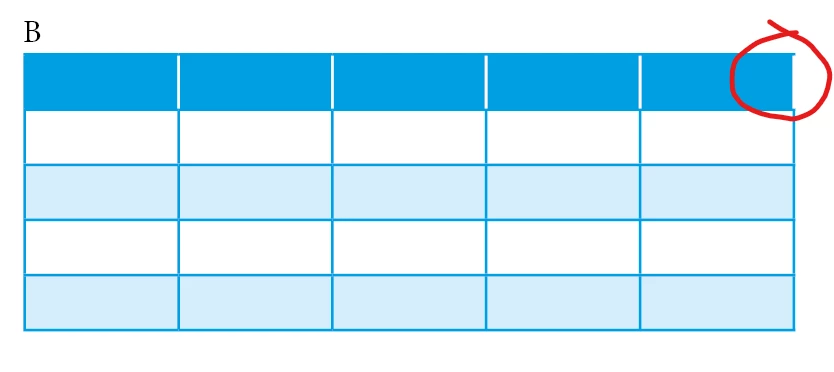
I then have to select the header row and apply the outer border again to correct the right hand stroke colour

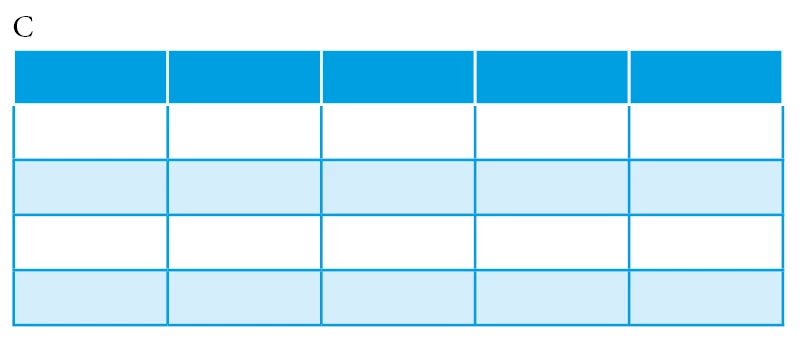
Additionally, if I make ALL the cell borders white, it makes the header row look smaller/scaled down when compared to the rest of the rows. Like image C below
So is there a way to change the styles so I can get image A straight off the bat?
 AdChoices