Inspiring
February 5, 2024
Answered

How do I make the text frame fit both vertically and horizontally?

  • February 5, 2024
  • 2 replies
  • 533 views

First of all, I love this community; you make Adobe easy for me. I have a question for you guys. When I try to fit the text frame to the text using 'fit frame to content,' it fits vertically instead of horizontally. How do I make the text frame fit both vertically and horizontally automatically?

 

This topic has been closed for replies.
Correct answer rob day

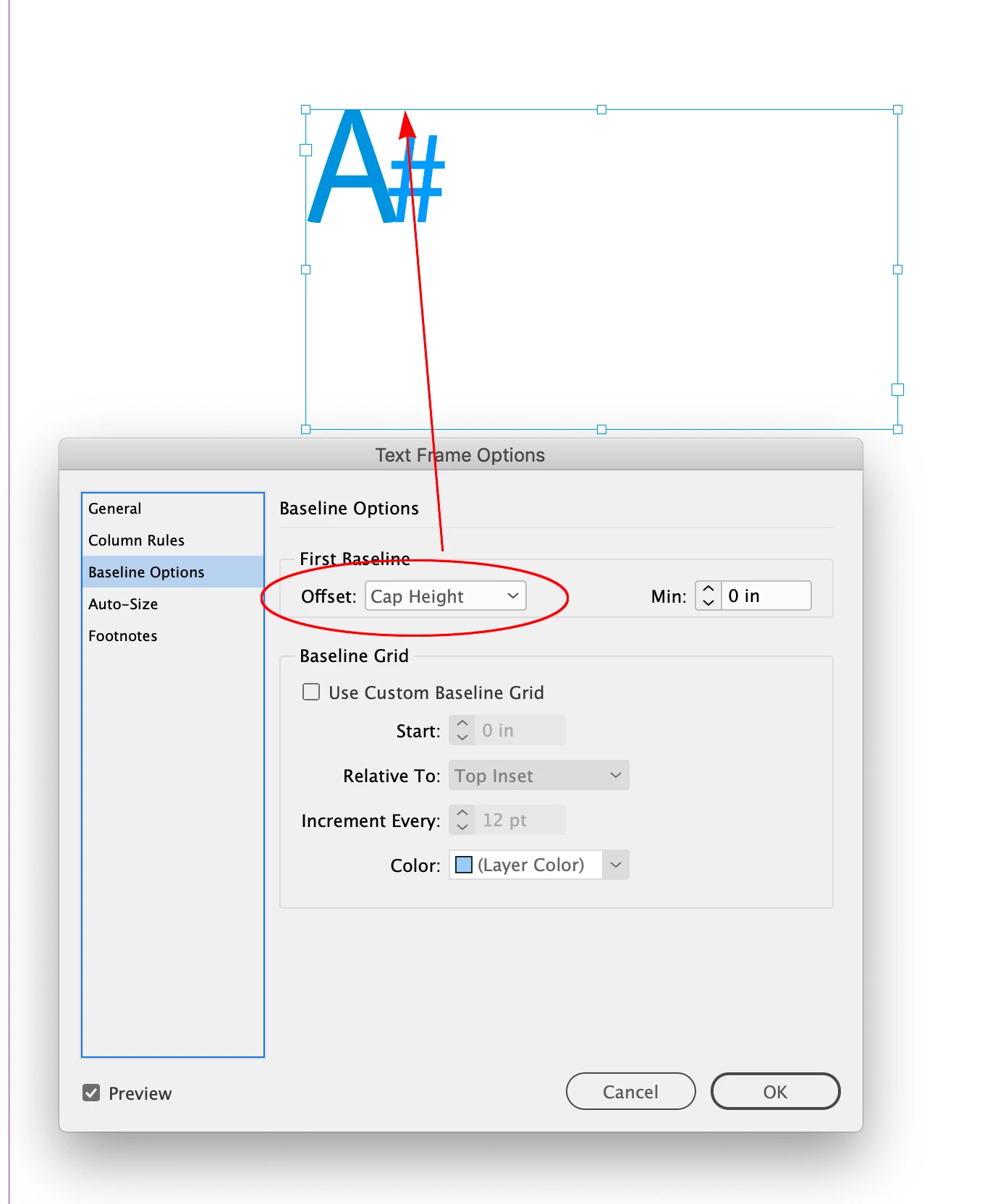
Hi @hibru305572725zfd , You are not showing invisibles, but make sure there is no white space after the character or right indent amount applied. And, for vertical fit set your text frame‘s First baseline Offset to Cap Height.


2 replies

rob day
rob dayCorrect answer
Adobe Expert
February 5, 2024

Hi @hibru305572725zfd , You are not showing invisibles, but make sure there is no white space after the character or right indent amount applied. And, for vertical fit set your text frame‘s First baseline Offset to Cap Height.


Inspiring
February 6, 2024

Thank you very much! It works.

James Gifford—NitroPress
Brainiac
February 5, 2024

Using "Fit Frame to Content" condenses the text box to the text both vertically and horizontally, for me.


Note that this will include some spacing values. In a quick test, top and bottom spacing are ignored but left/right spacing is accommodated by the shrink command. I suggest you must have some left right-side spacing on your A, there.