Known Participant
November 7, 2025
Answered

How do I search/replace text that is not standard size (decimal numbers)?

  • November 7, 2025
  • 5 replies
  • 622 views

Hello, I need to search/replace text that is 6.7 pt. It's everywhere in my document, but when I run the search, InDesign can't find it. Are you familiar with this problem, and does anyone have any ideas on how to get around it? Thank you for your help!

Correct answer m1b

Hi @99drine and others, this is a challenge that comes up from time to time and yes, enforcing stylesheets is the answer, but how do you apply the stylesheet automatically if you can't perform the search for the point size?


I've written a script that can solve this particular problem. I tested it on your sample document @99drine and it worked as expected.


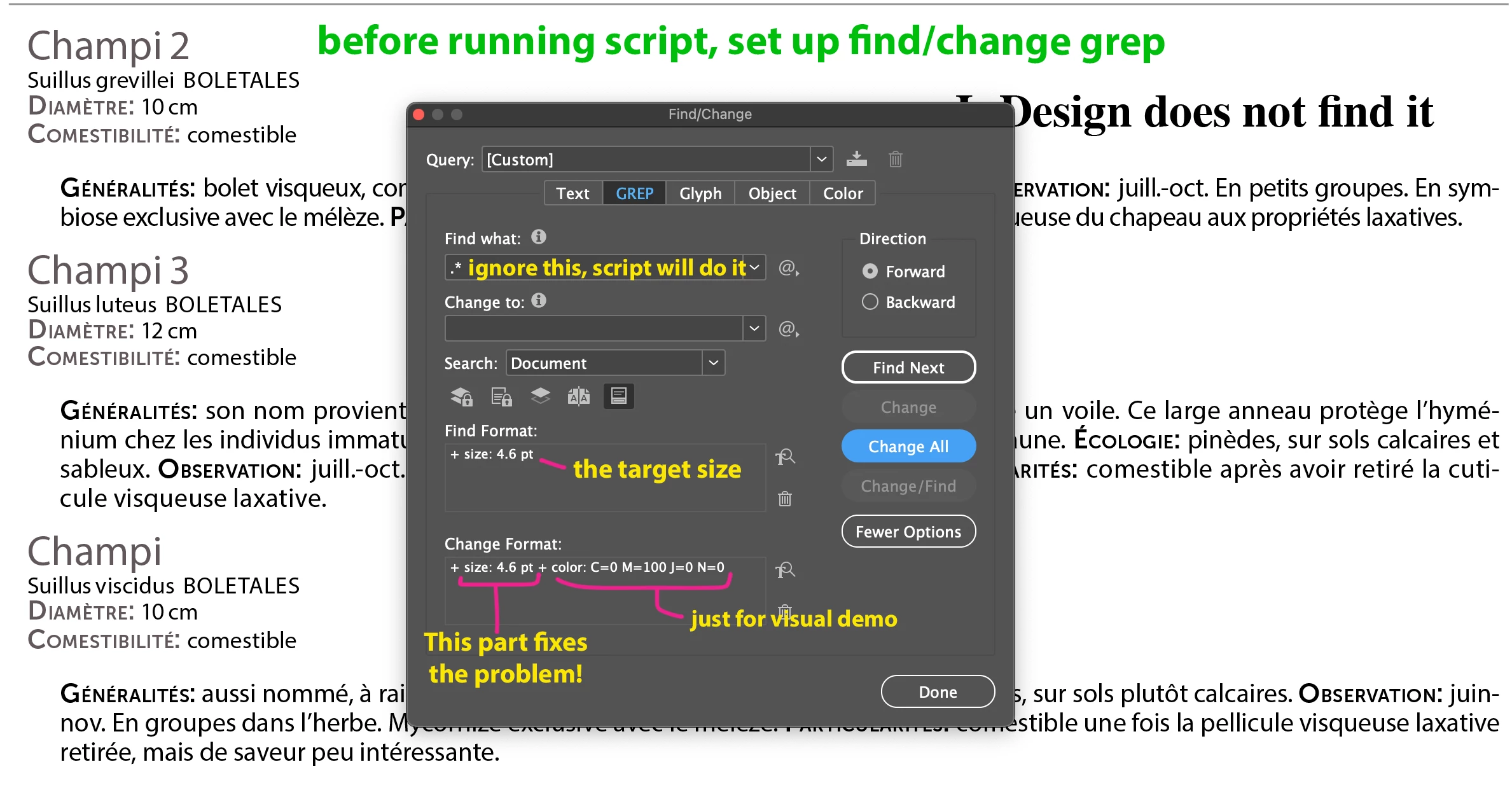
To use, first perform a normal find/change grep for the target point size: 4.6pt. In the change to field, set the point size also to 4.6pt. Then run the script, which perform that change on any text found within POINT_SIZE_THRESHOLD (see script) of the target point size. In my screenshot below I also changed it to blue, so you could see.


Let me know if it helps.

- Mark


Screenshot 1
 

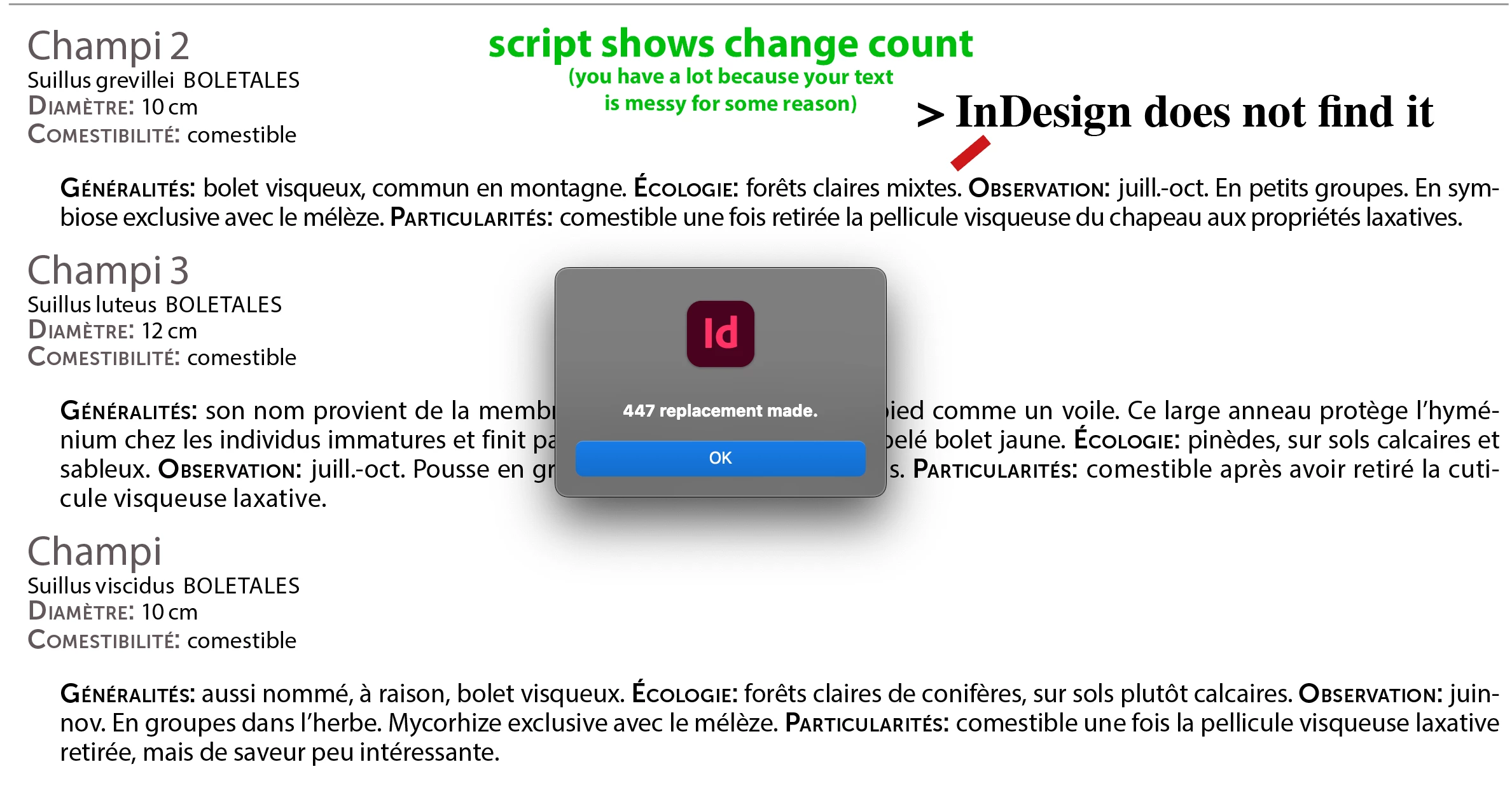
Screenshot 2
 

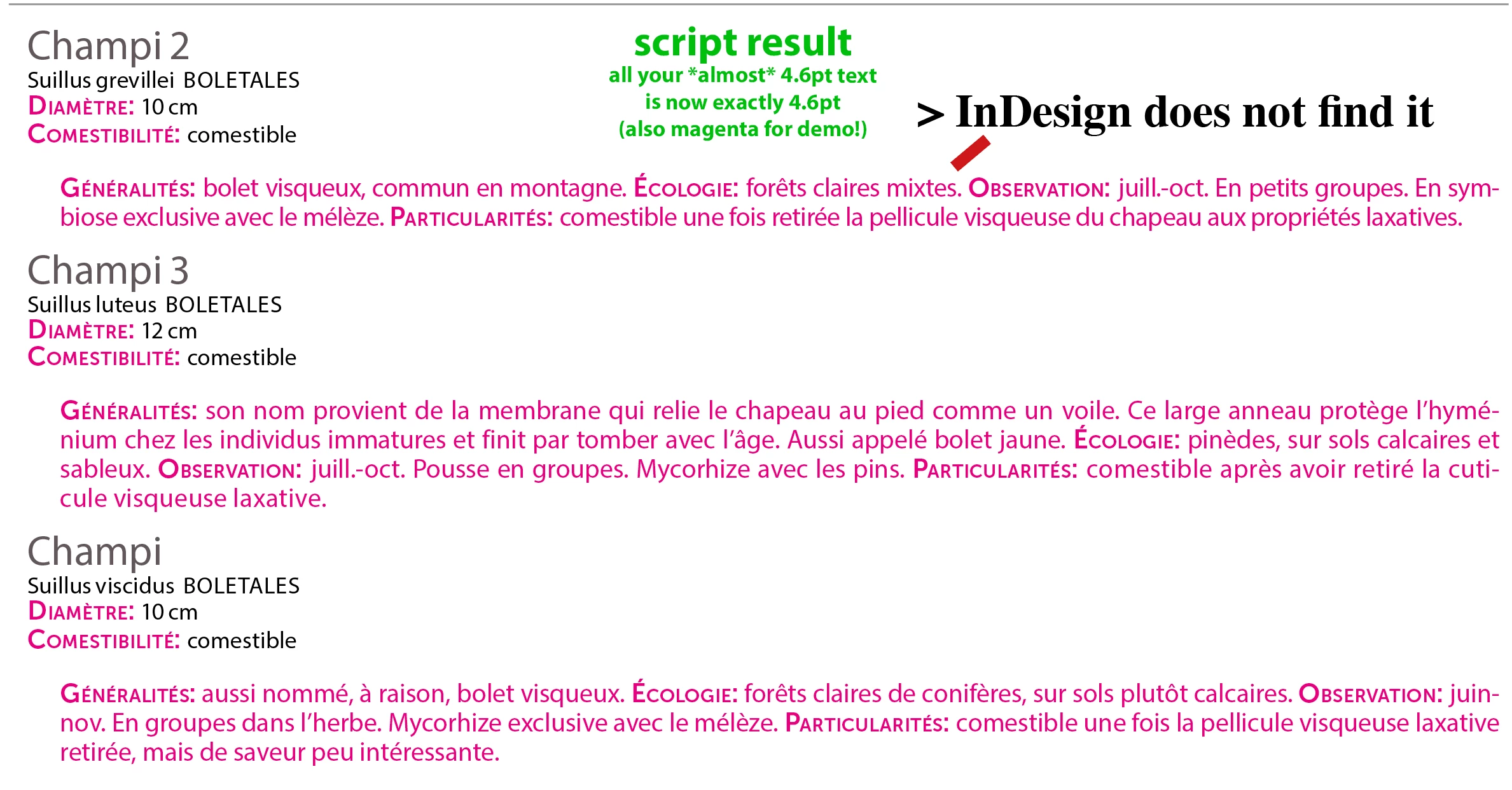
Screenshot 3
 

/**
 * @file Find/Change Grep Using Fuzzy Point Size.js
 *
 * Usage:
 *   1. Perform an initial find/change grep via the UI
 *      and must include a target point size value, eg. '4.6pt'
 *      (include whatever other criteria for the finding
 *      and changing that you like).
 *   2. Run this script.
 *
 * Will perform the change grep on any text that is
 * within `POINT_SIZE_THRESHOLD` of the target point size.
 * Configure the threshold by editing this script below.
 *
 * @author m1b
 * @version 2025-11-08
 * @discussion https://community.adobe.com/t5/indesign-discussions/how-do-i-search-replace-text-that-is-not-standard-size-decimal-numbers/m-p/15581291
 */
function main() {

    var POINT_SIZE_THRESHOLD = 0.05; // pts

    app.scriptPreferences.measurementUnit = MeasurementUnits.POINTS;

    if (
        undefined == app.findGrepPreferences.pointSize
        || NothingEnum.NOTHING === app.findGrepPreferences.pointSize
    )
        return alert('Please perform an initial find grep for a target point size, eg. "4.6pts".');

    var doc = app.activeDocument;

    // this is the point size we are looking for
    var targetPointSize = app.findGrepPreferences.pointSize;

    // don't specify the point size for this search, we'll check it later
    app.findGrepPreferences.pointSize = NothingEnum.NOTHING;

    var findWhat = app.findGrepPreferences.findWhat
    // find all text
    app.findGrepPreferences.findWhat = '.*';

    // do the find
    var found = doc.findGrep();

    // check point size of each style range
    var counter = 0;
    for (var i = 0, parts; i < found.length; i++) {

        parts = found[i].textStyleRanges;

        partsLoop:
        for (var j = 0; j < parts.length; j++) {

            if (Math.abs(parts[j].pointSize - targetPointSize) > POINT_SIZE_THRESHOLD)
                // size difference is too great, not interested
                continue partsLoop;

            // perform the change as specified earlier via find/change grep UI
            parts[j].changeGrep();
            counter++;

        }

    }

    alert(counter + ' replacement made.');

    // cleanup
    app.findGrepPreferences.pointSize = targetPointSize;
    app.findGrepPreferences.findWhat = findWhat;

};
app.doScript(main, ScriptLanguage.JAVASCRIPT, undefined, UndoModes.ENTIRE_SCRIPT, 'Fuzzy Find/Change');


Edit: screenshots for clarity.

5 replies

m1b
Community Expert
m1bCommunity ExpertCorrect answer
Community Expert
November 8, 2025

Hi @99drine and others, this is a challenge that comes up from time to time and yes, enforcing stylesheets is the answer, but how do you apply the stylesheet automatically if you can't perform the search for the point size?


I've written a script that can solve this particular problem. I tested it on your sample document @99drine and it worked as expected.


To use, first perform a normal find/change grep for the target point size: 4.6pt. In the change to field, set the point size also to 4.6pt. Then run the script, which perform that change on any text found within POINT_SIZE_THRESHOLD (see script) of the target point size. In my screenshot below I also changed it to blue, so you could see.


Let me know if it helps.

- Mark


Screenshot 1


Screenshot 2


Screenshot 3


/**
 * @file Find/Change Grep Using Fuzzy Point Size.js
 *
 * Usage:
 *   1. Perform an initial find/change grep via the UI
 *      and must include a target point size value, eg. '4.6pt'
 *      (include whatever other criteria for the finding
 *      and changing that you like).
 *   2. Run this script.
 *
 * Will perform the change grep on any text that is
 * within `POINT_SIZE_THRESHOLD` of the target point size.
 * Configure the threshold by editing this script below.
 *
 * @author m1b
 * @version 2025-11-08
 * @discussion https://community.adobe.com/t5/indesign-discussions/how-do-i-search-replace-text-that-is-not-standard-size-decimal-numbers/m-p/15581291
 */
function main() {

    var POINT_SIZE_THRESHOLD = 0.05; // pts

    app.scriptPreferences.measurementUnit = MeasurementUnits.POINTS;

    if (
        undefined == app.findGrepPreferences.pointSize
        || NothingEnum.NOTHING === app.findGrepPreferences.pointSize
    )
        return alert('Please perform an initial find grep for a target point size, eg. "4.6pts".');

    var doc = app.activeDocument;

    // this is the point size we are looking for
    var targetPointSize = app.findGrepPreferences.pointSize;

    // don't specify the point size for this search, we'll check it later
    app.findGrepPreferences.pointSize = NothingEnum.NOTHING;

    var findWhat = app.findGrepPreferences.findWhat
    // find all text
    app.findGrepPreferences.findWhat = '.*';

    // do the find
    var found = doc.findGrep();

    // check point size of each style range
    var counter = 0;
    for (var i = 0, parts; i < found.length; i++) {

        parts = found[i].textStyleRanges;

        partsLoop:
        for (var j = 0; j < parts.length; j++) {

            if (Math.abs(parts[j].pointSize - targetPointSize) > POINT_SIZE_THRESHOLD)
                // size difference is too great, not interested
                continue partsLoop;

            // perform the change as specified earlier via find/change grep UI
            parts[j].changeGrep();
            counter++;

        }

    }

    alert(counter + ' replacement made.');

    // cleanup
    app.findGrepPreferences.pointSize = targetPointSize;
    app.findGrepPreferences.findWhat = findWhat;

};
app.doScript(main, ScriptLanguage.JAVASCRIPT, undefined, UndoModes.ENTIRE_SCRIPT, 'Fuzzy Find/Change');


Edit: screenshots for clarity.

Community Expert
November 8, 2025

This is great - because I believe it's what happens with indents imported from Word too - should be able to fix all those pesky Word indents to findable now too. 

I do already have a script that detects all the indents and rounds them, which makes them findable, but this is a lot better.


This is fantastic.

m1b
Community Expert
Community Expert
November 8, 2025

Thanks Eugene! Good idea to adapt it to other numerical values!

Scott Falkner
Community Expert
Community Expert
November 7, 2025

I'm useless for scripting but could a script be used to find text within a certain range? Or could a script be used to round text sizes to two, one, or zero decimal places?

Community Expert
November 7, 2025

The exact text size can be detected with a script 


// Detection script for ExtendScript (InDesign)
// Select text or a text frame first

if (app.selection.length === 0) {
    alert("Select text or a text frame first");
    exit();
}

var sel = app.selection[0];

// If a frame is selected, use its texts
if (sel.hasOwnProperty("texts")) {
    sel = sel.texts[0];
} else if (!sel.hasOwnProperty("characters")) {
    alert("Selection is not text");
    exit();
}

var chars = sel.characters;
if (chars.length === 0) {
    alert("No characters found");
    exit();
}

var seenMap = {}; // act as set
var seenOrder = []; // keep order for display

for (var i = 0; i < chars.length; i++) {
    var size = chars[i].pointSize;
    if (size === null || size === undefined) {
        // mark inherited sizes explicitly if you want
        if (!seenMap["inherited"]) {
            seenMap["inherited"] = true;
            seenOrder.push("inherited from style");
        }
        continue;
    }
    var s = Number(size).toFixed(6);
    if (!seenMap[s]) {
        seenMap[s] = true;
        seenOrder.push(s);
    }
}

if (seenOrder.length === 0) {
    alert("No explicit sizes found, everything inherits from styles.");
} else {
    alert("Detected sizes:\n\n" + seenOrder.join("\n"));
}
Peter Spier
Community Expert
Community Expert
November 7, 2025

Thanks @Eugene Tyson 

Peter Spier
Community Expert
Community Expert
November 7, 2025

I think we've seen this before, and the problem is that the size reported in the panel is rounded to the number you are using, but internally InDesign sees it as the actual value, so doesn't match. As far as I know there's no direct way in the UI to get the actual number, but it might be scriptable.

A forum search might turn up similar threads with a possible solution.

Peter Spier
Community Expert
Community Expert
November 7, 2025

As @Eugene Tyson suggests, redefining the applied style may be the answer.

Bill Silbert
Community Expert
Community Expert
November 7, 2025

Is this happening with just one file or all files? If it only occurs with one file try exporting that file as an IDML (File>Export>InDesign Markup (IDML) and then open that file in your version of InDesign. This process can remove some corruption from a document. If this does not solve the issue please provide details as to what version of InDesign and what operating system that you are using.

99drineAuthor
Known Participant
November 7, 2025

Thanks, I'll test it right away and let you know!


99drineAuthor
Known Participant
November 7, 2025

I just tried that, but unfortunately it didn't solve the problem. OS Ventura 13.6.5, and I tried with InDesign 2024 and then 2026. I'm attaching a sample in idml format. Do you have any other ideas? Thank you!

Community Expert
November 7, 2025

It's working for me in 2025 


Can you share more specifics - or a sample file?

99drineAuthor
Known Participant
November 7, 2025

Thank you! Actually, the text I'm looking for is 4.6 pt (sorry). I initially thought that might be the problem, so I tested it with samples, going down to 4.6. InDesign does indeed find the small text. So the problem lies elsewhere... It's extremely strange: when I manually apply the font size in my sample, InDesign finds it, but it doesn't find it in the rest of the text, even though it's supposed to be 4.6 as well... I don't understand! At least, I don't... Do you have any ideas? I'm attaching a sample. Thank you!