dublove
Legend
April 21, 2025
Answered

How does a table look better with overlapping coloring across rows? Can it be automated?

  • April 21, 2025
  • 3 replies
  • 321 views

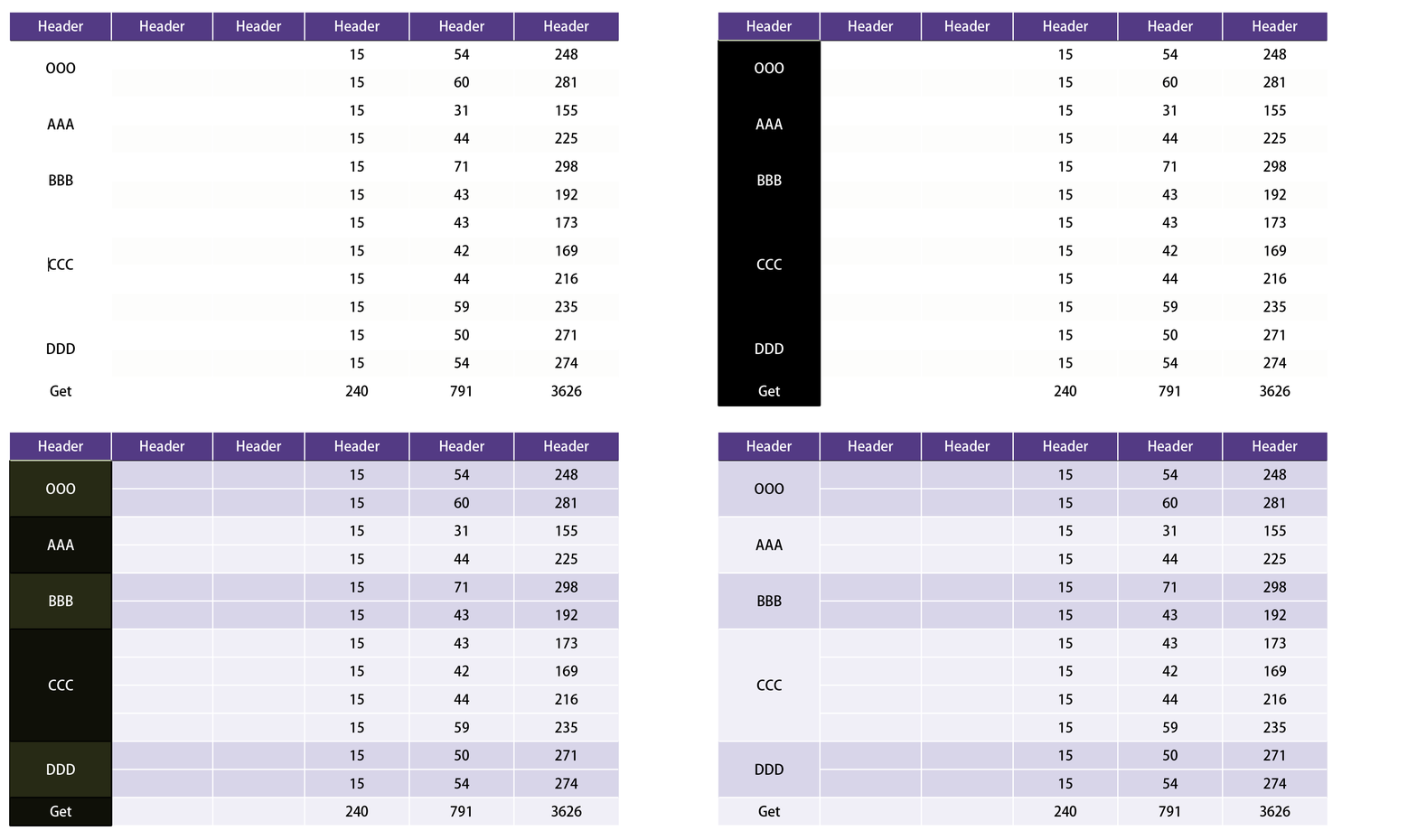
Love the table interlocking coloring, but the spanning of the rows isn't very pretty.
It's a lot of volume and not regular, can you automate it?


Can you share the styles you were able to fill out?


Correct answer m1b

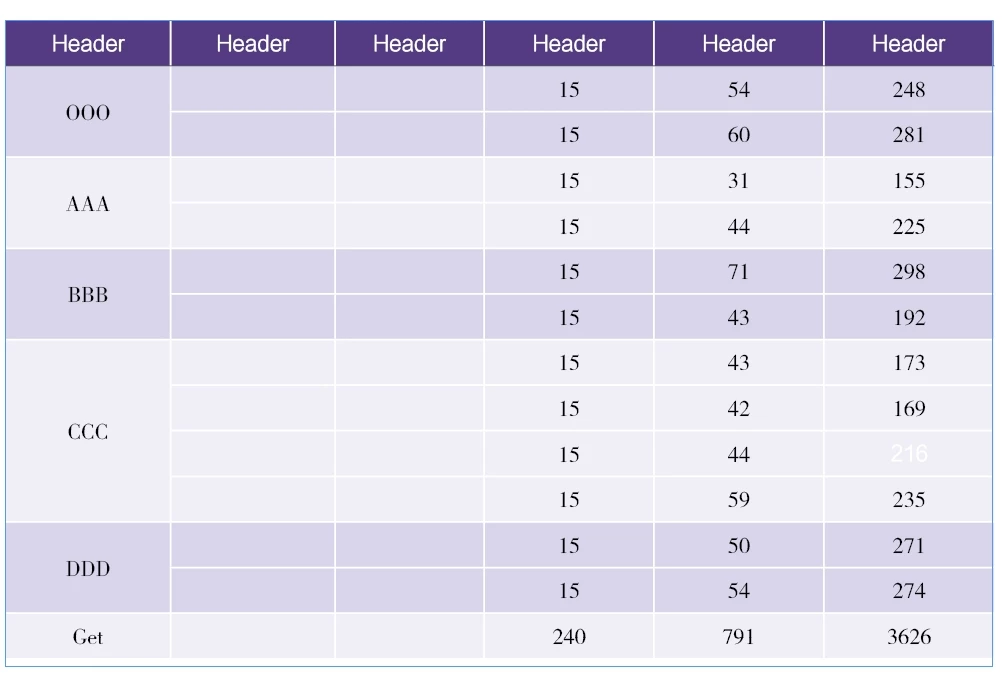
Hi @dublove I wrote a script that does this. To use it, select the cells in the row that you want to use for the style alternation—in your example it is the first column. I added the sample cell styles to your demo document (see attached).

- Mark
/**
 * @file Alternate Cell Styles For Selected Rows.js
 *
 * Configure:
 *   - Set the `cellStyleNames` array to match the cell styles in your document.
 *
 * Use:
 *   1. Select table cells in the column that will dictate the row alternation.
 *      (This is important when come cells span multiple rows.)
 *   2. Run script.
 *
 * @author m1b
 * @version 2025-04-22
 * @discussion https://community.adobe.com/t5/indesign-discussions/how-to-modify-this-script-to-select-multiple-images-and-a-text-box/m-p/15278845
 */
function main() {

    // the two alternating cell style names
    var cellStyleNames = [
        'Cell Color A',
        'Cell Color B',
    ];

    var doc = app.activeDocument,
        selectedCells = getCells(doc.selection[0]);

    if (0 === selectedCells.length)
        return alert('Please select some cells and run script again.');

    var table = selectedCells[0].texts[0].parent.parent;

    if (!table.isValid)
        return alert('The table is invalid.');

    // confirm the cell styles are valid
    var cellStyles = [];

    for (var i = 0, style; i < cellStyleNames.length; i++) {

        style = getThing(doc.allCellStyles, 'name', cellStyleNames[i]);

        if (!style)
            return alert('Document does not have the "' + cellStyleNames[i] + '"cell style.');

        cellStyles.push(style);

    }

    // a simple alternator
    var nextStyle = alternateThings(cellStyles);

    // we only want cells from one selected column
    var columnIndex = selectedCells[0].parentColumn.index,
        cells = [];

    for (var i = 0; i < selectedCells.length; i++)
        if (columnIndex === selectedCells[i].parentColumn.index)
            cells.push(selectedCells[i]);

    // loop over the cells, apply the styles
    for (var i = 0, cell, style; i < selectedCells.length; i++) {

        if (RowTypes.BODY_ROW !== selectedCells[i].parentRow.rowType)
            continue;

        cell = selectedCells[i];
        style = nextStyle();

        // apply the cell style to each row spanned by this cell
        for (var j = 0; j < cell.rowSpan; j++)
            table.rows.item(cell.parentRow.index + j)
                .cells.everyItem().appliedCellStyle = style;

    }

};
app.doScript(main, ScriptLanguage.JAVASCRIPT, undefined, UndoModes.ENTIRE_SCRIPT, 'Alternate Cell Styles');

/**
 * Attempts to return array of cell, given an object.
 * @author m1b
 * @version 2023-02-06
 * @param {InsertionPoint|Text|Cells|Cells|Table} obj - an object related to a Cell.
 * @returns {Array<Cell>}
 */
function getCells(obj) {

    if (obj == undefined)
        return [];

    if (
        obj.hasOwnProperty('cells')
        && obj.cells.length > 0
    )
        return obj.cells.everyItem().getElements();

    if ('Cell' === obj.constructor.name)
        return [obj];

    if ('Cell' === obj.parent.constructor.name)
        return [obj.parent];

    if ('Table' === obj.constructor.name)
        return obj.cells.everyItem().getElements();

};

/**
 * Returns a thing with matching property.
 * If `key` is undefined, evaluate the object itself.
 * @author m1b
 * @version 2024-04-21
 * @param {Array|Collection} things - the things to look through.
 * @param {String} [key] - the property name (default: undefined).
 * @param {*} value - the value to match.
 * @returns {*?} - the thing, if found.
 */
function getThing(things, key, value) {

    for (var i = 0, obj; i < things.length; i++)
        if ((undefined == key ? things[i] : things[i][key]) == value)
            return things[i];

};

/**
 * Returns a function that returns the next element
 * of `things` each time it is executed.
 * @author m1b
 * @version 2025-04-22
 * @param {Array<*>} things - the things to alternate.
 * @returns {*} - the next thing.
 */
function alternateThings(things) {

    return (function alternate(_things) {

        var index = _things.length - 1;

        return function () {
            index = (index + 1) % _things.length;
            return _things[index];
        };

    })(things);

};


 

3 replies

m1b
Community Expert
m1bCommunity ExpertCorrect answer
Community Expert
April 22, 2025

Hi @dublove I wrote a script that does this. To use it, select the cells in the row that you want to use for the style alternation—in your example it is the first column. I added the sample cell styles to your demo document (see attached).

- Mark

/**
 * @file Alternate Cell Styles For Selected Rows.js
 *
 * Configure:
 *   - Set the `cellStyleNames` array to match the cell styles in your document.
 *
 * Use:
 *   1. Select table cells in the column that will dictate the row alternation.
 *      (This is important when come cells span multiple rows.)
 *   2. Run script.
 *
 * @author m1b
 * @version 2025-04-22
 * @discussion https://community.adobe.com/t5/indesign-discussions/how-to-modify-this-script-to-select-multiple-images-and-a-text-box/m-p/15278845
 */
function main() {

    // the two alternating cell style names
    var cellStyleNames = [
        'Cell Color A',
        'Cell Color B',
    ];

    var doc = app.activeDocument,
        selectedCells = getCells(doc.selection[0]);

    if (0 === selectedCells.length)
        return alert('Please select some cells and run script again.');

    var table = selectedCells[0].texts[0].parent.parent;

    if (!table.isValid)
        return alert('The table is invalid.');

    // confirm the cell styles are valid
    var cellStyles = [];

    for (var i = 0, style; i < cellStyleNames.length; i++) {

        style = getThing(doc.allCellStyles, 'name', cellStyleNames[i]);

        if (!style)
            return alert('Document does not have the "' + cellStyleNames[i] + '"cell style.');

        cellStyles.push(style);

    }

    // a simple alternator
    var nextStyle = alternateThings(cellStyles);

    // we only want cells from one selected column
    var columnIndex = selectedCells[0].parentColumn.index,
        cells = [];

    for (var i = 0; i < selectedCells.length; i++)
        if (columnIndex === selectedCells[i].parentColumn.index)
            cells.push(selectedCells[i]);

    // loop over the cells, apply the styles
    for (var i = 0, cell, style; i < selectedCells.length; i++) {

        if (RowTypes.BODY_ROW !== selectedCells[i].parentRow.rowType)
            continue;

        cell = selectedCells[i];
        style = nextStyle();

        // apply the cell style to each row spanned by this cell
        for (var j = 0; j < cell.rowSpan; j++)
            table.rows.item(cell.parentRow.index + j)
                .cells.everyItem().appliedCellStyle = style;

    }

};
app.doScript(main, ScriptLanguage.JAVASCRIPT, undefined, UndoModes.ENTIRE_SCRIPT, 'Alternate Cell Styles');

/**
 * Attempts to return array of cell, given an object.
 * @author m1b
 * @version 2023-02-06
 * @param {InsertionPoint|Text|Cells|Cells|Table} obj - an object related to a Cell.
 * @returns {Array<Cell>}
 */
function getCells(obj) {

    if (obj == undefined)
        return [];

    if (
        obj.hasOwnProperty('cells')
        && obj.cells.length > 0
    )
        return obj.cells.everyItem().getElements();

    if ('Cell' === obj.constructor.name)
        return [obj];

    if ('Cell' === obj.parent.constructor.name)
        return [obj.parent];

    if ('Table' === obj.constructor.name)
        return obj.cells.everyItem().getElements();

};

/**
 * Returns a thing with matching property.
 * If `key` is undefined, evaluate the object itself.
 * @author m1b
 * @version 2024-04-21
 * @param {Array|Collection} things - the things to look through.
 * @param {String} [key] - the property name (default: undefined).
 * @param {*} value - the value to match.
 * @returns {*?} - the thing, if found.
 */
function getThing(things, key, value) {

    for (var i = 0, obj; i < things.length; i++)
        if ((undefined == key ? things[i] : things[i][key]) == value)
            return things[i];

};

/**
 * Returns a function that returns the next element
 * of `things` each time it is executed.
 * @author m1b
 * @version 2025-04-22
 * @param {Array<*>} things - the things to alternate.
 * @returns {*} - the next thing.
 */
function alternateThings(things) {

    return (function alternate(_things) {

        var index = _things.length - 1;

        return function () {
            index = (index + 1) % _things.length;
            return _things[index];
        };

    })(things);

};
 

dublove
dubloveAuthor
Legend
April 22, 2025

That's great, thank you very much.

When I have time, I'll try to have it automatically create two cell styles, Color A and ColorB, and specify a fill color


You've taken Adobe InDesign to several more levels.

Sudden interest in your work, Adobe engineer?

Mike Witherell
Community Expert
Community Expert
April 21, 2025

I would define two more cellstyles for the body.

Mike Witherell
Mike Witherell
Community Expert
Community Expert
April 21, 2025

Your example has a cell style for the header row, but it needs two body cell styles for the alternating fill effect you show here. You would NOT use the tables alternating row fill; nor would you need to define alternating row and column strokes. Instead of alternating row and column strokes, you would simply define your cellstyles to have strokes. The table, as designed, would not benefit much from developing a table style, but you would and could manually apply 3 cellstyles to control this table design. BTW, merging cells on the left side complicates the table and makes it difficult to tag successfully.

Mike Witherell
dublove
dubloveAuthor
Legend
April 21, 2025

Nothing else matters.
What matters is how to more easily set up overlays across multiple rows.