
Participating Frequently
October 25, 2017
Answered

How many Characters will Fit in Text Box

  • October 25, 2017
  • 7 replies
  • 6625 views

Hello,

I'm working on a newsletter and I want to tell the writers what is the maximum characters they can write for that textbox so that they can know the parameters for how much they write. How do I figure out the maximum characters that can fit in a text box? Or is there a better way to make sure that the their articles will fit in my text boxes?

Please help!

Kristi
Correct answer SJRiegel

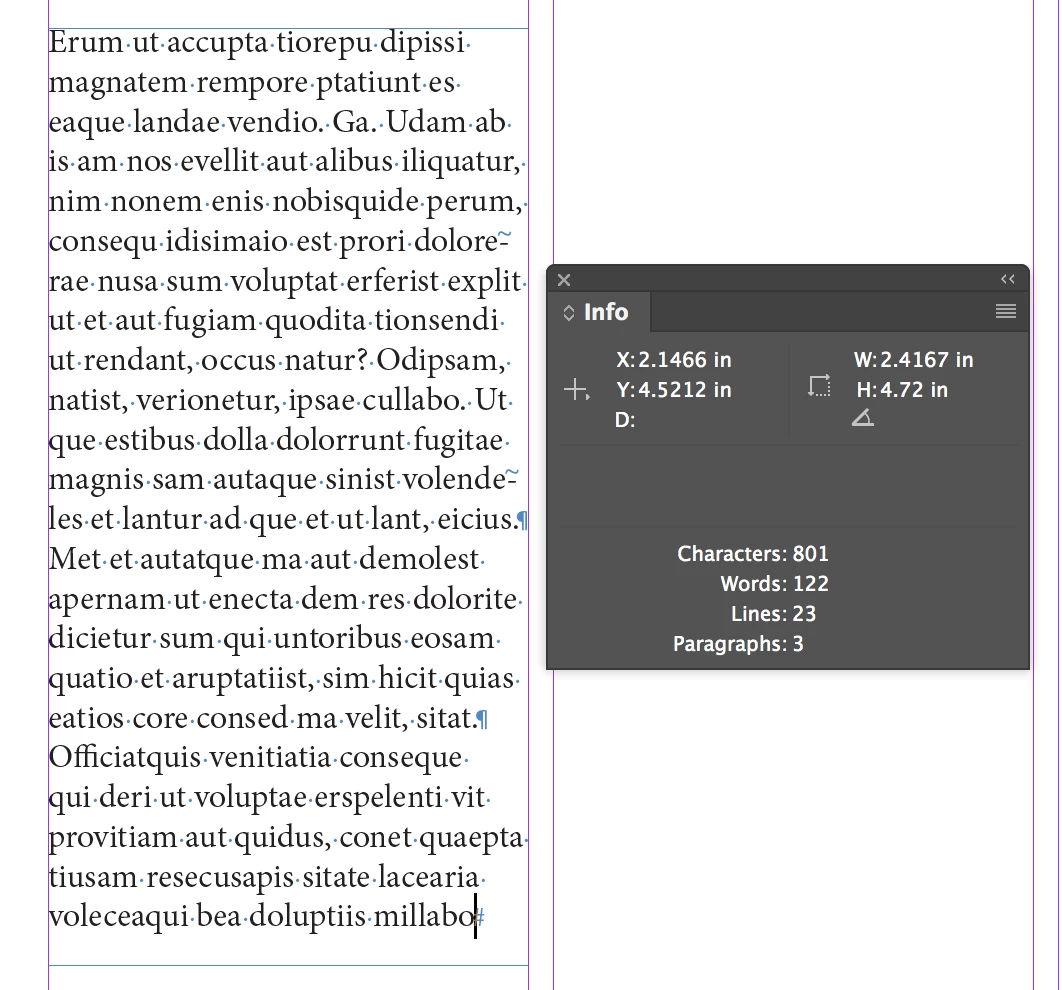
You can fill your boxes with correctly-formatted placeholder text, and then use the Info Window to get a word count.

7 replies

Robert at ID-Tasker
Legend
May 17, 2025

@francia_3382


As has been mentioned already - Info pallet shows this information.


Participating Frequently
October 25, 2017

Thanks for writing! I'm going to use the placeholder text. Thanks!

JonathanArias
Legend
October 25, 2017

Draw the text box, fill it with place holder text, past that text into word, and on the bottom it will tell you the number of characters. done.

amaarora
Community Manager
Community Manager
October 25, 2017

Hi,

You dont need Word for that. Info panel in InDesign does that and more stuff easily.

-Aman

JonathanArias
Legend
October 25, 2017

i did not know that, thanks. there you go even better, done right from indesign.

JonathanArias
Legend
October 25, 2017
Loic.Aigon
Legend
October 25, 2017

Quoting :

I know it isn’t an exact

That’s the point indeed.

Barb Binder
Community Expert
Community Expert
October 25, 2017

One more idea for you—you could have them use InCopy, which allows the writers/editors to check out your text frames, assign the styles that you have already created and type directly into your frames. They can see exactly how the text will look, and copyfit at the same time. InCopy is included with a CC subscription, or $5 a month if that's all they need. It would make your job easier—after they check their files back in, you just need to review them and then you can focus on other tasks.

Writing and copy editing software | Download free Adobe InCopy CC trial

~Barb at Rocky Mountain Training
SJRiegelCorrect answer
Legend
October 25, 2017

You can fill your boxes with correctly-formatted placeholder text, and then use the Info Window to get a word count.

Loic.Aigon
Legend
October 25, 2017

What if a grep style is applied, what if a baseline grid is set…Etc. Etc.

amaarora
Community Manager
Community Manager
October 25, 2017

Hi,

I would recommend you make the text frame set to auto size so that the characters always fit in it, no matter the count. The size of the text box is just big enough to accommodate the characters in it. This can be done using the text frame properties->Auto size.

To determine number of characters that fit in a text box is a difficult task and depends on what characters are entered. Across fonts, the glyph width varies. Within fonts too, the width of different characters is different.

For example: Width of "M" below is much more than "I" in Minion Pro

Similarly, the type of spaces (em space, en space etc) also determine the number of characters that can be fit.

If you really want to somehow calculate the characters that fit, then using a "Monospace" font may help which has the same horizontal spacing for each character.

-Aman

Loic.Aigon
Legend
October 25, 2017

I have a dream…that one day, copy writers will understand that one cannot know how many characters can fit a frame as long as InDesign hasn't rendered the text yet; that styles may affect the length of the text, that fonts and paragraph composer may dramatically reorganize the text.

The only "true" tool copy writers can count on outside of InDesign is actually InCopy because it does render text based on InDesign text engine. Apart from that, getting to know how many characters will fit in a frame prior to work with InDesign is almost as precise than using a crystal ball…

Participant
November 24, 2019

That's a really boring dream, and a really unhelpful comment.