
Participant
May 4, 2020
Answered

How to add a Haitian Creole dictionary to InDesign?

  • May 4, 2020
  • 2 replies
  • 693 views

Hello all;

At HistoryMiami Museum, we produce a lot of material in the three most spoken languages in our community, English, Spanish and Haitian Creole, following the Miami-Dade County government best practices. InDesign has already incorporated dictionaries in English and Spanish. We are looking for a comprehensive Haitian Creole dictionary to add to InDesign, for spellcheck purposes. We would appreciate any help with this matter. Thank you.


Thank you,

Lead Creative, HistoryMiami Museum


{Renamed by MOD}
This topic has been closed for replies.
Correct answer Srishti Bali

Hi there,


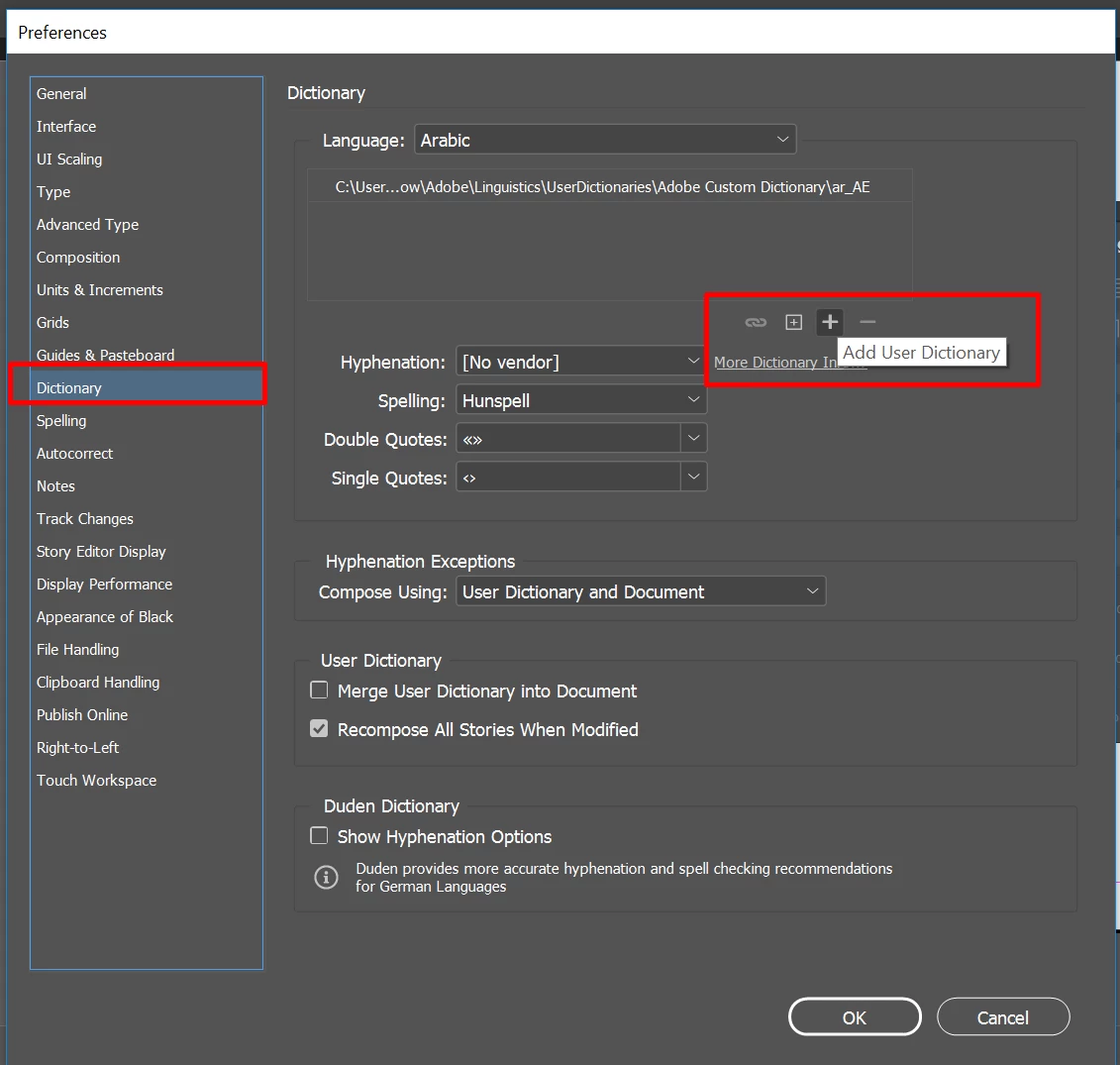
Thanks for reaching out. You can add the Haitian Creole dictionary in InDesign preferences (CTRL/ CMD+K). 


For more details, please take a look at this help article (https://helpx.adobe.com/in/indesign/using/spell-checking-language-dictionaries.html#hyphenation_and_spelling_dictionaries). 


Let us know if this helps or if you have further questions.


Regards,

Srishti

2 replies

ruynunoAuthor
Participant
May 11, 2020

Hello;

Thank you for the answer. I understand I can add dictionaries to InDesign, but I will need the actual file to add. I don't currently have a Haitian Creole dictionary. Could you please let me know what kind of files extension is needed to add a dictionary to InDesign? That way I might reach to the community and see if someone can prepare that dictionary for me to add to my InDesign.

Thank you


Rodrigo Nuno

{Personal Information removed by MOD}

Ashutosh_Mishra
Inspiring
May 13, 2020

Hi there,


Thanks for responding. Dictionaries have .UDC extension. Please find more information under "Create or add user dictionaries" on help article https://helpx.adobe.com/in/indesign/using/spell-checking-language-dictionaries.html#hyphenation_and_spelling_dictionaries shared earlier.

Hope it helps.


Regards,

Ashutosh

Srishti Bali
Community Manager
Srishti BaliCommunity ManagerCorrect answer
Community Manager
May 9, 2020

Hi there,


Thanks for reaching out. You can add the Haitian Creole dictionary in InDesign preferences (CTRL/ CMD+K). 


For more details, please take a look at this help article (https://helpx.adobe.com/in/indesign/using/spell-checking-language-dictionaries.html#hyphenation_and_spelling_dictionaries). 


Let us know if this helps or if you have further questions.


Regards,

Srishti