Beantwortet

Dieses Thema wurde für Antworten geschlossen.
LearnerS said: "I want to select entire <ANNO> paragraph to apply character style throughout in one shot. "
Hi LearnerS,
thank you for this. Now it's a bit more clear what you like to do.
Rob has shown a screenshot sample on a possible page with frame edges turned on and hidden characters visible.
You should post a screenshot of your situation exactly like that.
We also must or should know if the numbering of the paragraph is set to auto-numbering and if another auto-numbered paragraph is following the text in your screenshot.
Strategies:
If <Anno> sits in its own paragraph away from the numbered one you simply could search for <Anno> in Text or GREP Find and apply a different paragraph style. Very easy.
If you only want to format the text from one <Anno> to the next <Anno> and between is no end-of-line special character you could use this simple GREP expression to find the text:
<Anno>.+<Anno>Apply a character style to the found instances.
If you do have end-of-line special characters inside the pairs of <Anno> (how many do you maximal have?) you could work with the Find GREP pattern below that cares for a maximum of two interruptions with end-of-line special characters between the two <Anno>:
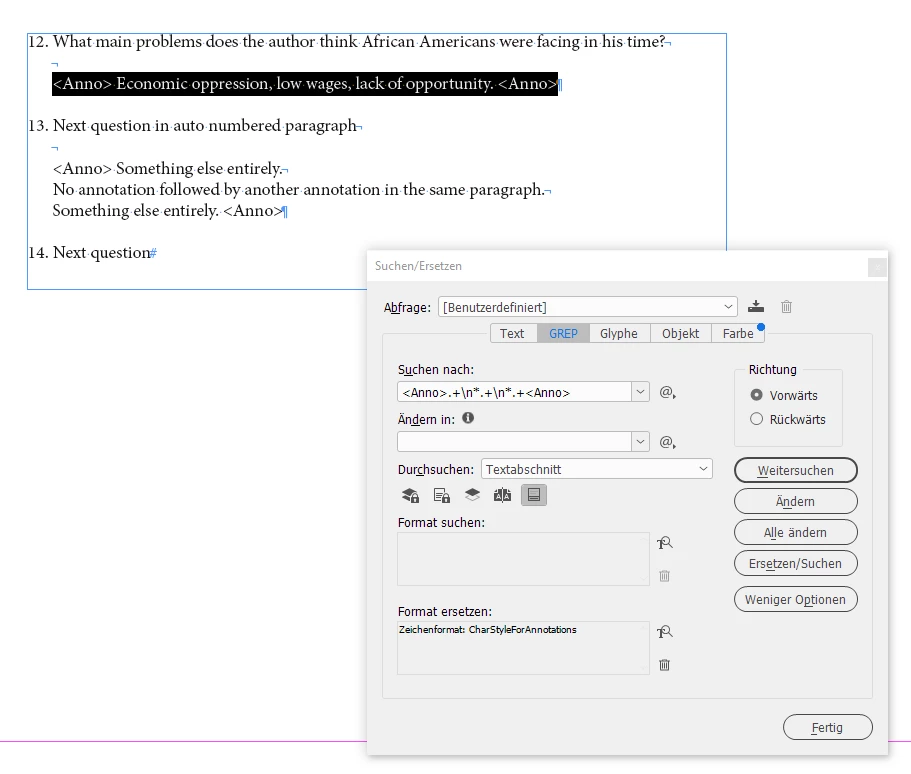
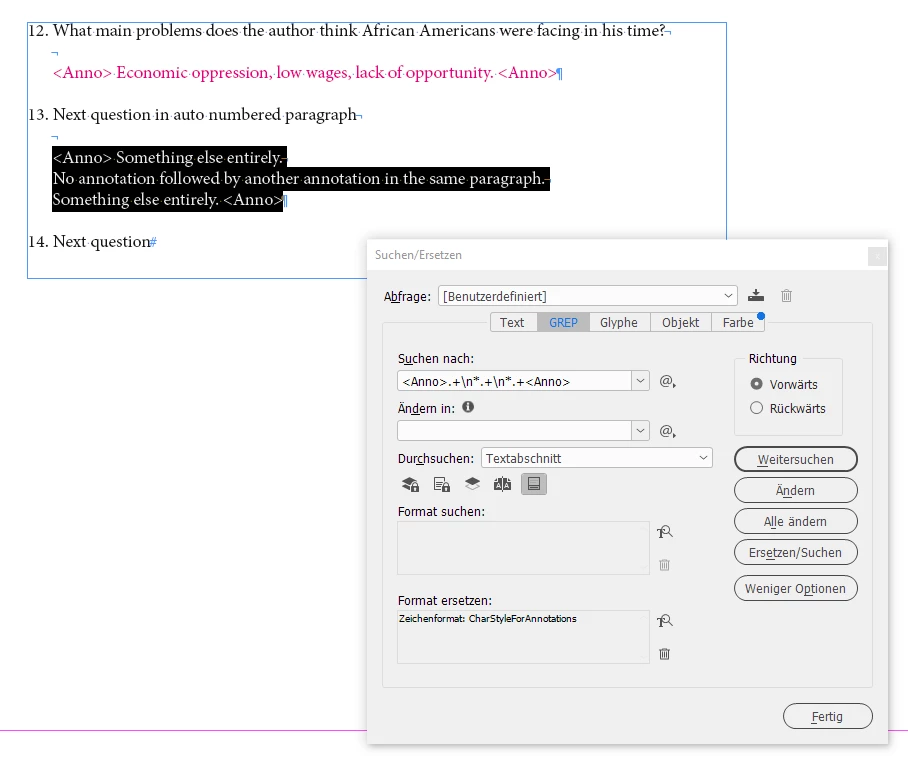
<Anno>.+\n*.+\n*.+<Anno>Apply a character style to the found instances.
Sample from my test document:
Regards,
Uwe Laubender
( Adobe Community Professional )
Enter your E-mail address. We'll send you an e-mail with instructions to reset your password.
 AdChoices