Answered

This topic has been closed for replies.
LearnerS said: "I want to select entire <ANNO> paragraph to apply character style throughout in one shot. "
Hi LearnerS,
thank you for this. Now it's a bit more clear what you like to do.
Rob has shown a screenshot sample on a possible page with frame edges turned on and hidden characters visible.
You should post a screenshot of your situation exactly like that.
We also must or should know if the numbering of the paragraph is set to auto-numbering and if another auto-numbered paragraph is following the text in your screenshot.
Strategies:
If <Anno> sits in its own paragraph away from the numbered one you simply could search for <Anno> in Text or GREP Find and apply a different paragraph style. Very easy.
If you only want to format the text from one <Anno> to the next <Anno> and between is no end-of-line special character you could use this simple GREP expression to find the text:
<Anno>.+<Anno>Apply a character style to the found instances.
If you do have end-of-line special characters inside the pairs of <Anno> (how many do you maximal have?) you could work with the Find GREP pattern below that cares for a maximum of two interruptions with end-of-line special characters between the two <Anno>:
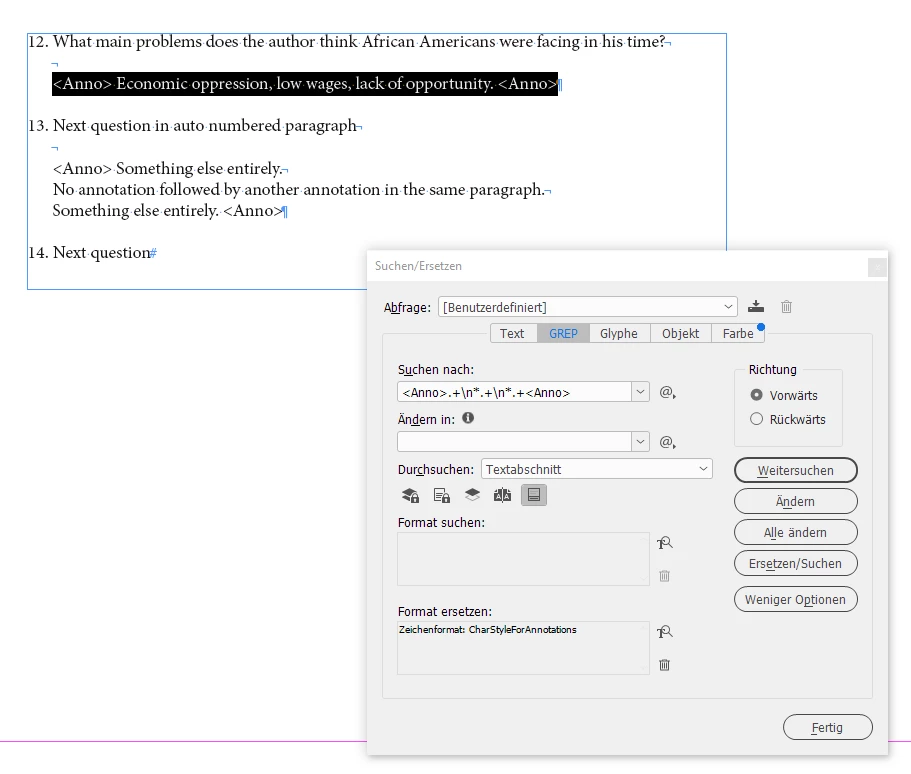
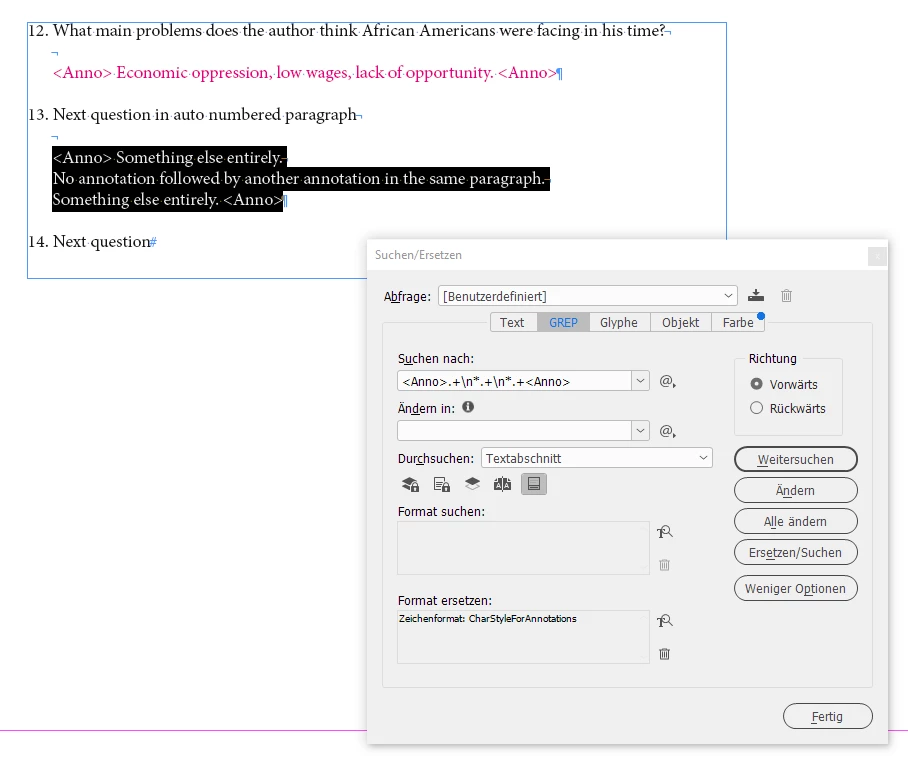
<Anno>.+\n*.+\n*.+<Anno>Apply a character style to the found instances.
Sample from my test document:
Regards,
Uwe Laubender
( Adobe Community Professional )
Sign up
Already have an account? Login
To post, reply, or follow discussions, please sign in with your Adobe ID.
Sign inSign in to Adobe Community
To post, reply, or follow discussions, please sign in with your Adobe ID.
Sign inEnter your E-mail address. We'll send you an e-mail with instructions to reset your password.
 AdChoices