dublove
Legend
January 25, 2024
Answered

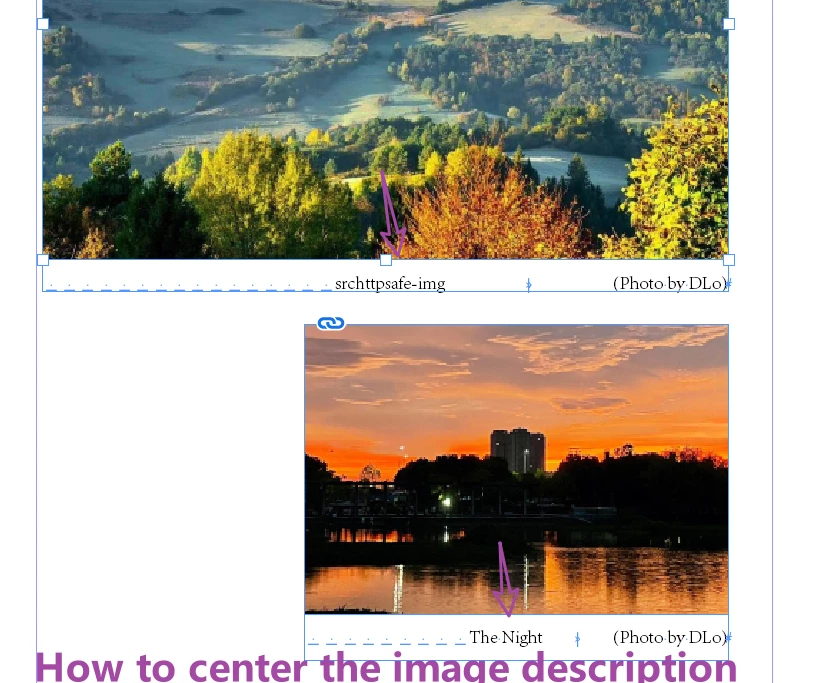
How to center the caption of a picture with a photographer on a single line.

  • January 25, 2024
  • 3 replies
  • 1308 views

When the caption and photography are on the same line, center the caption and use "Shift+Tab" to align the photographer to the right.

Between these, I can only add multiple spaces before the caption to center it.

What is a good way to make the middle captions easier?

To eliminate the step of manually typing countless spaces?


I tried Tab, but it doesn't seem to work.
This topic has been closed for replies.
Correct answer Eugene Tyson

thank you

Perhaps besides the script, this is the fastest method


I agree with @jmlevy to use 2 lines - you can even use Apply Next Style which makes it even faster 


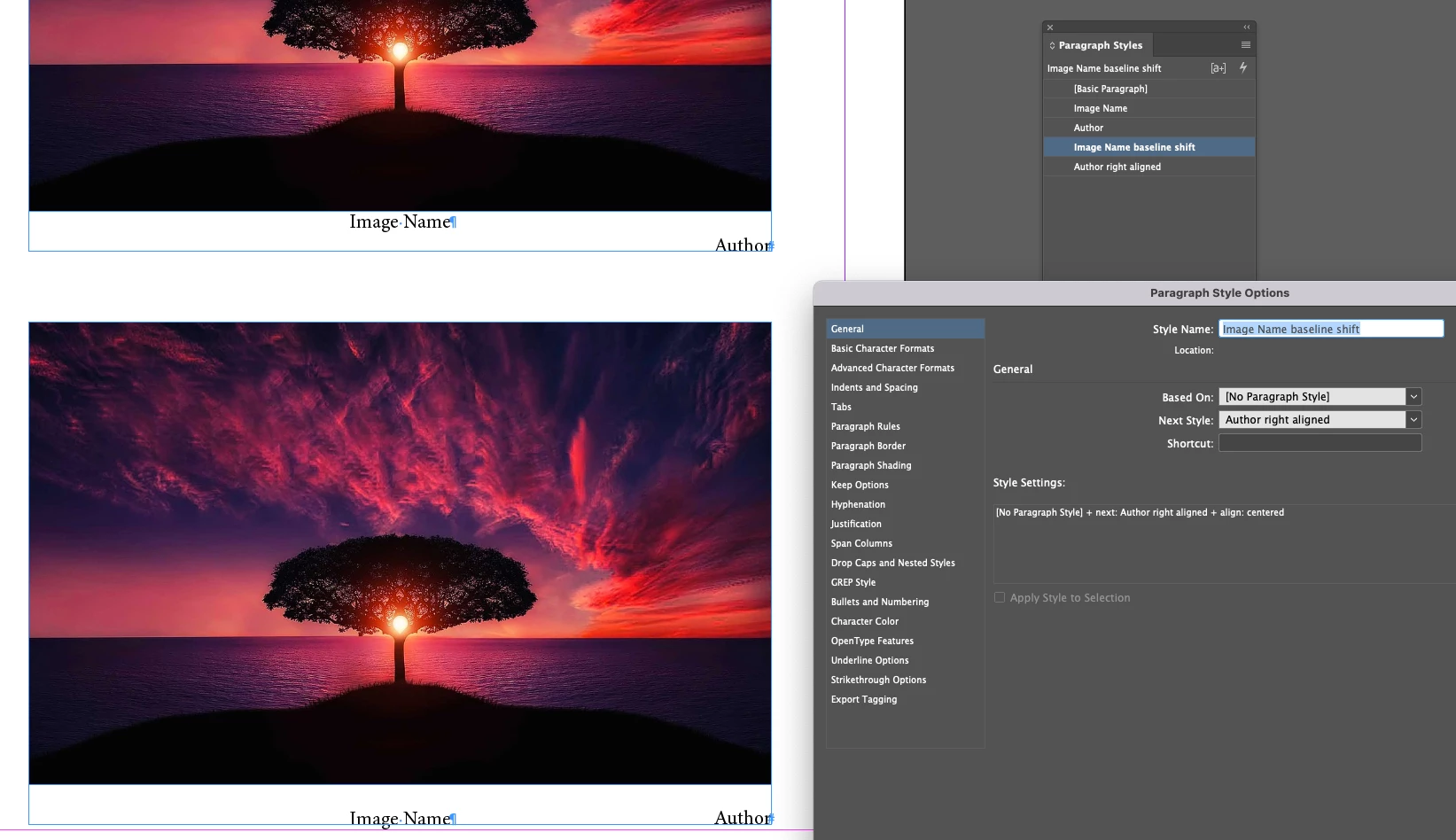
Top shows the original setup with original paragraph styles


Bottom shows use of new styles with baseline shift (or use 0 leading whichever works best for you)

And with one click you can apply the paragraph style and the next style to invoke the changes.


https://creativepro.com/where-is-apply-__-then-next-style/

3 replies

rob day
Community Expert
Community Expert
January 25, 2024

Also, a center tab’s  position would be half the width of the text fame, which could be scripted if the caption widths are always changing:


//With the cation text selected:
var s = app.activeDocument.selection[0];
var tf = s.parentTextFrames[0]
var b = tf.geometricBounds
s.tabStops[0].position  = (b[3]-b[1])/2
dublove
dubloveAuthor
Legend
January 26, 2024

The script did not run successfully.

Perhaps this way:

On the far left, use "tab" and align it with a center aligned tab.

Use "Shift+Tab" after captioning the image

But it's not as fast as entering multiple spaces on the left side

rob day
Community Expert
Community Expert
January 26, 2024

But it's not as fast as entering multiple spaces on the left side


Right, the script is for accuracy—you are probably not going to get an exact center with spaces. You have to setup the center aligned tab and select all before running the script. if the width of the captions doesn‘t vary you don’t need the script, tab stops can be saved with a paragraph style


You could also group a pair of text frames, which makes editing a bit easier than @jmlevy ’s 2 paragraph solution.


Barb Binder
Community Expert
Community Expert
January 25, 2024

HI @dublove:


I like Steve's suggestion to define a center tab in place of the spaces to center the caption, but if the images are different widths, you're going to need to adjust the center tab position for each image. For that reason, you may want to just continue with the right intent tab for the photo credit. That would give you one less thing to worry about because it always pushes everything after it to the right margin. and you won't need to adjust the right align tab too.


~Barb

~Barb at Rocky Mountain Training
jmlevy
Community Expert
Community Expert
January 25, 2024

Have a look at the attached file. I have used 2 paragraph styles and 2 paragraphs. The image name has a zero leading and is centered, the photographer name is right aligned. I also have created an object style “CAPTION”.


Barb Binder
Community Expert
Community Expert
January 25, 2024

Salut, @jmlevy. It's early here! It took a minute to see you used leading and not a baseline shift. LOL


This is a good approach. Editing is tricky, of course, so I'd add that if @dublove sees a typo in the frame, to click on the photo credit, and tap Ctrl/Cmd+Y to edit in Story Editor.


But I love the nested styles, starting at the object style. This will be the quickest route, once @dublove fully understands the workflow.


~Barb

~Barb at Rocky Mountain Training
Steve Werner
Community Expert
Community Expert
January 25, 2024

Put the caption and the photographer on the same line in the text frame.


Use the Tabs panel and use the Align Center tab for the caption and the Align Right tab for the photographer.


To reuse the layout save the text frame as an Object Style which you can re-apply.

dublove
dubloveAuthor
Legend
January 26, 2024

A good method.

I just feel like it's not as fast as typing multiple spaces earlier