


Copy link to clipboard
Copied
I currently have a book with the text flowing from one page to another. After reviewing it I noticed that I didn't add enough boxes. How can I add another text box and continue the flow?
In the below image the text box shows the red "icon" showing I have more text (which I do) but I don't know how to get it to continue to flow on the next empty page.
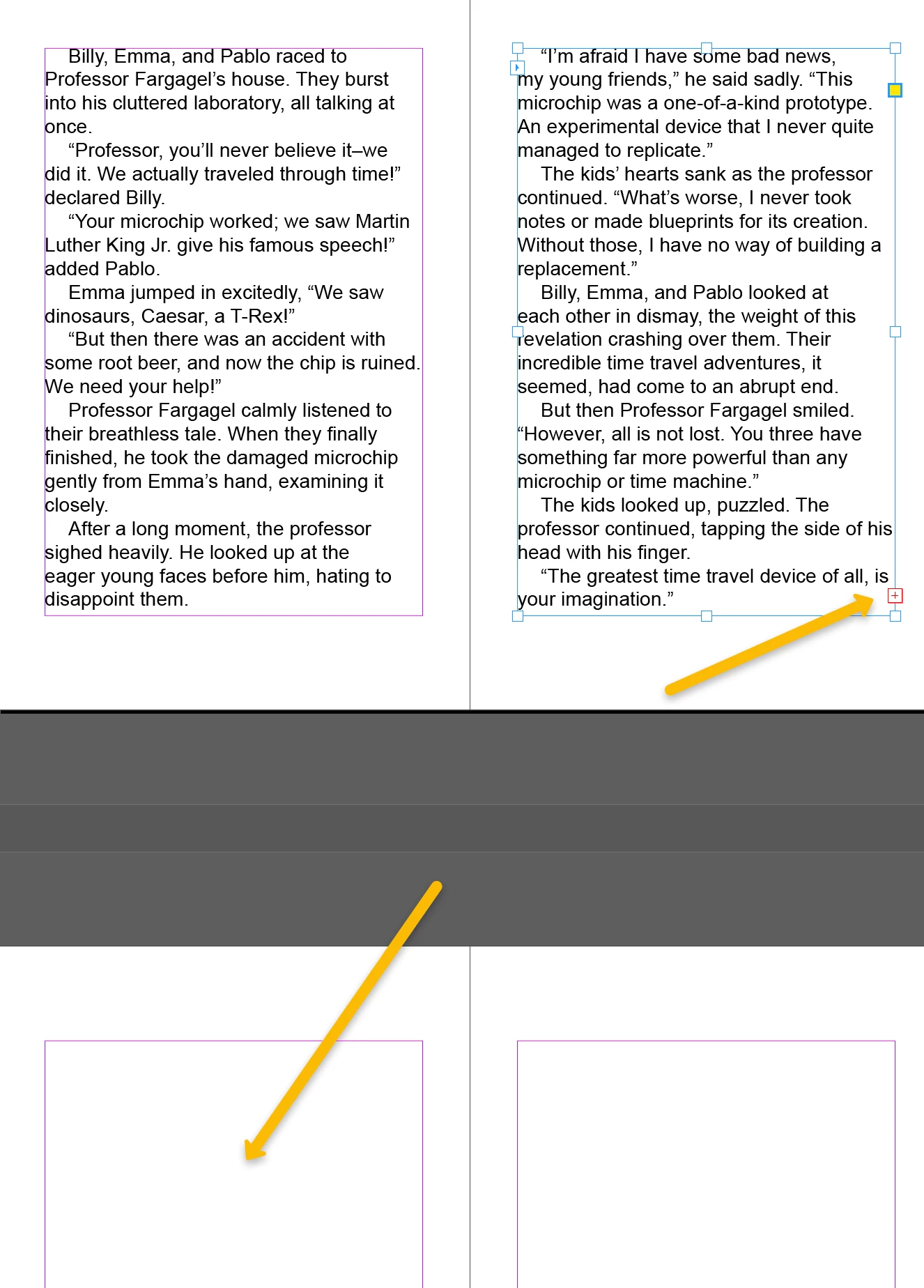
Click on the red +-square,
hold down the shift key and click on the next page inside the margin guides.
Copy link to clipboard
Copied
Click on the red +-square,
hold down the shift key and click on the next page inside the margin guides.
Copy link to clipboard
Copied
Additional recommendation: If you are typesetting a book , I recommend to use primary text frames in the future.
Copy link to clipboard
Copied
Thank you!
Copy link to clipboard
Copied
Get ready! An upgraded Adobe Community experience is coming in January.
Learn more