Inspiring
October 2, 2014
Answered

how to copy/paste anchor text box to its anchor point in text and delete all empty anchors?

  • October 2, 2014
  • 1 reply
  • 2221 views

hi all

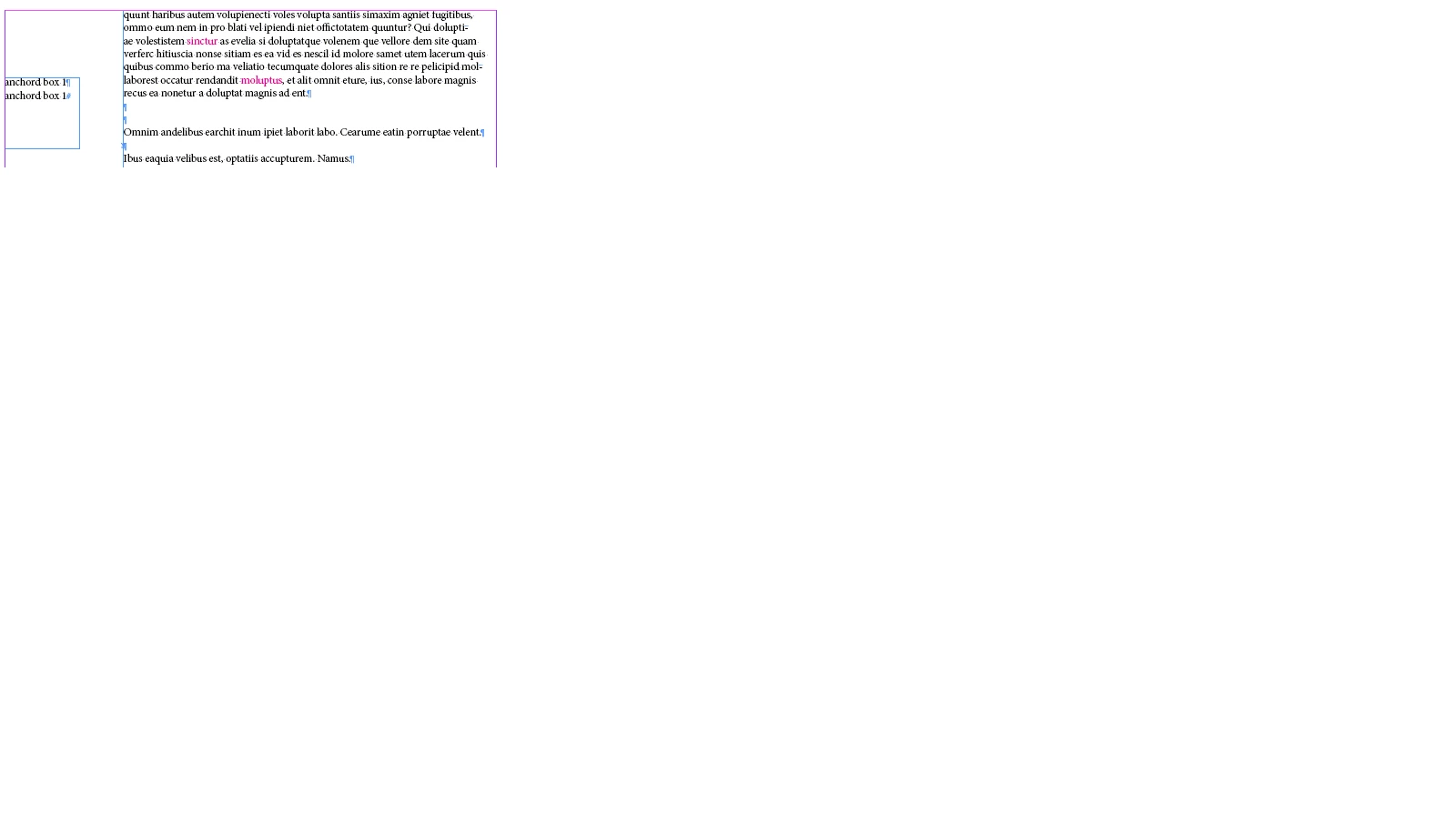
i have a document of few pages but one story. The right column is the main text box and on many places anchored text boxes are placed which appeared on the left column as shown below.

i want text of each anchor-text-box to be cut from its place and paste at its insertion/anchor point and delete all empty anchored boxes.

I am trying since morning but i unable to reach anchor object reference. Any help on how to start with will be helpful.

virender

This topic has been closed for replies.
Correct answer cchimi

Ok, let's say you have one main text box (not anchored) and three text boxes that are anchored to text within it. The first one is anchored with text, the second one is unanchored, and the third one is empty (I'm not going to get into inline anchoring vs. custom anchoring since you didn't bring it up in your post).

We cycle through the items on the page:

function main(){

  var myDoc = app.activeDocument;

  var myPages = myDoc.pages.everyItem().getElements();

  for (var i = 0; i < myPages.length; i++){

  {

    var myPage = myPages;

    //Checks that the page is valid, and that it is not a master page. If either is true, skips to the next page.

    if (myPage.isValid == false) continue;

    if (myPage.parent instanceof MasterSpread) continue;

    var myItems = myPage.allPageItems;

    for (var j = 0; j < myItems.length; j++){

      //Current item.

      var myItem = myItems;

      //If myItem doesn't have a Character parent, it is not anchored.

      //The first and third text frames would fail this test.

      if (!(myItem.parent instanceof Character)) continue;

      //We only care about text frames.

      if (!(myItem instanceof TextFrame)) continue;

      //I think the only way this would happen would be if you had an image or

      //something else unexpected within the frame. I check for it so no content

      //is inadvertently lost.

      else if (myItem.texts.length > 1) continue;

      //If we're still in this iteration of the loop, all qualifications are met.

      //Flatten the text frame.

      //I don't use layers that often so, to me, flatten makes sense. You may want

      //to use a different term if there's a chance for confusion.

      flattenItem(myItem);

     }

   }

}

function flattenItem(funcItem)

{

     //Hold onto the anchor character.

    var myParent = funcItem.parent;

     //Duplicate the text from within the frame so that it appears right after the anchor.

     //There may be other methods, but this works for me. I try to avoid copy/paste

     //so as not to deal with any clipboard mishaps. I added a check in case of empties.

     if (funcItem.texts.length > 0){funcItem.texts[0].duplicate(LocationOptions.AFTER, myParent.insertionPoints[0]);}

     //Replace the anchor character itself with a space (or whatever) which also

     //deletes the text frame it was anchoring.

    myParent.contents = " ";

}

I guess the takeaway might be that you're not looking at the main text frame and then checking to see if anything is anchored to it. You're looking at each text frame and figuring out if it is anchored. That's my approach, anyway.

1 reply

Inspiring
October 2, 2014

The anchor is a Character Object. So, one approach would be to cycle through textFrames, checking for a parent of type Character. You can then duplicate the text from the textFrame after the Character parent (you may need to play with that to make sure you get a space if you want one). I use a function like this, where funcItem is a textFrame with a confirmed Character parent:


  1. function flattenItem(funcItem)
  2. {
  3.     var myParent = funcItem.parent;
  4.     funcItem.texts[0].duplicate(LocationOptions.AFTER, myParent.insertionPoints[0]);
  5.     myParent.contents = " ";
  6. }

You may want to modify that to account for exactly where you want your content to appear, whether or not you want a space in front, or to add error handling, but that's the idea.

Inspiring
October 2, 2014

thanks for the reply but can i please get more info.

i have only one text box for example and lets say four anchor text boxes in that text box.

virender

cchimiCorrect answer
Inspiring
October 2, 2014

Ok, let's say you have one main text box (not anchored) and three text boxes that are anchored to text within it. The first one is anchored with text, the second one is unanchored, and the third one is empty (I'm not going to get into inline anchoring vs. custom anchoring since you didn't bring it up in your post).

We cycle through the items on the page:

function main(){

  var myDoc = app.activeDocument;

  var myPages = myDoc.pages.everyItem().getElements();

  for (var i = 0; i < myPages.length; i++){

  {

    var myPage = myPages;

    //Checks that the page is valid, and that it is not a master page. If either is true, skips to the next page.

    if (myPage.isValid == false) continue;

    if (myPage.parent instanceof MasterSpread) continue;

    var myItems = myPage.allPageItems;

    for (var j = 0; j < myItems.length; j++){

      //Current item.

      var myItem = myItems;

      //If myItem doesn't have a Character parent, it is not anchored.

      //The first and third text frames would fail this test.

      if (!(myItem.parent instanceof Character)) continue;

      //We only care about text frames.

      if (!(myItem instanceof TextFrame)) continue;

      //I think the only way this would happen would be if you had an image or

      //something else unexpected within the frame. I check for it so no content

      //is inadvertently lost.

      else if (myItem.texts.length > 1) continue;

      //If we're still in this iteration of the loop, all qualifications are met.

      //Flatten the text frame.

      //I don't use layers that often so, to me, flatten makes sense. You may want

      //to use a different term if there's a chance for confusion.

      flattenItem(myItem);

     }

   }

}

function flattenItem(funcItem)

{

     //Hold onto the anchor character.

    var myParent = funcItem.parent;

     //Duplicate the text from within the frame so that it appears right after the anchor.

     //There may be other methods, but this works for me. I try to avoid copy/paste

     //so as not to deal with any clipboard mishaps. I added a check in case of empties.

     if (funcItem.texts.length > 0){funcItem.texts[0].duplicate(LocationOptions.AFTER, myParent.insertionPoints[0]);}

     //Replace the anchor character itself with a space (or whatever) which also

     //deletes the text frame it was anchoring.

    myParent.contents = " ";

}

I guess the takeaway might be that you're not looking at the main text frame and then checking to see if anything is anchored to it. You're looking at each text frame and figuring out if it is anchored. That's my approach, anyway.