Answered
How to create a border around every 3 paragraphs in InDesign?
How can I create a border around every 3 paragraphs
<Title renamed by moderator>

How can I create a border around every 3 paragraphs
<Title renamed by moderator>
If you mean paragraphs A, B and C all wrapped in one box — easy but you have to manage it a little bit.
Create a border around a paragraph that meets your wishes. Then check the box at bottom:
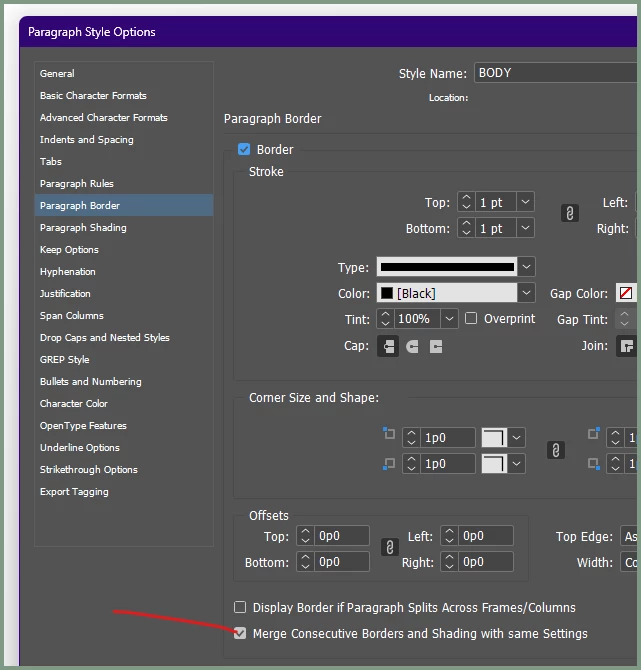
This will tell ID to merge the border between any two paragraphs that have IDENTICAL border settings, giving the effect of one box around all of them. (You can even have very different paragraph styles merge, but the smallest variation of border settings will make them non-matching, and the feature won't work.)
It's best to create one master style for this kind of merging, and make any secondary styles (a highlighted style, for example) children of it without touching the border settings, and then they will always merge.
Note also the option to have borders break across pages or not — a choice here can let you break such merged borders across pages with or without bottom/top borders across the break, as you prefer.
Already have an account? Login
Enter your E-mail address. We'll send you an e-mail with instructions to reset your password.
 AdChoices