Create your 4 pages "as usual", that is, as 4 separate pages. Then:
1. Uncheck "Allow Document pages to shuffle' in the Pages menu (Pages and spreads in InDesign )
2. Drag page 3 in the Pages panel to the right hand side of page 2. You will see a clear indication it is "near enough", and when you release the mouse button, the pages will stick together.
3. Do the same for page 4. Now your panel ought to look like this:
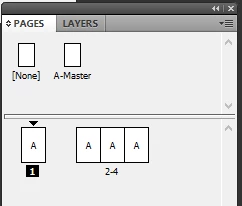
4. When exporting to a PDF, check the box "Spreads" in the General section – it is right under the page range entry field.
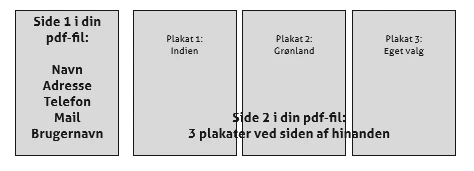
5. The PDF will consist of one standard size page, and one oversized page with the 3 next InDesign pages combined.
6. When exporting 'for realz' you will want to make sure "Spreads" is deselected; then all 4 pages will export as single pages again.

 AdChoices