Participant
January 25, 2023
Answered

How to create an automatic page numbering?

  • January 25, 2023
  • 2 replies
  • 674 views

Hello there!

I am trying to find a way to create an automatic page numbering, where in the left page will be a text box frame, that will contain the current pages number plus the next pages number, while in the right page there will be no numbering.

Thanks in advance!


<Title renamed by moderator>

This topic has been closed for replies.
Correct answer Laubender

Hi @George225694725gqt ,

you could set this up on the parent pages.

For this you need two text frames that are threaded.

One on the left side of the spine, one on the right side of the spine.


The one on the left side of the spine contains:

The special character for the current page, some divider characters, the special character for the next page.


From my German InDesign 2023 on Windows 10:
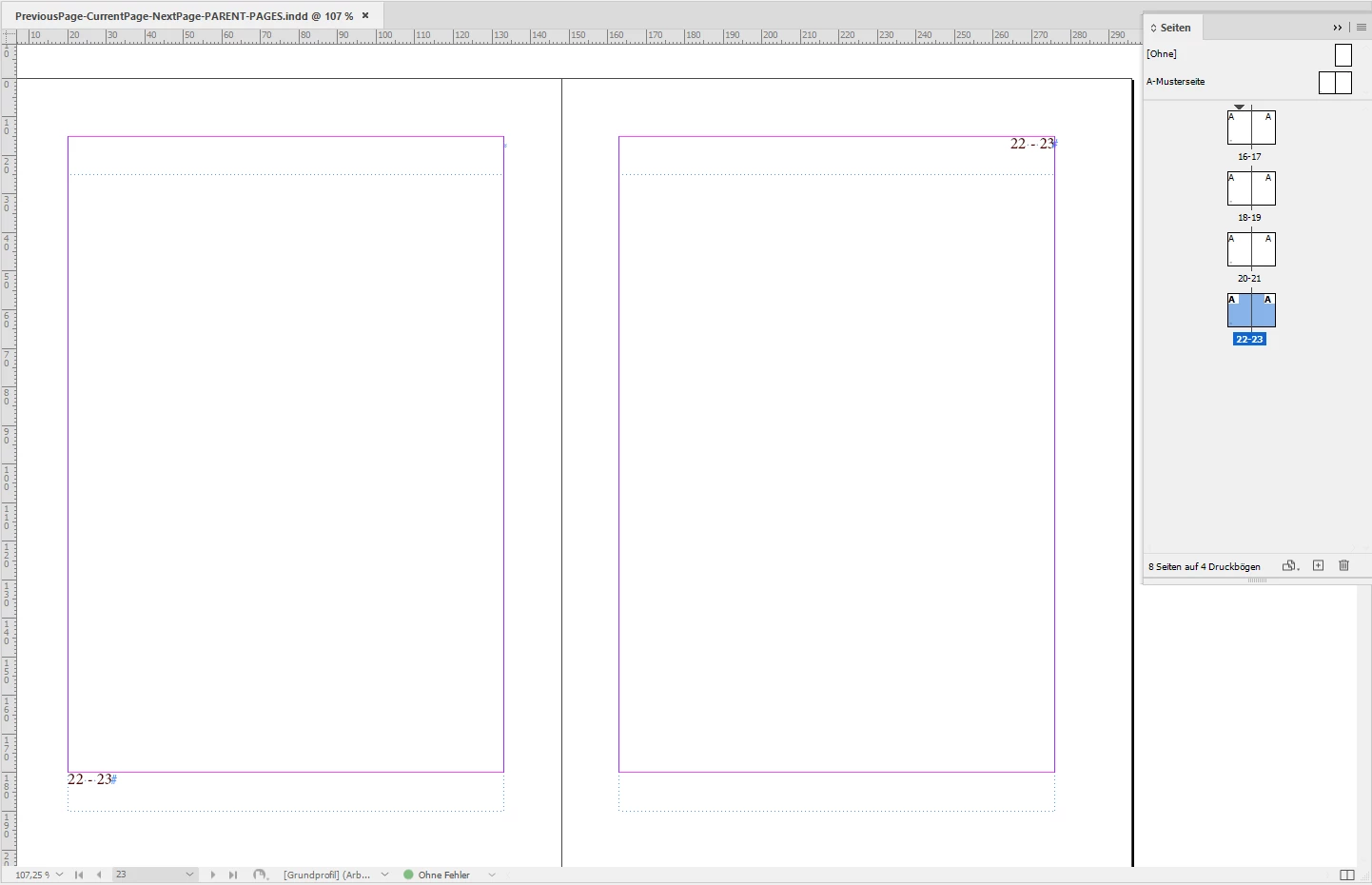
 

Note: For the sample at the top I used the same principle. This time I needed an extra frame break character. Followed by the special character for previous page, then my divider characters followed by the current page special character.
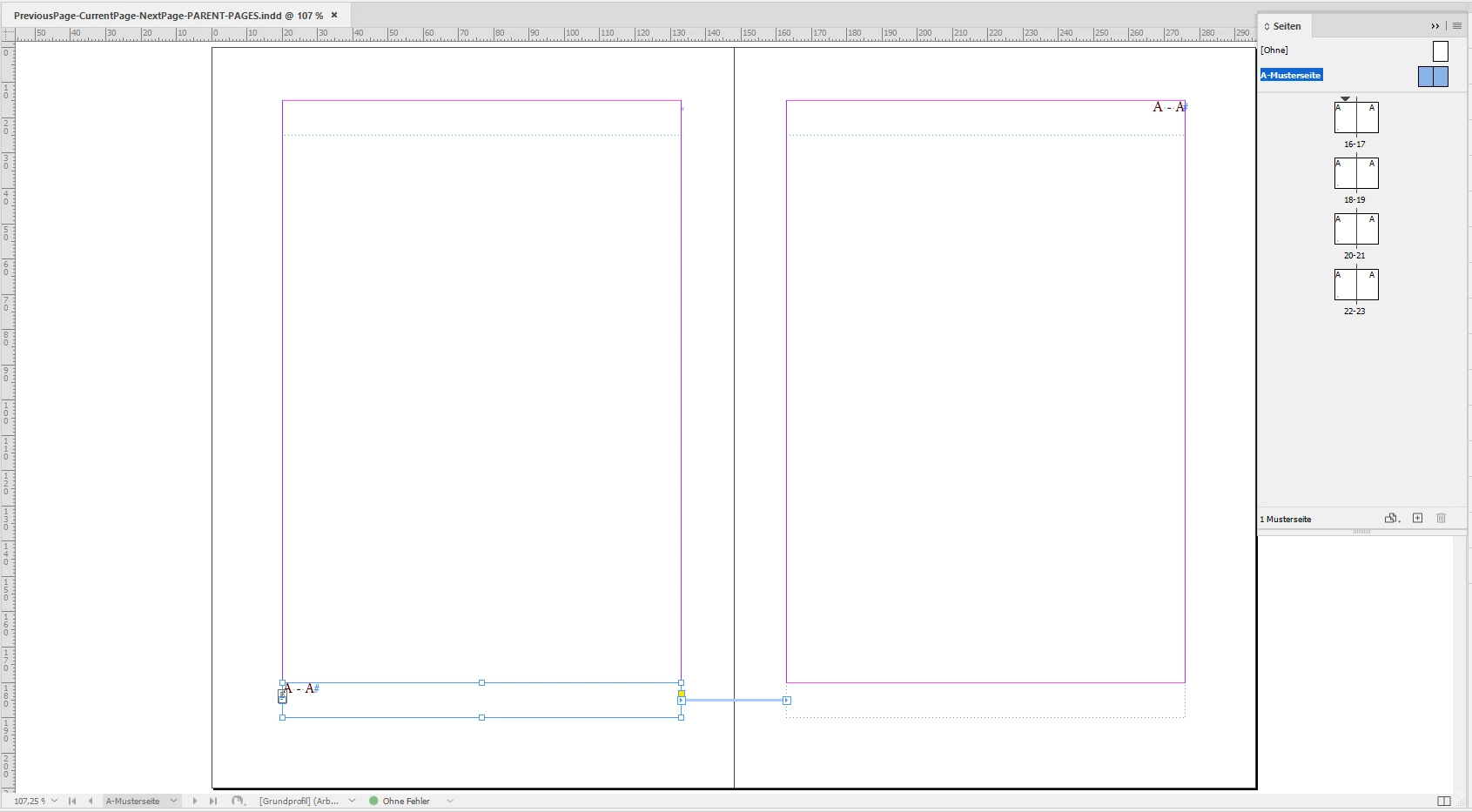
 

InDesign document attached where I set this up on the parent page.

PreviousPage-CurrentPage-NextPage-PARENT-PAGES.indd


Regards,
Uwe Laubender
( Adobe Community Expert )

2 replies

Participant
January 26, 2023

Ugh, @Laubender thank you so much for that info! I was missing the part with the break points.. thanks again


LaubenderCommunity ExpertCorrect answer
Community Expert
January 25, 2023

Hi @George225694725gqt ,

you could set this up on the parent pages.

For this you need two text frames that are threaded.

One on the left side of the spine, one on the right side of the spine.


The one on the left side of the spine contains:

The special character for the current page, some divider characters, the special character for the next page.


From my German InDesign 2023 on Windows 10:


Note: For the sample at the top I used the same principle. This time I needed an extra frame break character. Followed by the special character for previous page, then my divider characters followed by the current page special character.


InDesign document attached where I set this up on the parent page.

PreviousPage-CurrentPage-NextPage-PARENT-PAGES.indd


Regards,
Uwe Laubender
( Adobe Community Expert )

Peter Spier
Community Expert
Community Expert
January 25, 2023

Uwe posted fater than I could create the screen capture.

Just wanted to add that you can get the same thing on the right-hand page by placing a Previouos Page Number marker in front of the current page marker, and precede that by a column break (numpad Enter key) to force the markers into the right-hand frame.
