Here's an example that uses the method I described:
https://creativepro.com/files/kahrel/indesign/table_footnotes.html
Thanks again Peter for all of your help.
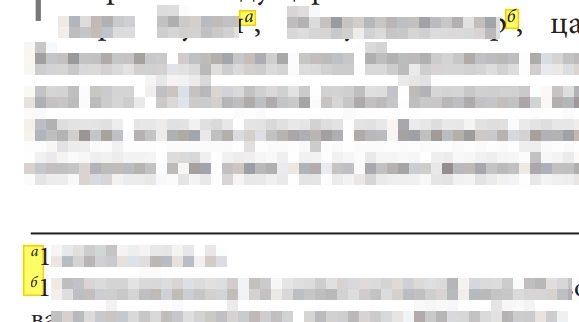
I was able to get your original script working for customizing the footnote markers. It indeed allowed me to use a specified pool of characters/symbols as the footnote markers. Below is the script that ultimately worked for me.
I only made some simple modifications:
- Grab the footnotes from all of the stories (instead of tables)
- Commenting out the `inlineTable` function call.
- I commented out the anonymous function wrapper, for aiding debug purposes. I'll likely uncomment those moving forward.
// Place a table in an (inline) frame and convert its
// footnote numbers from Arabic to Roman.

/*-----------------------------------------------------------------------

1. Place an inline table in an inline frame.
2. Convert Arabic footnote references and numbers to Roman.

To use, place the cursor anywhere in a table and run the script.

The real footnote cues are hidden by a character style,
the letters (i.e. the fake cues) are inserted immediately after the real cue.

-----------------------------------------------------------------------*/

//(function () {

	if (!app.documents.length) exit();
	if (parseInt (app.version) < 14) {
		alert ('This script works in CC2019 and later');
		exit();
	}

	//---------------------------------------------------------------------
	// To use symbols for footnote numbers, remove the two slashes from the following line.
	// You can set your own symbol string

	//var symbols = '*†‡§¶';
    //var symbols = ['а','б','в','г','д','е','ё','ж','з','и','й','к','л','м','н','о','п','р','с','т','у','ф','х','ц','ч','ш','щ','ъ','ы','ь','э','ю','я'].join('');
    var symbols = ['б','в','г','д','е','ё','ж','з','и','й','к','л','м','н','о','п','р','с','т','у','ф','х','ц','ч','ш','щ','ъ','ы','ь','э','ю','я'].join('');
    //var symbols = ['    क','ख','ग','घ','ङ','च','छ','ज','झ','ञ','ट','ठ','ड','ढ','ण','त','थ','द','ध','न','प','फ','ब','भ','म','य','र','ल','व','श','ष','स','ह','ळ'].join('');
    //var symbols = 'ሀለሐመሠረሰሸቀበተቸኀነኘአከኸወዐዘዠየደጀገጠጨጰጸፈፐ';

	if (typeof symbols !== 'undefined') {
		symbols = symbols.split('');
		symbols.unshift('');
		var symbolsLe = symbols.length-1;
	} else {
		symbols = '';
	}

	//---------------------------------------------------------------------

	var doc = app.documents[0];
	var sep = doc.footnoteOptions.separatorText;
	var table;

	// Style for the table footnotes. We'll base it
	// from the style set in the footnote options.
	// The script simply clones the style, the user
	// will have to add any format changes.
	var table_note;

	// The style set in the footnote options,
	// applied to the footnote references
	var table_note_reference = 'Table note reference';

	// The style used for the fake numbers in the notes
	var table_note_number = 'Table note number';

	// The style that hides the real footnote references and numbers
	var hide = 'hide';

	// Object style for inline tables
	var object_style = 'Inline table';

	//--------------------------------------------------------------------
	// Create styles if necessary.

	function checkStyles () {

		var fnoteStyle = doc.footnoteOptions.footnoteTextStyle;
		var fnoteStyleName = fnoteStyle.name.replace (/[\[\]]/g,'') + ' table';
		if (!doc.paragraphStyles.item (fnoteStyleName).isValid) {
			doc.paragraphStyles.add ({
				name: fnoteStyleName,
				basedOn: fnoteStyle
			});
		}

		if (!doc.characterStyles.item (table_note_reference).isValid) {
			doc.characterStyles.add ({
				name: table_note_reference,
				position: Position.SUPERSCRIPT
			});
		}

		table_note_reference = doc.characterStyles.item (table_note_reference);
		try {
			table_note_reference.fontStyle = 'Italic';
		} catch (_) {
		}

		if (!doc.characterStyles.item (table_note_number).isValid) {
			doc.characterStyles.add ({
				name: table_note_number,
				basedOn: table_note_reference
			})
		}

		if (!doc.characterStyles.item (hide).isValid) {
			doc.characterStyles.add ({
				name: hide,
				pointSize: 0.1,
				horizontaScale: 1
			});
		}

		if (!doc.objectStyles.item (object_style).isValid) {
			doc.objectStyles.add ({
				name: object_style,
				basedOn: doc.objectStyles[2],
				enableStroke: false,
				strokeWeight: 0,
				enableAnchoredObjectOptions: true,
				anchoredObjectSettings: {
					anchoredPosition: AnchorPosition.INLINE_POSITION
				},
				enableTextFrameAutoSizingOptions: true,
				textFramePreferences: {
					autoSizingType: AutoSizingTypeEnum.HEIGHT_ONLY,
					autoSizingReferencePoint: AutoSizingReferenceEnum.TOP_CENTER_POINT
				}
			});
		};

		table_note = doc.paragraphStyles.item (fnoteStyleName);
		table_note_number = doc.characterStyles.item (table_note_number);
		hide = doc.characterStyles.item (hide);
		object_style = doc.objectStyles.item (object_style);
	}

	//-------------------------------------------------------------------------
	// Converted some PHP code to JS to convert numbers to letters. Found at
	// http://studiokoi.com/blog/article/converting_numbers_to_letters_quickly_in_php

	function numberToLetter (num) {
		num -= 1;
		var letter = String.fromCharCode (num % 26 + 97);
		if (num >= 26) {
			letter = numberToLetter (Math.floor(num/26))+letter;
		}
		return letter;
	}


	function numberToSymbol (n) {
		function numToSymbol (x, sym) {
			var s = '';
			sym = sym || symbols[symbolsLe];
			for (var i = 0; i < x; i++) {
				s += sym;
			}
			return s;
		}
		return numToSymbol (Math.floor(n/symbolsLe), symbols[n%symbolsLe]) + symbols[n%symbolsLe];
	}


	function getCue (n) {
		if (!symbols.length) {
			return numberToLetter (n);
		}
		return numberToSymbol (n);
	}

	//-------------------------------------------------------------
	// First undo any lettering, maybe we're updating a frame
	// in which a notes were added or removed after the conversion.

	function undoLetters (table) {
		// Remove the contents of the cue style. InDesign then
		// removes the character-style instance
		app.findGrepPreferences = app.changeGrepPreferences = null;
		app.findGrepPreferences.appliedCharacterStyle = table_note_reference;
		table.changeGrep();

		// Then delete the note numbers.
		app.findGrepPreferences.appliedCharacterStyle = null;
		app.findGrepPreferences.findWhat = '^[a-z].*(?=~F)';
		table.changeGrep();
	}

	//----------------------------------------------------------
	// Add the letters at the cues and the numbers.

	function applyLetters (table) {

		var i, ix;
		var txt;
		//var fn = frame.parentStory.footnotes.everyItem().getElements();
		var fn = table.footnotes.everyItem().getElements();

		// 1. The table itself. Insert the letters and add their style,
		// and apply the hiding style to the cues.

		for (i = fn.length-1; i >= 0; i--) {
			ix = fn[i].storyOffset.index;
			txt = fn[i].storyOffset.parent.texts[0];
			txt.insertionPoints[ix+1].appliedCharacterStyle = table_note_reference;
			txt.insertionPoints[ix+1].contents = getCue (i+1);
			txt.characters[ix].appliedCharacterStyle = hide;
		}

		// 2. The notes. Insert the letter.
		app.findGrepPreferences = null;
		app.findGrepPreferences.findWhat = '~F' + sep;
		app.findChangeGrepOptions.includeFootnotes = true;
		fn = table.findGrep();
		for (i = fn.length-1; i >= 0; i--) {
			fn[i].texts[0].applyParagraphStyle (table_note, false);
			fn[i].insertionPoints[0].contents = getCue (i+1);// + '\u2002';
			fn[i].paragraphs[0].characters[0].appliedCharacterStyle = table_note_number;
			fn[i].appliedCharacterStyle = hide;
		}
	}

	//----------------------------------------------------------
	// Convert a table to an inline

	function inlineTable (table) {
		var ix = table.storyOffset.index;
		var story = table.storyOffset.parentStory;
		var frame = table.storyOffset.textFrames.add ({geometricBounds: [0, 0, 20, 20]});
		table.storyOffset.contents = '\r';
		table.storyOffset.paragraphs[0].move (LocationOptions.AFTER, frame.insertionPoints[0]);
		frame.fit (FitOptions.FRAME_TO_CONTENT);
		frame.appliedObjectStyle = object_style;
		frame.recompose();
		return frame;
	}

	//--------------------------------------------------------------
	// The script works only if the cursor is in a cell
	// or in a table footnote.

	function getSelection () {
		if (app.selection.length && app.selection[0] instanceof InsertionPoint) {
			if (app.selection[0].parent instanceof Cell) {
				return app.selection[0].parent.parent;
			}
			if (app.selection[0].parent instanceof Footnote && app.selection[0].parent.storyOffset.parent instanceof Cell) {
				return app.selection[0].parent.storyOffset.parent.parent;
			}
		}
		alert ('Select an insertion point in a table or in a table footnote.');
		return null;
	}

	//--------------------------------------------------------------

//~ 	table = getSelection();
//~ 	if (!table) return;
	app.scriptPreferences.measurementUnit = MeasurementUnits.POINTS;

	// Create styles if necessary.
	checkStyles();

	// The table's parent is a text frame; its parent is a Spread if
	// the table is inline or a Character if the table is in an inline
	// anchored frame, which is the case if we are updating the notes in
	// an inline frame created by the script earlier.
	// If the table is inline, move it to an inline anchor.
	// Otherwise the table was romanised earlier, so just undo the romanisation.
	// If the table's parent frame contains more than one paragraph,
	// the table is inline, otherwise it's in a float.

//~ 	if (table.parent.parent instanceof Spread && table.parent.paragraphs.length > 1) {
//~ 		inlineTable (table);
//~ 	} else {
//~ 		undoLetters (table);
//~ 	}

	//tables = app.selection[0].parentStory.tables.everyItem().getElements();
	tables = doc.stories.everyItem().getElements();
	for (var i = tables.length-1; i >= 0; i--) {
		//inlineTable (tables[i])
		applyLetters (tables[i]);
	}

//}());

 AdChoices