
Resuelto
How to delete unwanted color stops?
I have a bunch of color stops I keep accidentally makign for this gradient. DEL and ESC aren't deleting them. So how do I remove the extras?
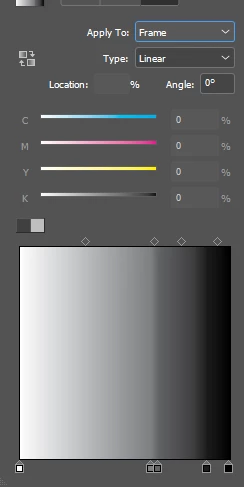

I have a bunch of color stops I keep accidentally makign for this gradient. DEL and ESC aren't deleting them. So how do I remove the extras?
Eric is correct. You drag them down to remove them.
It's the equivalent of removing Tab Stops when using the Tabs panel. There, you drag unneeded tabs stops up and off the tab ruler.
Enter your E-mail address. We'll send you an e-mail with instructions to reset your password.
 AdChoices