
Inspiring
August 22, 2020
Answered

How to design a frame border?

  • August 22, 2020
  • 3 replies
  • 2017 views

Dear all,

I am trying to design my first non-standard text frame with some fanciness to it.

Attached is what I'm trying to achieve (or something similar), which comes from one of the presets of Apple Pages 10.x.

Could you please guide me towards some options that would help me design the border (stroke?). 

I have already fiddled with the way the border will wrap around the text (the old good trial and error method!) but with this the various options I tried (Object Styles) didnt help. 


Any help is really appreciated.

Thank you!
Correct answer vladan saveljic

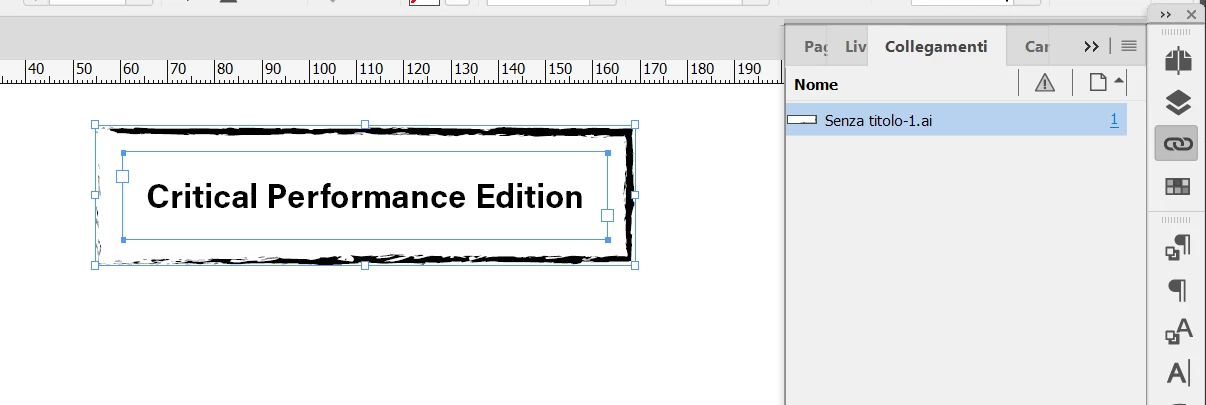
import your frame that you created in illustrator and above it just write your text

as in my screenshot here from indesign


3 replies

vladan saveljic
vladan saveljicCorrect answer
Inspiring
August 22, 2020

import your frame that you created in illustrator and above it just write your text

as in my screenshot here from indesign


Inspiring
August 22, 2020

Uh? 

I didn't mark this as correct as just telling me to use Illustrator is not really solving anything and it assumes I know how to do that there. 

Then, even assuming that, it doesn't tell me how to import this into InDesign.

Can then someone fill in these details, please?

Thank you

vladan saveljic
Inspiring
August 22, 2020

illustrator is much better for this

You can do it with one click in illustrator with brush stroke

Inspiring
August 22, 2020

Thanks, I will try that.

Then how do I export it and apply it as a stroke to my frame in InDesign?