
Participant
August 11, 2023
Question

How to display the user picture/logo in CONTACTS when creating a VCARD in inDesign

  • August 11, 2023
  • 1 reply
  • 4841 views

Hi everyone. I'm having trouble with the InDesign QR code generator for VCARD.

I read many articles suggesting opting for the "plain text" option instead of "business cards" in inDesign to be able to use V3.0.
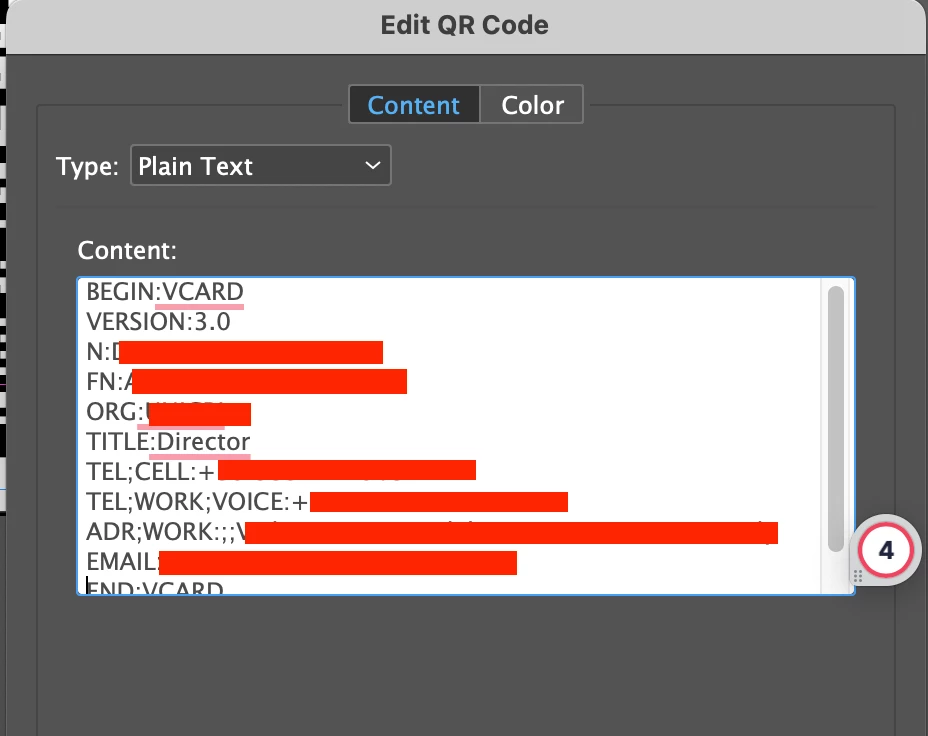
However, I'm unable to display a picture in the contact information. How can I do that?

If I embed the photo as Base64 encoded block text, it is too long, and an error message appears. If I use the VCARD code for photos (copy-pasted from Wikipedia: PHOTO;TYPE=JPEG;VALUE=URI:http://example.com/photo.jpg) it does not work both on Android and IOS.


Can you please help?

Thanks a lot!

This topic has been closed for replies.

1 reply

James Gifford—NitroPress
Legend
August 11, 2023

As with so many things, as much depends on the QR code reader/parser as it does on what's encoded, or how. If your phone's QR reader and Contacts app doesn't support photos, or is fussy or nonstandard about it, it's not the code or coding's problem, exactly.


Here's the formal definition of vCard values; PHOTO is 6.2.4 or you can search: https://www.rfc-editor.org/rfc/rfc6350. It looks as if you might be including too much information in the wrong order, as the spec seems to say you can use just the URI. Try simple. 🙂 (In which Wikipedia might be... too simple.)


And here's a general primer on using ID's QR code generator, especially outside the narrow form-driven mode:https://nitrosyncretic.com/DPR/dpr_qrcodes.php.

Participant
August 11, 2023

Dear James, thanks a lot for your answer. I am just a graphic designer with only basic coding knowledge, so I am not sure I understand. I tested all the QR I obtained with four different devices (Iphone 8, iPhone 12, Samsung Galaxy s21, and Fairphone 4), so I thought the problem should be the code and not the reader. Am I wrong?


What exactly do you mean by trying simple?

I tried to use the image URL as in example Number 1, but it does not work. Then I tried to embed the photo as Base64 encoded block text, as in example 2, but the code obtained is too long to be placed in the inDesign  QR editor:


is there a way to shorten the Base64 code (data:image/jpeg;base64,/9j/[...])?


Thanks a lot!


Participant
August 11, 2023

Start with this: are there any QR codes that do load a photo in any of those Contact apps? I have had trouble with apps simply not having the hooks to read one vCard field or another.


ETA: I just tested this with my Android phone, and it completely ignores the PHOTO data no matter which QR method I use. So your problem may be that the function does not exist, at least on the basic QR/Contact import function of most devices. (That jibes with my recollections of dealing with this a previous time or two, and would be in line with anti-malware practices of pulling information from a third party location.)


ETA2: Some quick searching seems to confirm that few, if any native QR readers process PHOTO info. It can be done with some third party apps, but the data on that is old (2018-ish)/ Sorry... 🙂


Dear James,

Thanks a lot for your precious time.

I also read this article which seems to confirm that what I am trying to do is simply not feasible...


I just did not understand why the property to add a photo in VCARDs exists (at least on the Wikipedia page from where I copy-pasted all the other commands), but I could not make it work in inDesign while it works when creating the QR code with third-party apps. I thought I just needed to learn the way.  I'll resign myself to the infeasibility but at least I will go on with my work that has come to a big standstill here 🙂