
Known Participant
October 22, 2019
Answered

How to distribute width?

  • October 22, 2019
  • 4 replies
  • 1041 views

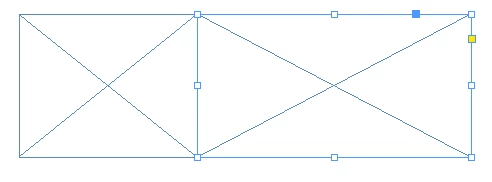
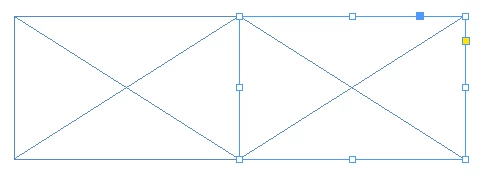
I have two frames side by side, but this is relevant to not just frames. I would like to distribute the widths of these two so that they are both equal width but the total combined width is still the same, and they stay positioned as they are. I thought this would be in the align tools but I have tried many different combinations and cannot achieve this. I have used distribute widths in other programs and it saves so much time not having to manually calculate the widths every time and is of course less error prone. This is of course the simplest possible example, consider if this needs to be done for many objects not just two.


Any suggestions on this?


From this:
To this:
    This topic has been closed for replies.
    Correct answer Barb Binder

    Hi DD1: There is no distribute width command in InDesign. You can log a feature request here: https://indesign.uservoice.com/


    ~Barb

    4 replies

    Community Expert
    October 22, 2019

    Hi together,

    just tried another thing:


    1. Duplicate the two frames by alt+shift+dragging them.

    2. Group the two duplicates.


    3. Switch to the Gap Tool and select the mutual edges of the two rectangles. That can be hard. I needed several tries.

    4. Move the edges with the Gap Tool until a green guide is indicating that the center of the grouped item is reached:


    For the second screenshot I had to fake the gap tool because my screenshot utility will not get the cursor icon.


    Regards,
    Uwe Laubender

    ( ACP )

    Barb Binder
    Community Expert
    Community Expert
    October 22, 2019

    That's another feature request, DigitalDesigner1. You clearly have a background in web design! Or maybe app design?


    ~Barb

    ~Barb at Rocky Mountain Training
    Barb Binder
    Community Expert
    Community Expert
    October 22, 2019

    On that note Steve, you can just append /2 to the end of the combined width field in the Control panel, copy the result and paste the value in for both. I tried to create an animated gif to demo this, but I kept bumping into a file size constraint on the forum post. 


    ~Barb

    ~Barb at Rocky Mountain Training
    Steve Werner
    Community Expert
    Community Expert
    October 22, 2019

    Yes, that's even better, Barb. Good thinking!

    Barb Binder
    Community Expert
    Barb BinderCommunity ExpertCorrect answer
    Community Expert
    October 22, 2019

    Hi DD1: There is no distribute width command in InDesign. You can log a feature request here: https://indesign.uservoice.com/


    ~Barb

    ~Barb at Rocky Mountain Training
    Steve Werner
    Community Expert
    Community Expert
    October 22, 2019

    I would bet that if, if there isn't a script already, one of our InDesign scripting experts could write one pretty quickly if you're needs are as simple as you describe.


    Applications never meet every single layout need with some sort of new control, otherwise they would be needlessly complex. Personally, I'd just use a calculator to add the two widths then divide by two. Then change the widths of each object to the same width, and snap the object together.


    Known Participant
    October 22, 2019

    Yes have been using the calculator and switching back and forth but it is tedious and when designing every minute counts.