
Inspiring
September 18, 2021
Question

How to execute on a stylized pull quote box

  • September 18, 2021
  • 3 replies
  • 517 views

I am working on a long document for print production (CC on a Mac). There are some places where a stylized pull quote box such as this would be useful and appropriate.
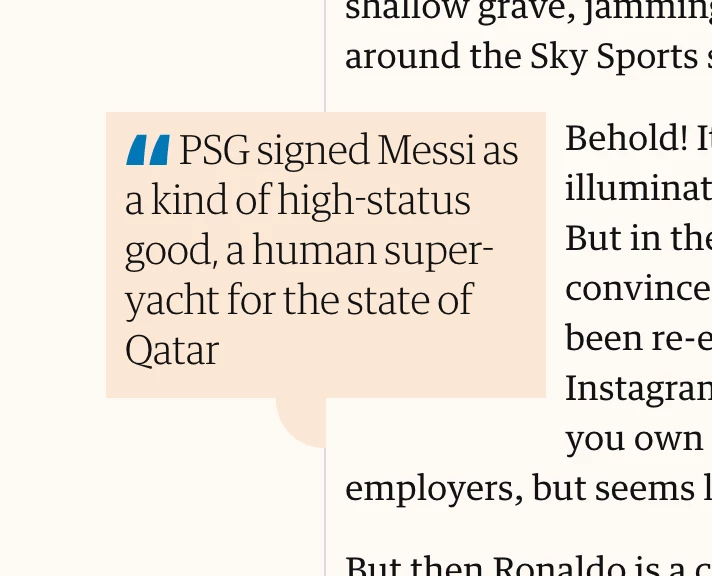


In my case they would be on white paper. Question is: how to execute on this idea? Is the quote box just a colored shape with a text box placed over the top?

This topic has been closed for replies.

3 replies

Community Expert
September 20, 2021

"Yes, that is what I want. But I'm not clear: is the quote box shape one object, with a rectangular text box on top of it? Or can the quote box shape be the text box as well?"


Hi Marie,

a text frame can be of any shape.

Look into the Pathfinder tools to create a new shape out of two shapes.

For example with the "Add" feature. You always can convert graphic frames to text frames.


However, if you need different inset values for top, bottom, left and right in your text frame, consider two objects that are grouped. Leave the text frame in its rectangular shape.


Regards,
Uwe Laubender

( ACP )


// EDITED: Pressed the Send button too soon

Barb Binder
Community Expert
Community Expert
September 18, 2021

Hi @MarieMeyer:


Pathfinder is much more widely understood in the Illustrator world, and much less so by the average InDesign user. It is used to create new shapes from existing shapes, and you can find it in Window > Object and Layout > Pathfinder. 


Can you take it from here?


~Barb 

~Barb at Rocky Mountain Training
BobLevine
Community Expert
Community Expert
September 18, 2021
Create a text frame with a color fill, add some text and style it appropriately. Use that text to create a paragraph style and then create an object style.

Bonus: if you're going to use this as an anchored object you can add the appropriate settings to that object style as well.
Frans v.d. Geest
Community Expert
Community Expert
September 18, 2021

To add to that: use Text Inset values to 'move' the text from the edges 😉 Select the Text frame and choose Object/Text frame options.

If you want to have the shape at the bottom as well, learn to use Path Finder to combine shapes and learn to use the Direct Selection tool to edit the shape.

Inspiring
September 18, 2021

Yes, that is what I want. But I'm not clear: is the quote box shape one object, with a rectangular text box on top of it? Or can the quote box shape be the text box as well? That would be nice, so that I don't have to keep track of two things.