
Known Participant
July 18, 2023
Question

How to fix "document's transparency blend space or destination color space" adobe PDF export

  • July 18, 2023
  • 1 reply
  • 14476 views

Hello, I am having the following issue and my background is not seeing on my mobile phone. I am having the same issue with InDesign and Illustrator. Does anyone know how to fix this? Thanks!
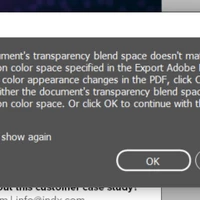


The document should look like this and get this:



Getting this on mobile:



Thanks!

1 reply

Community Expert
July 18, 2023

Try going to Edit>Transparency Blend Space and set it to RGB


rvargasffAuthor
Known Participant
July 18, 2023

I already did, and still not working.

rvargasffAuthor
Known Participant
July 19, 2023

Also, an Interactive PDF forces all color to sRGB, so you could try that rather than a Print PDF


Ok, so. This is the last page of every guide I am creating for a company. All of these guides go on our website as PDF as well. When opening these documents on the web through your phone, you cannot see this last page fully. It shows with no gradient and no image. Example try opening this on your phone: Eng IndX_Case Study_ Enterprise Digital Transformation for Arca Continental _6.8.23_EN (rackcdn.com)


I need to solve this and replace all the documents. Attached is the folder with links for the background only. That's why I wanted a quick call because I am lost as well. It will help to get this solved as soon as possible.