
Question
How to Fix Text and Object Boxes Offset Issue When Zooming in InDesign
Hi all,
I am having an issue with my indesign display. when zooming and out on pages my text and object boxes become offset and it's affecting my ability to see everything clearly. I have to keep zooming our or in to reset the page. Anyone come across a fix for this ? any help is appreciated as I'm on a deadline and this is slowing me down big time!!
see screenshot.
Thanks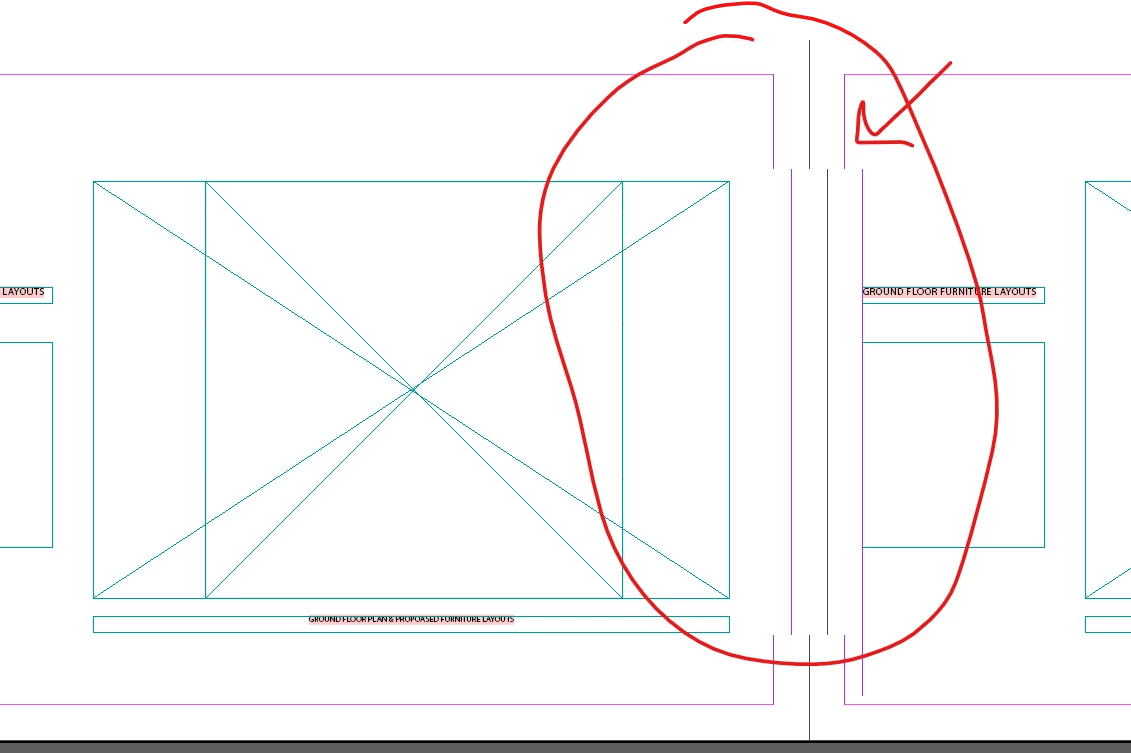
<Title renamed by MOD>
 AdChoices