Inspiring
June 10, 2016
Answered

How to get anchor text into story?

  • June 10, 2016
  • 6 replies
  • 1093 views

Hi experts,

is that possible to get the anchor text, like this:
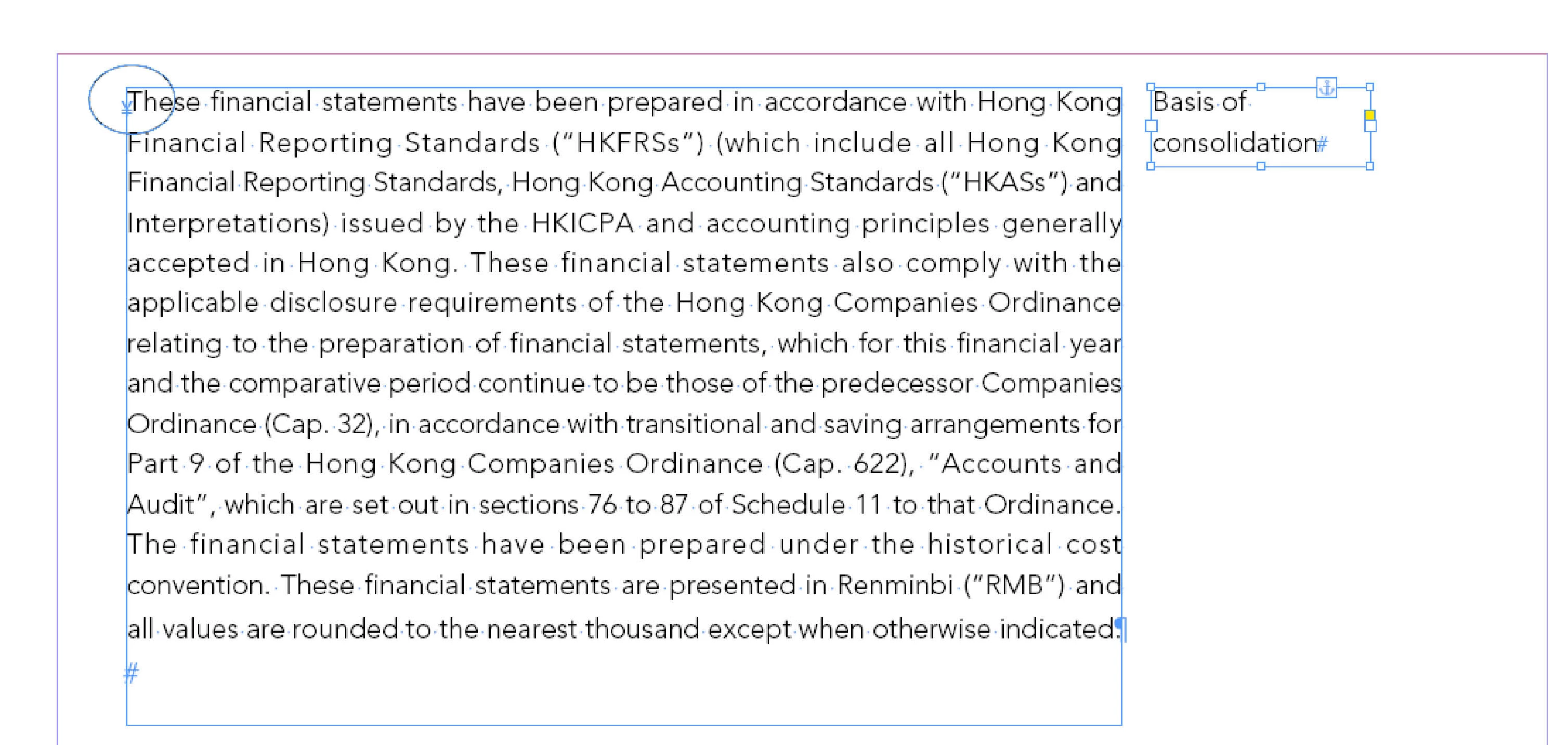
and get the text and then place it into text frame, like this:
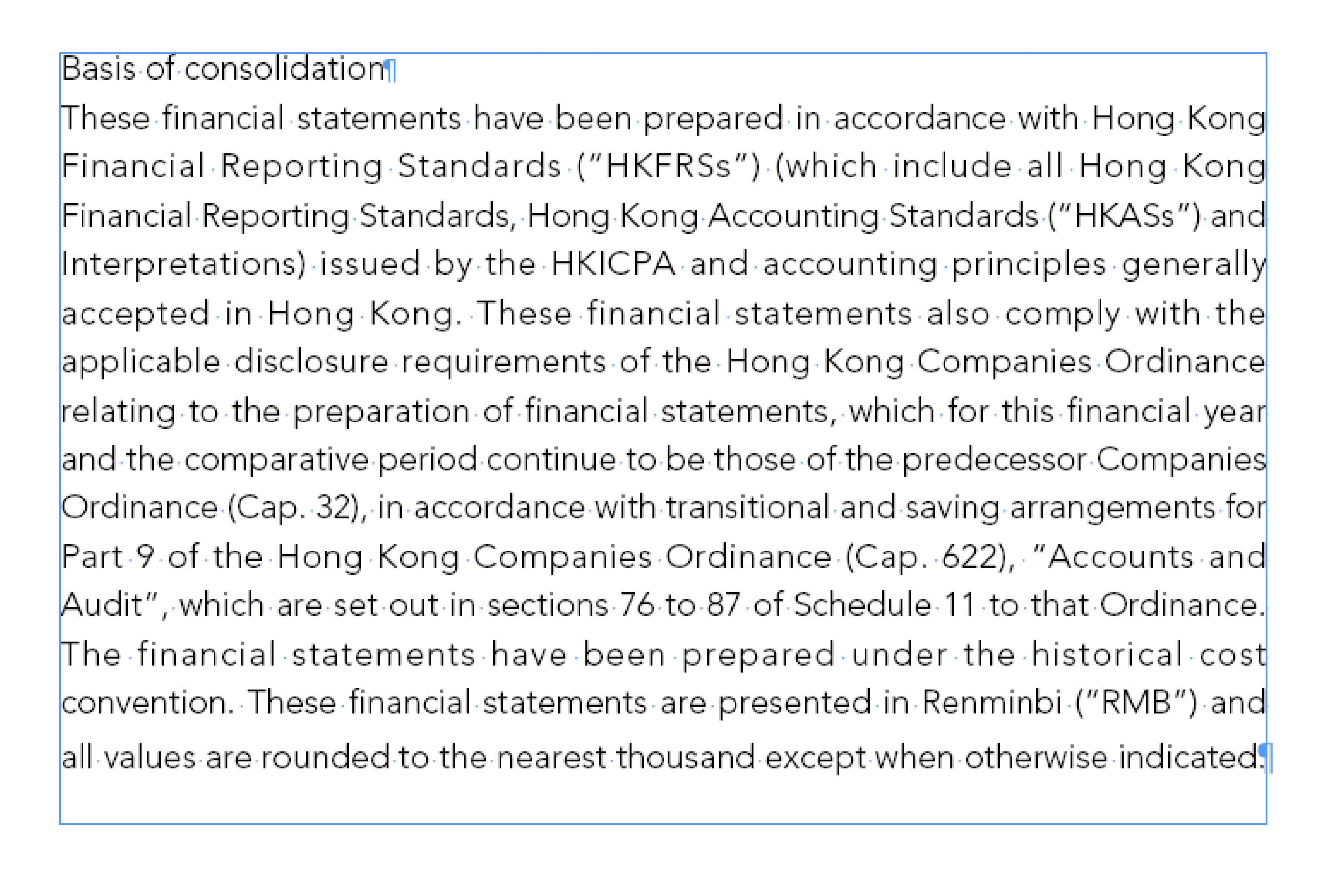
thanks

regard

John

This topic has been closed for replies.
Correct answer Ravindra_KCS

Hi John,

   As I understanding ur issue,  Try this....

var myDocument = app.activeDocument;

app.findObjectPreferences = NothingEnum.nothing;

app.changeObjectPreferences = NothingEnum.nothing;

app.findObjectPreferences.anchoredPosition = AnchorPosition.ANCHORED;

var t  =myDocument.findObject();

for(var i=0 ; i < t.length ; i++)

{

        var tf=t;

        if(tf.parent.constructor instanceof Character)

        {       

          tf.texts.everyItem().move(LocationOptions.BEFORE, tf.parent);       

          tf.parent.contents = "\r";       

        } 

}

Thanks and Regards

Ravindra

6 replies

JohnwhiteAuthor
Inspiring
June 20, 2016

Thank you Ravindra

Yes, my goal like this.

thank so mych.

Regard

John

JohnwhiteAuthor
Inspiring
June 13, 2016

Hi Uwe,

What I want just get the anchor text into the main story, we can ignore the anchor text format.

regard

John

Ravindra_KCS
Ravindra_KCSCorrect answer
Inspiring
June 20, 2016

Hi John,

   As I understanding ur issue,  Try this....

var myDocument = app.activeDocument;

app.findObjectPreferences = NothingEnum.nothing;

app.changeObjectPreferences = NothingEnum.nothing;

app.findObjectPreferences.anchoredPosition = AnchorPosition.ANCHORED;

var t  =myDocument.findObject();

for(var i=0 ; i < t.length ; i++)

{

        var tf=t;

        if(tf.parent.constructor instanceof Character)

        {       

          tf.texts.everyItem().move(LocationOptions.BEFORE, tf.parent);       

          tf.parent.contents = "\r";       

        } 

}

Thanks and Regards

Ravindra

JohnwhiteAuthor
Inspiring
June 13, 2016

Hi Uwe,

First I selected the main story, then run the script as yours, I got the result.

but How can I get the anchor text into story now?

So, how can I make this working?

var tf = app.documents[0].stories.everyItem().textFrames.everyItem().getElements().length;     


if(tf.parent.constructor instanceof Character) {     

  tf.texts.everyItem().move(LocationOptions.BEFORE, tf.parent);     

  tf.parent.contents = "\r";     

}

thanks

Regard

John

Community Expert
June 13, 2016

With my snippet you have access to an array of text frames, that represent your anchored ones.

That's var result, if you cut off .length like I already suggested. Or in you recent code snippet, that's var tf .

Loop through that array in reverse order, move the texts out and—optional*—replace the contents of the parent of the text frame with a return sign. You will find plenty of examples here in the scripting forum using for loops, that are looping in reverse order.

*Note: Simply replacing the anchored text frame with a paragraph sign is no good idea, because the formatting of the paragraph sign and the moved text could be different. Depending on the used paragraph styles, text formatting overrides can happen:

Before replacement:

After replacement.

The paragraph sign will not fit the formatting of the paragraph. Here in my example there are different font weights, point sizes and language settings.

And that's usually no good idea.

In your very special case, this perhaps plays no role, but often text in anchored txt frames is formatted differently from the text where they are anchored with.

Regards,
Uwe

JohnwhiteAuthor
Inspiring
June 12, 2016

Hi Uwe

both nothing return.

thanks

regard

John

Community Expert
June 13, 2016

Nothing? Did you run the snippet from the ESTK (ExtendScript Toolkit)?

Or: 0 ?

If the snippet was run from the ESTK, returned "0" and without seeing the document, I can only assume, that:

1. There are no anchored text frames objects in your stories at first level (they may be nested) or that:

2. All of your anchored text frames are anchored to table cells.

3. The anchored text frames are anchored in footnote texts.

Some cases:

Wrap an alert around the snippet and run it again:

What is your version of InDesign?
What is your OS?

Uwe

JohnwhiteAuthor
Inspiring
June 11, 2016

Hi experts,

How define anchor object like this:

var tf = app.textFrames.anchoredObject;  

if(tf.parent.constructor instanceof Character) {  

  tf.texts.everyItem().move(LocationOptions.BEFORE, tf.parent);  

  tf.parent.contents = "\r";  

}

how to make it working?

thanks

regard

John

Community Expert
June 12, 2016

Hello John,

take your view off the anchored text frame itself, direct your attention to the story object.

Then ask the story object how many text frames are in the story.

For example select the text frame of your main thread of text frames in the document and run this snippet:

app.selection[0].parentStory.textFrames.everyItem().getElements().length;

Then do the same with the document and with all of its stories:

app.documents[0].stories.everyItem().textFrames.everyItem().getElements().length;

Remove .length from the code and run the snippets again.

Test again. Add .constructor.name instead of .length and test again.

What does the JavaScript Console of your ESTK return?

I hope, that keeps you running.

Uwe

vinothr
Inspiring
June 10, 2016

Should be simple....

Just select the text anchor frame and run the following script....

var tf = app.selection[0];

if(tf.parent.constructor instanceof Character) {

  tf.texts.everyItem().move(LocationOptions.BEFORE, tf.parent);

  tf.parent.contents = "\r";

}

JohnwhiteAuthor
Inspiring
June 11, 2016

Thank you Vinothr

thank you for your help.

but I have thousand of anchor, so if there is a constructor for anchor to define?

regard

John