Inspiring
April 7, 2024
Answered

How to get headers to display the first word and last word on a page in CS6

  • April 7, 2024
  • 1 reply
  • 766 views

This is for a dictionary. We’d like the first and last word (first and last dictionary entry) of each page to display in the header, with the two words separated by “space hyphen space”.  For example, if the first word on the page is “crossing” and the last word on the same page is “crumple”, this should display as “crossing - crumple”.


If a dictionary entry consists of more than one word, we only want the first word of the entry to display (rather than multiple words).


How can we set this up in CS6?

This topic has been closed for replies.
Correct answer Robert at ID-Tasker
quote

Thanks for the link. It appears to only be able to use the first line and last line on a page for headers, rather than just the first and last word on a page. We'll stick with using one letter (A-A, etc.) at the top.


By @lekkerder


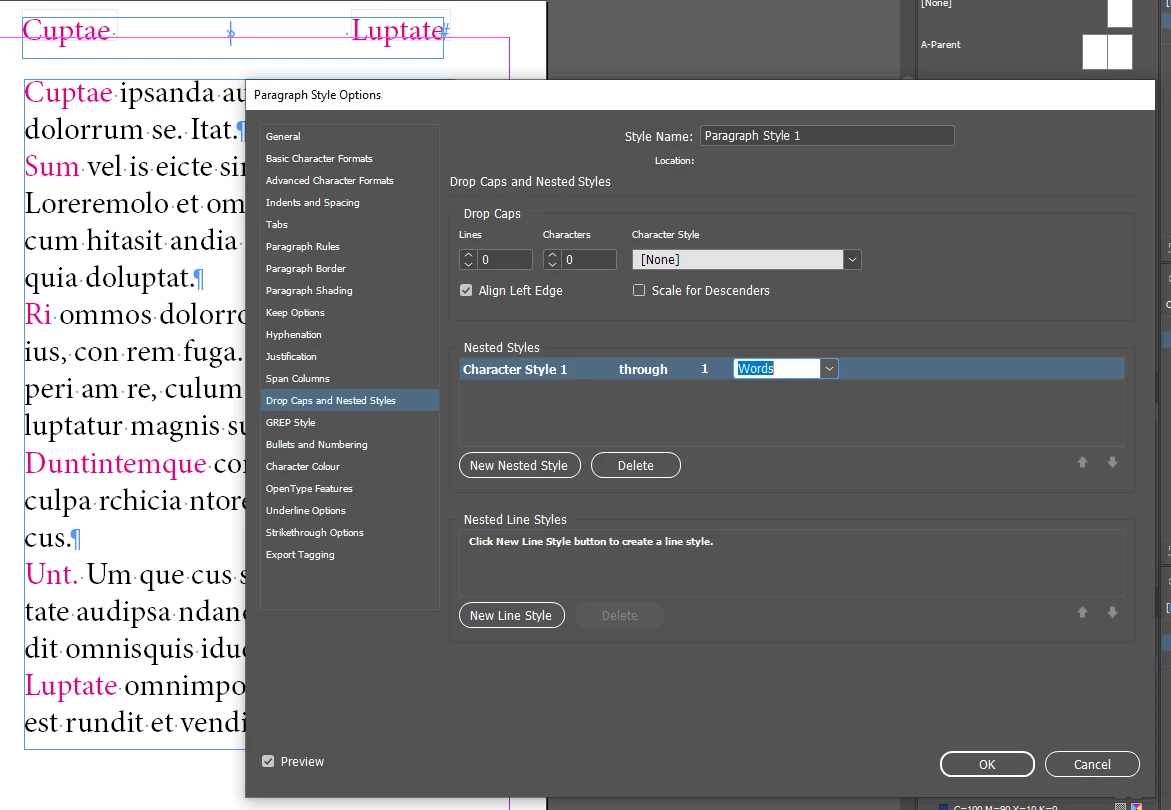
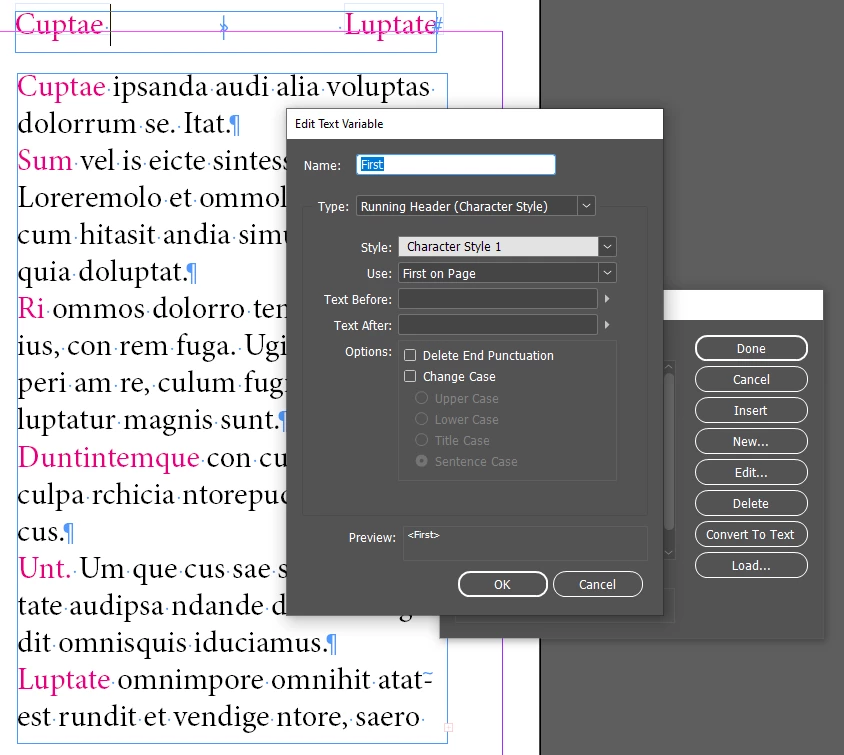
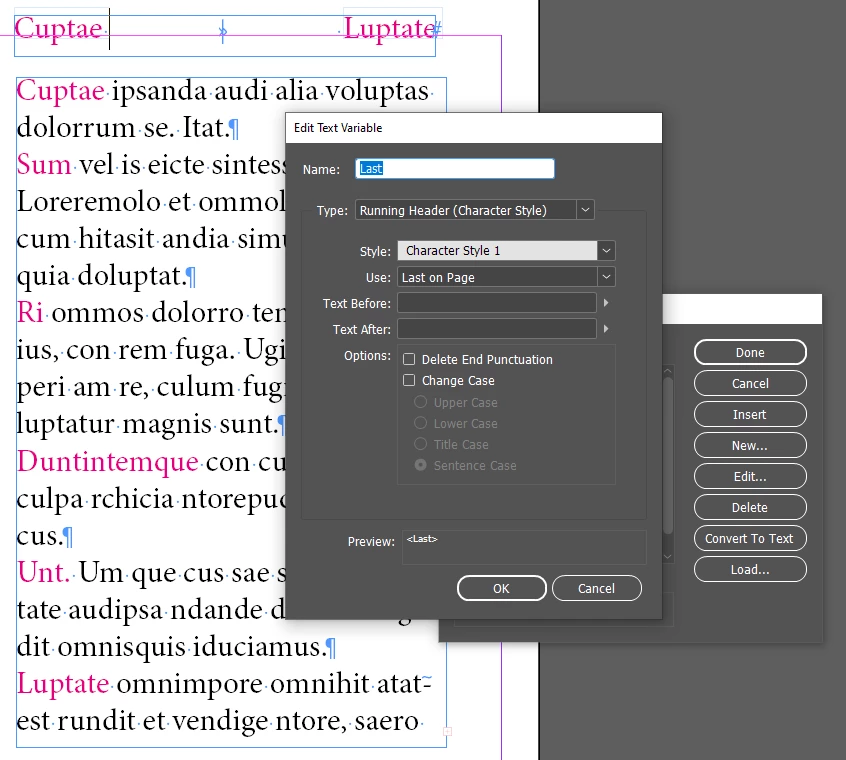
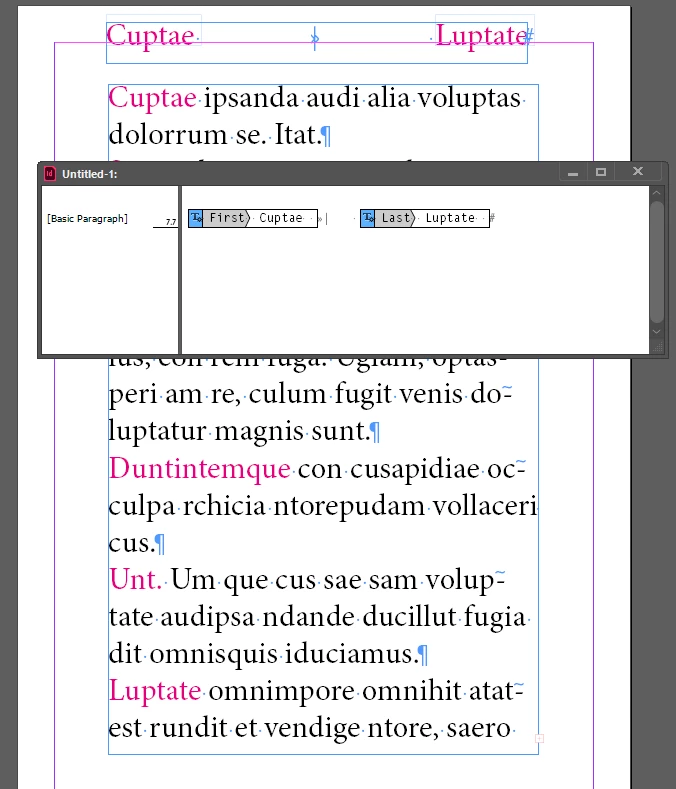
You can use Nested Styles:


1 reply

lekkerderAuthor
Inspiring
April 9, 2024

Thanks for the link. It appears to only be able to use the first line and last line on a page for headers, rather than just the first and last word on a page. We'll stick with using one letter (A-A, etc.) at the top.


Robert at ID-Tasker
Legend
April 9, 2024
quote

Thanks for the link. It appears to only be able to use the first line and last line on a page for headers, rather than just the first and last word on a page. We'll stick with using one letter (A-A, etc.) at the top.


By @lekkerder


You can use Nested Styles:


My screenshots are form CC - but in CS6 it works exactly the same.