
Exit
  • Global community
    • Language:
      • Deutsch
      • English
      • Español
      • Français
      • Português
  • 日本語コミュニティ
  • 한국 커뮤니티
0

How to get image to span across pages when doing a stab binding format?

New Here ,
Nov 08, 2025 Nov 08, 2025

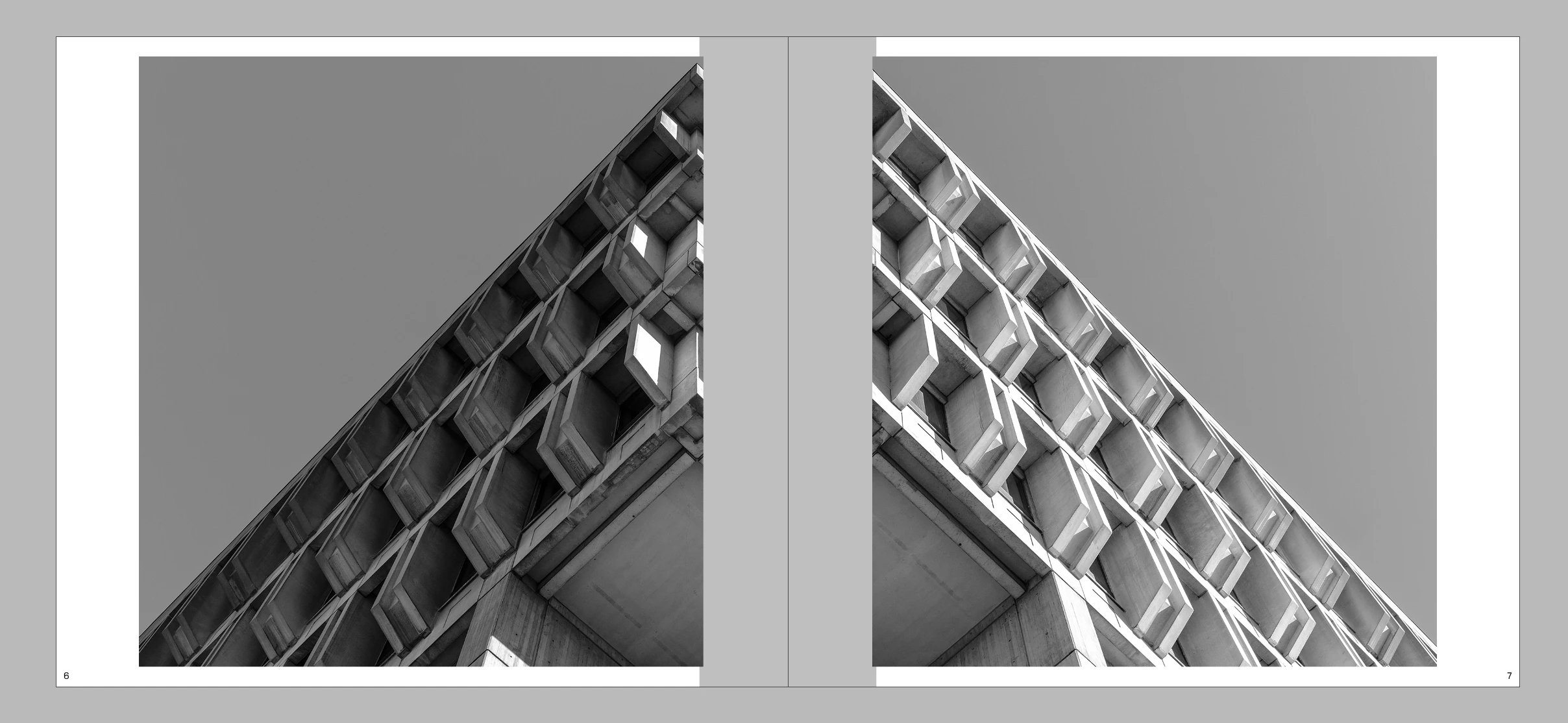
I'm not really sure how to ask or word it. I'm making a photobook for class and I decided to do a Japanese stab binding method for it. Of course, this means I cant print normal 2up saddle stitch, so I need a margin in the paper for the spine and I've marked it out in the image. Splitting the image is the only thing that makes sense to make it work, but I was wondering if there was any specific way I can maybe do it without splitting the image in two? Like having it 8x8 facing pages but when printing add an extra inch but only the inner part, I guess.
Jacob355612311lgj_1-1762657125761.png


TOPICS
How to
77
Translate
Report
Community guidelines
Be kind and respectful, give credit to the original source of content, and search for duplicates before posting. Learn more
community guidelines

correct answers 1 Correct answer

Community Expert , Nov 09, 2025 Nov 09, 2025

I often do it this way:

Place the image across the whole space. Copy. Then adjust the frame edge back to the left page. Copy and paste in place and then adjust the frame edges to the right page. The image is now appearing twice but the two frames are adjusted to show different regions of the image.

Translate
Community Expert ,
Nov 09, 2025 Nov 09, 2025
LATEST

I often do it this way:

Place the image across the whole space. Copy. Then adjust the frame edge back to the left page. Copy and paste in place and then adjust the frame edges to the right page. The image is now appearing twice but the two frames are adjusted to show different regions of the image.

Mike Witherell
Translate
Report
Community guidelines
Be kind and respectful, give credit to the original source of content, and search for duplicates before posting. Learn more
community guidelines