

How to get Prelight to warn if the bleed is less than 3 mm?
Hello,
I'm having a problem with the Preflight Bleed warning setting, which I've never been able to get working the way I want.
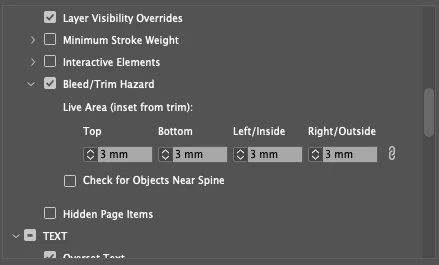
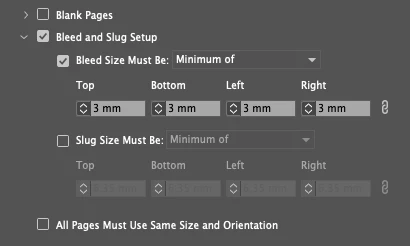
I thought when setting the 3mm to Bleed/Trim Hazard options and Bleed and Slug Setup, Preflight would warn, if the images fall below 3mm. But for some reason Preflight still keeps warning even if the image is exactly 3 mm, it also warns if the image over 3mm, but only at 5mm it stop warning.
I tested this by placing the image to the 3mm bleed and changing the documents bleed also to 3mm in Document Setup and then the stops warning. But if i keep the image on it's place at 3mm and change Documents bleed to 4mm the warning comes back. I just don't get the logic?
Does Prefight depend on Document Setup values? I have to deal with various indesign files where the bleed varies from 3mm to 5mm and thought this would help me avoid human errors, for example in the middle of a rush.
Settings that i used:
 AdChoices