Known Participant
September 7, 2021
Answered

How to give space before superscript character? Help me to find Right GREP!

  • September 7, 2021
  • 3 replies
  • 1337 views

Hi  team, Hope you are doing good!


Please help me to find the right GREP 

Actually! I need to look behind the characters, I have a recuirment to  give a space between  normal text and superscript.

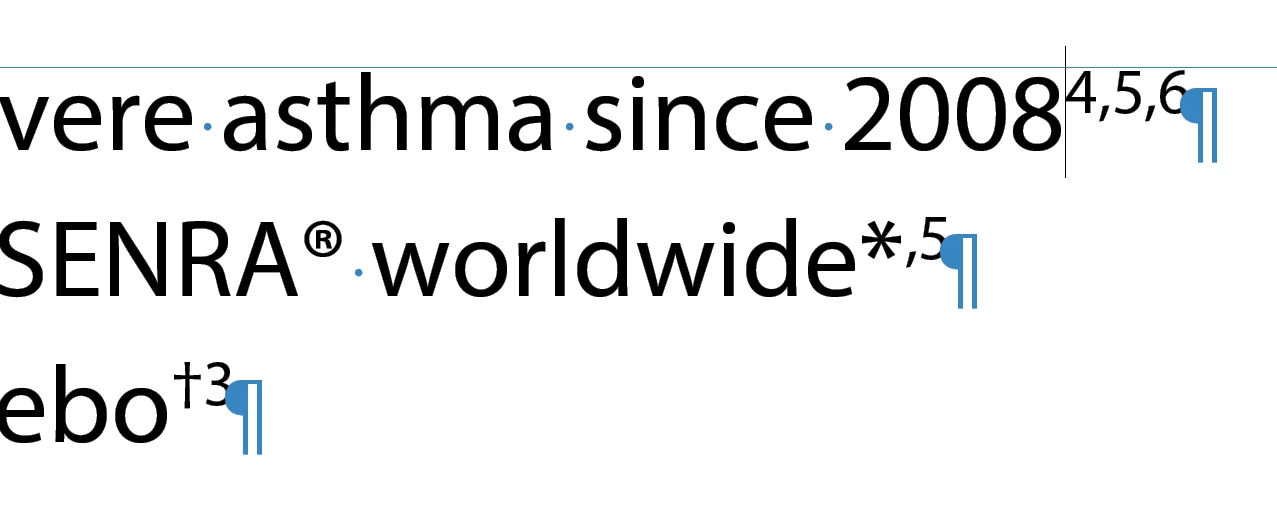
please look the attached image, i have to put the space before every superscript

Note: Some times the superscript characters will be more than one, for example : (1,2,5,*) or (1,2) or (†3) 

superscript will come same as attached image 
 

Common hints to find the right palce:

  1. Every superscript comes only end of the word or paragraph, mostly its comes end of the paragraph 
  2. We  recieve the file with superscript text.


please help me to find the GREP  and solve this issue 


Thanks in advance

Nousheeth 


This topic has been closed for replies.
Correct answer Laubender

Hi jmlevy,

I would do it slightly different.

Instead of GREP find pattern:

.

I'd do GREP find pattern:

.+

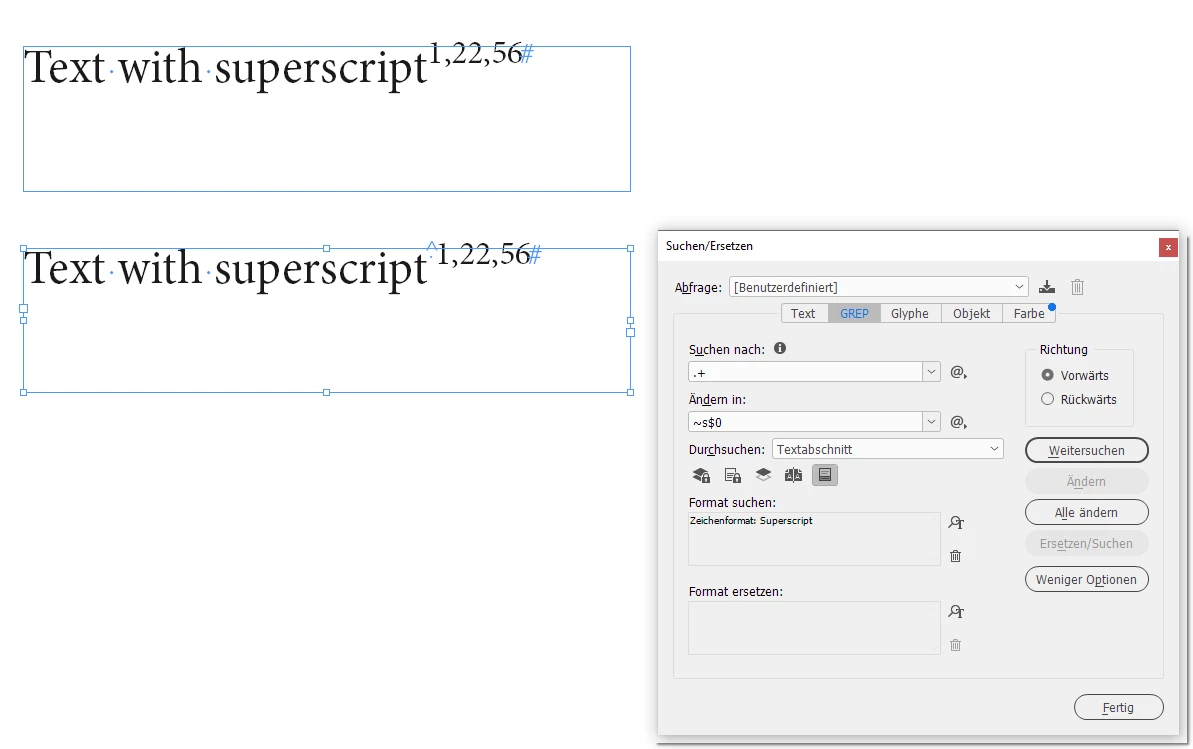
Why? Because of that:

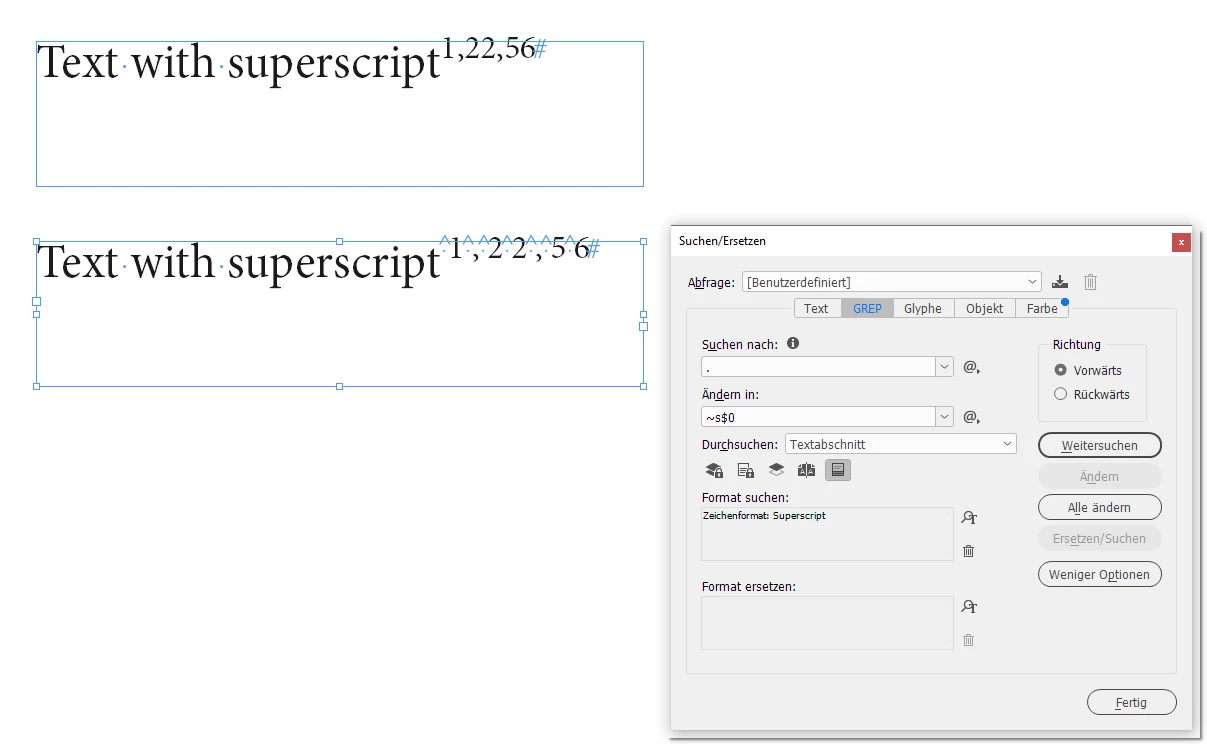
Wheras:


Note: In my screenshots above I assume that the superscripted characters have a character style applied with name "Superscript".


Regards,
Uwe Laubender

( ACP )

3 replies

LaubenderCommunity ExpertCorrect answer
Community Expert
September 7, 2021

Hi jmlevy,

I would do it slightly different.

Instead of GREP find pattern:

.

I'd do GREP find pattern:

.+

Why? Because of that:

Wheras:


Note: In my screenshots above I assume that the superscripted characters have a character style applied with name "Superscript".


Regards,
Uwe Laubender

( ACP )

jmlevy
Community Expert
Community Expert
September 7, 2021

Of course, you are absolutely right!

Scott Falkner
Community Expert
Community Expert
September 7, 2021

This is not an answer to your question but a suggestion to improve your superscripts. I suggest you try increasing the font weight for the superscripts. If the body copy is Normal try Medium or Semibold for teh superscripts. Most fonts include a superscripted 1 or 2 even if there isn’t a full superscript available. Set one of those then type a normal digit. Scale and baseline shift the normal digit and increase its weight untul it looks a close as it can to the superscript. Make that your character style.

Above you see Helvetica Neue 55 Roman. Have a look at the 22 on the left. The left 2 is the built in superscipted 2. The right 2 has been horizontally and verticaly scaled, baseline shifted, and promoted to Helvetica Neue 65 Medium. Now look at the 22 on the right. Again, the left 2 is the built in superscript. The right 2 was baseline shifted and scaled proportionally, but the font weight is unchanged.


I prefer to use horizontal and vertical scaling for superscripts because if the font size changes then the superscripts will scale, too. I would still need to adjust baselineshift, but only that.


Now in your particular case, if I read your screen capture correctly, you can do this easier and better by selecting Superscript/Superior in the Postion section of the Opentype options menu. That is, if this is Myriad Pro, as I suspect.

jmlevy
Community Expert
Community Expert
September 7, 2021

Did you try this? It works for me

I am looking for any character (.) formatted as superscript (supérieur/exposant in French) and I replace it by a nonbreaking space (~S) and what has been found ($0)