Participant
December 12, 2018
Answered

How to keep paragraph shading within margins when it's the first thing on the page?

  • December 12, 2018
  • 4 replies
  • 1719 views

Hi everyone,

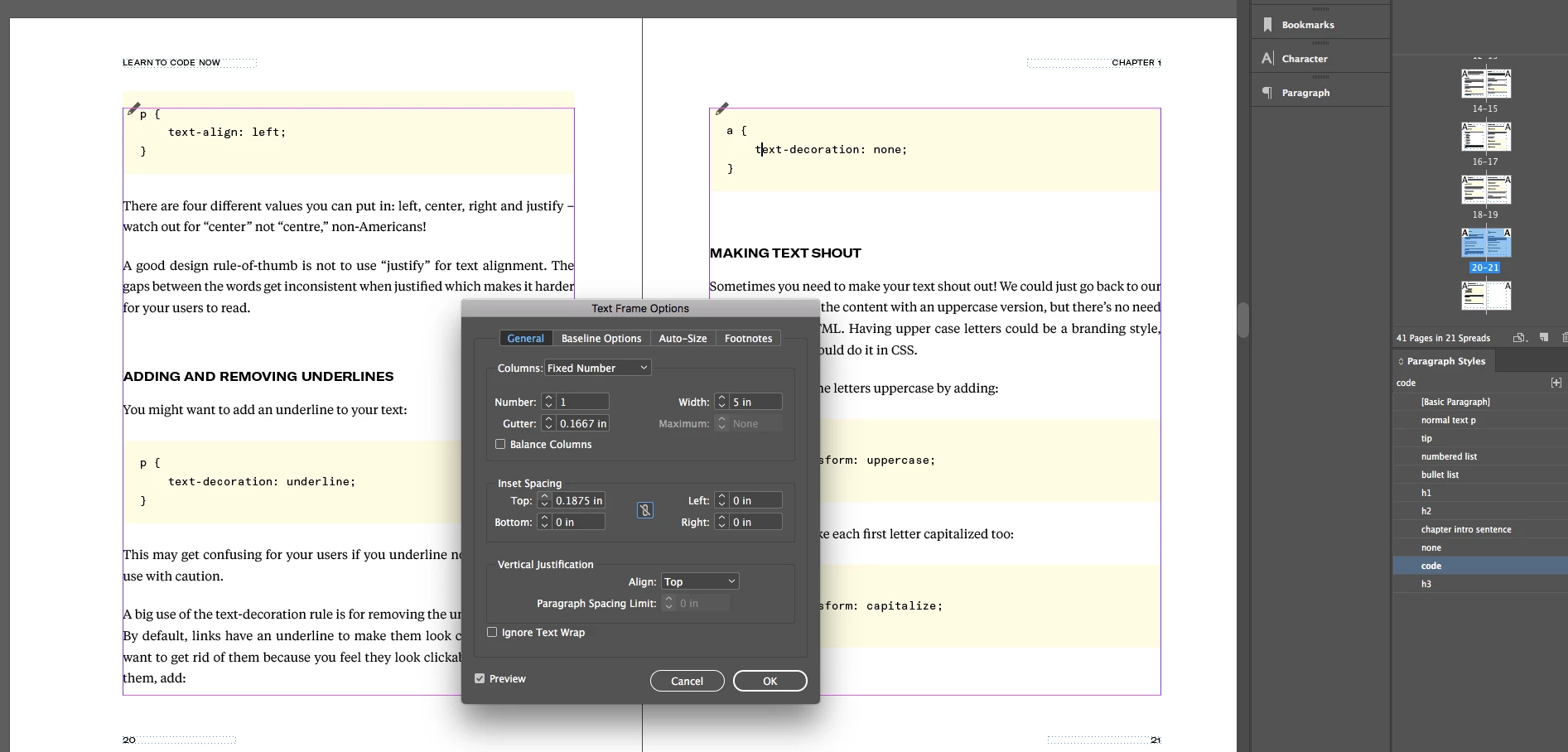
So I've finally achieved 90% of what I'm trying to do - put a background on all my code snippets using Paragraph Shading on my "code" paragraph style. However, I can't seem to figure out how to keep it within the page margin when it's the first thing on the page. I learned about right click > Text Frame Options but this is a 400+ page book and I can't go in and adjust each code snippet manually. HELP! Please tell me there's a non-manual way... thank you!!
This topic has been closed for replies.
Correct answer Barb Binder

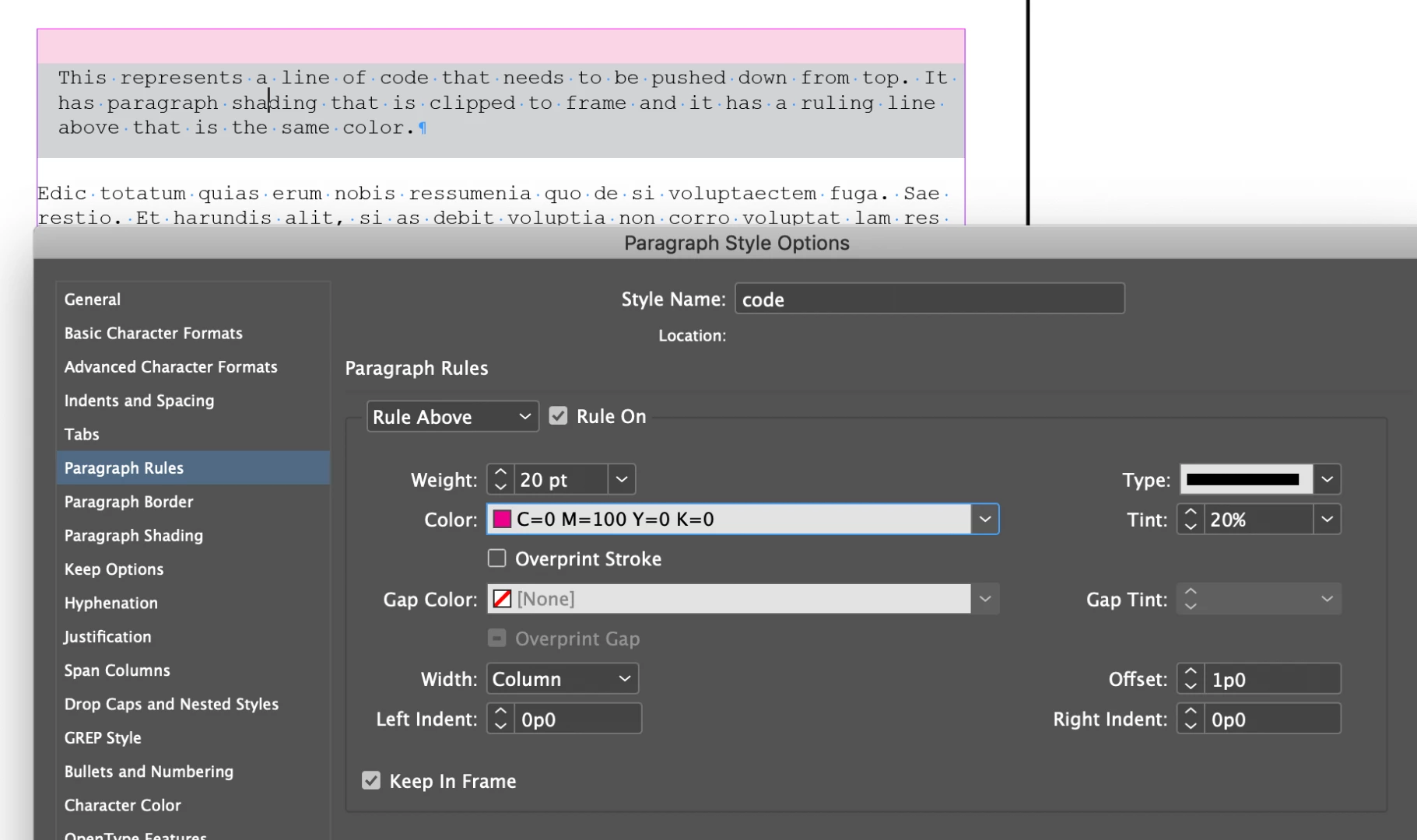
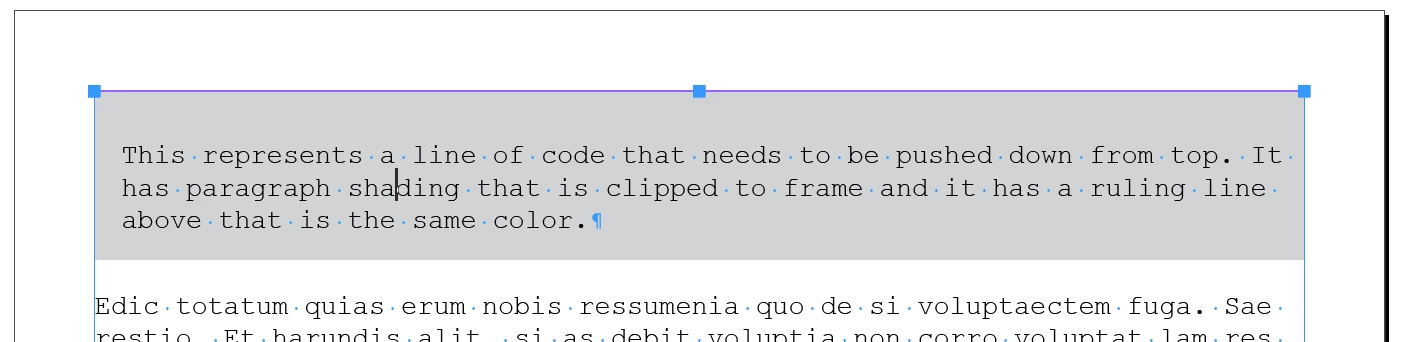
You can get the look you want with a combination of paragraph shading and a rule above. In this screen shot they are the same color:

In this one I changed the rule above to pink so that you can see it:

~Barb

4 replies

Community Expert
January 19, 2023

Thanks so much, Barb!

This is a solution for the top of a text frame.

In case of the bottom I currently see no way for an automated way.

The manual solution would be a text frame inset.


Issue at the bottom of the text frame:


Manual solution using an indent on the text frame at the bottom:


Regards,
Uwe Laubender
( Adobe Community Expert )

superhiAuthor
Participant
December 19, 2018

Hi all, thanks for your replies. Unfortunately, "Clip to Frame" doesn't give the code snippets the space above the text that I'm looking to keep. See screenshot:


So I'm wondering if there is way to keep it within page margins while still maintaining that space above the code text so it's not touching the top of the yellow box.

Barb Binder
Community Expert
Barb BinderCommunity ExpertCorrect answer
Community Expert
December 20, 2018

You can get the look you want with a combination of paragraph shading and a rule above. In this screen shot they are the same color:

In this one I changed the rule above to pink so that you can see it:

~Barb

~Barb at Rocky Mountain Training
Barb Binder
Community Expert
Community Expert
December 20, 2018

YES thank you so much for this clever solution Barb! I've been racking my brain over this. So happy to finally figure it out. Cheers!


Always happy to help, superhi .

~Barb

~Barb at Rocky Mountain Training
Community Expert
December 13, 2018

Hi Superhi,

As BarbBinder mentioned "Clip to frame" should work. If this is just for the first paragraph(i can't quite guess if this problem is with other paragraphs as well, since they are preceded with white spaces). But it would be worthwhile to check if the "Top Offset" is set to anything other than 0 and also if the "Top Edge" is set to "Leading", this could also cause the shading to extend.

However in any of these cases i have found "Clip to frame" work irrespective.

-Manan

-Manan
Barb Binder
Community Expert
Community Expert
December 13, 2018

Hi Superhi:

Enabling the Clip to Frame checkbox for the paragraph style doesn't work?

If not, can you re-share the screen shot with hidden characters showing?

~Barb

~Barb at Rocky Mountain Training