
How to make "Section Break" page in Indesign?
Hi, I'm currently working on a project in Adobe InDesign, and I've encountered a challenge that I could use some assistance with. I'm trying to create a document that includes both landscape and portrait page layouts, with the ability to switch between them as needed within the document.
I've tried following the usual steps for creating master pages and applying them to pages, but I couldn't find a specific "Section Break" option as seen in some other software like Microsoft Word. This has left me a bit confused about how to effectively manage the page orientation changes within my document.
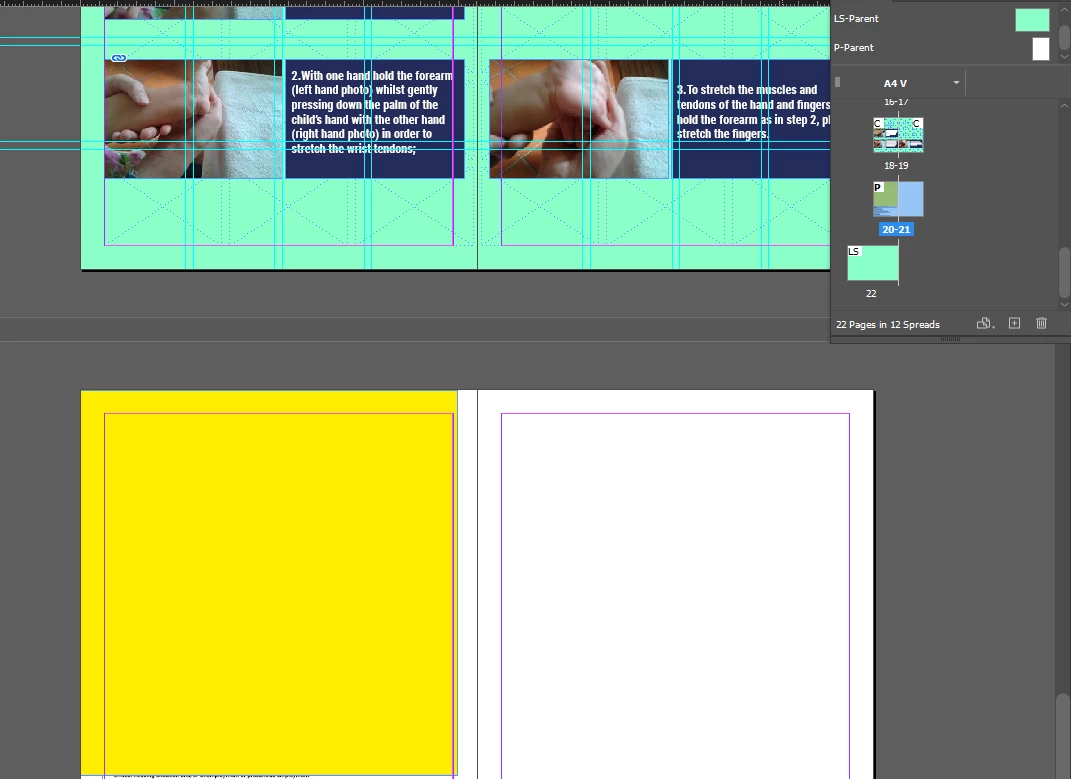
Could someone please provide guidance on how to achieve this mixed landscape and portrait page layout in Adobe InDesign? Any tips, tricks, or alternatve methods would be greatly appreciated. I`m adding screenshot for more clarity. I want page 20 to be portrait separetly and page 21 below it
 AdChoices