
Answered
How to Move and Anchor the Toolbar Across Multiple Monitors in InDesign
I wok on a 14" iMac Pro running Sonoma 14.7 and have two Dell 27" monitors attached for additional real estate. I typically have my ID document displayed on one of the larger monitors, but the toolbar displays in the upper left corner of the laptop screen and is partially hidden with no way that I can grab ahold of it and move it to the other screen (see screenshot). 1) how can I move the toolbar onto the larger screen, and 2) is there a way I can anchor the toolbar to the workspace so that it displays correctly no matter which screen it is displayed on?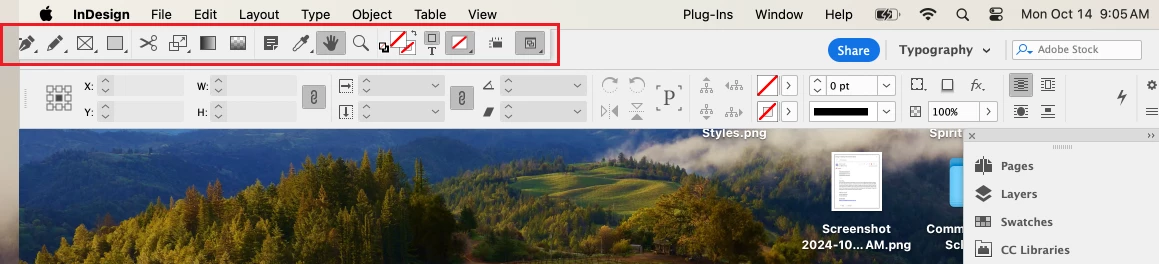
<Title renamed by MOD>
 AdChoices