
Inspiring
January 30, 2024
Answered

How to place a border at the end of a table for a file with hundreds of tables?

  • January 30, 2024
  • 3 replies
  • 901 views

Tried to use the border menu at table set but only is allowed check all 4 sides.
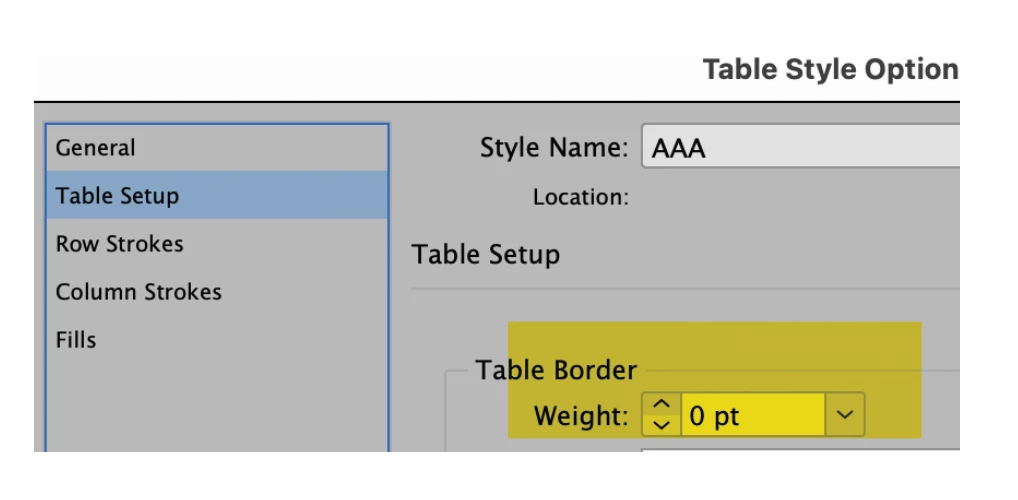

****************
Or at least how to apply to the last row a style (in fact my tables have an empty last row not styled...) since the table configuration does not label it automatically?
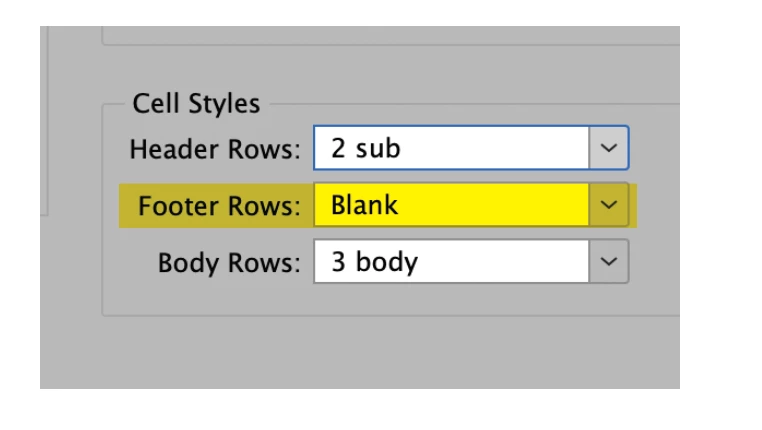
This topic has been closed for replies.
Correct answer FRIdNGE
app.activeDocument.stories.everyItem().tables.everyItem().bottomBorderStrokeWeight = "4mm";


(^/)

3 replies

Robert at ID-Tasker
Legend
January 30, 2024

@palala fog 


main();
function main(){
	var myTables = app.selection[0].tables.everyItem().getElements();
	for (var i=0; i<myTables.length;i++)
	{
		myTables[i].bottomBorderStrokeWeight = "1mm";
	};
}


This will process ONLY selection - so in order to process whole Story - you need to select all the Text in the Story.

Selecting only one TextFrame - will process only Tables in this TextFrame.

If you select only few Paragraphs in the Text - only Tables in the Selection will get processed.

If you have Tables in separte Stories - then this code would have to be modified.


There are more setting you can change:

https://www.indesignjs.de/extendscriptAPI/indesign-latest/#Table.html


Same with Left, Right & Top edges.


FRIdNGE
FRIdNGECorrect answer
January 31, 2024
app.activeDocument.stories.everyItem().tables.everyItem().bottomBorderStrokeWeight = "4mm";


(^/)

Robert at ID-Tasker
Legend
January 31, 2024
quote
app.activeDocument.stories.everyItem().tables.everyItem().bottomBorderStrokeWeight = "4mm";


By @FRIdNGE


Yeah, I was trying this as well - but for some reason, it wasn't working for me - but I'm not JS guy. 


James Gifford—NitroPress
Legend
January 30, 2024
  • Create a Cell Style with the bottom border you want.
  • Define your Table Style to have 1 Footer row.
  • In Table Style Options, assign your Cell Style to the Footer row.


Some tweaking may be needed to get a footer row only where you want it, but that sequence should do it.


This is a Cell Style named 'Footy,' applied in Table Style Options to the Footer row of Table Style 'Footed':


Robert at ID-Tasker
Legend
January 30, 2024

@James Gifford—NitroPress 


Where in the Table STYLE can you define number of Header/Footer rows??

You can only assign CellStyle - but you can't define how many rows there will be...


OP have 100s of tables - and this can only be done in the Table Options - for each table individually - and increasing number of Header / Footer rows - results in InDesgin ADDING - not converting existing - rows...


Unless I'm missing something?


James Gifford—NitroPress
Legend
January 30, 2024

Ah... oops. Didn't realize headers/footers were not a style component. Setting tables up involves so many cross-connecting menus... 😛

FRIdNGE
January 30, 2024

Can you show us a sample-table?


(^/)  The Jedi