

Werksmikkel
Participant
August 5, 2024
Answered

How to Quickly Center a Text Frame in InDesign

  • August 5, 2024
  • 3 replies
  • 723 views

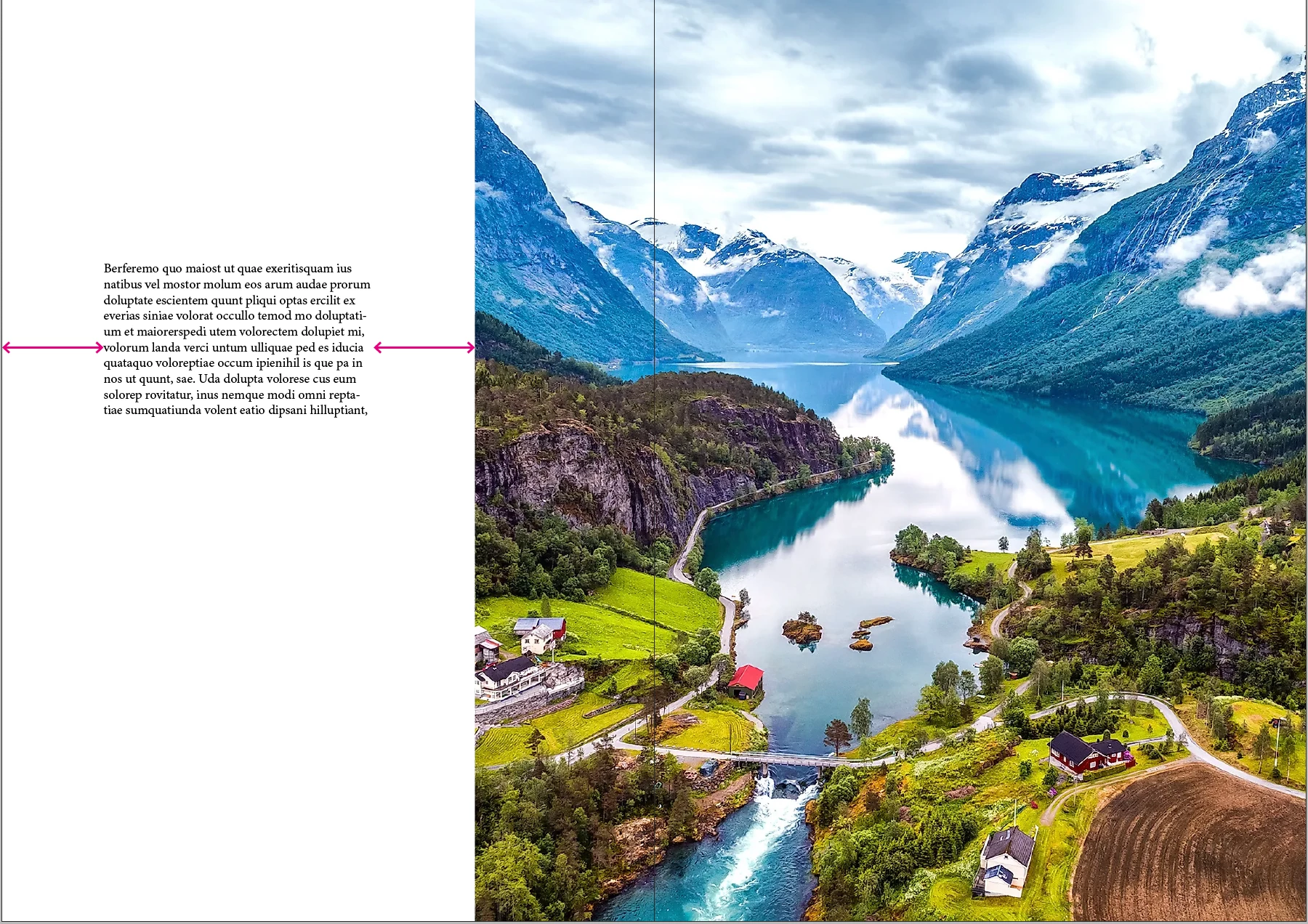
Hey guys, I can't seem to center this text frame in the middle of the white space in a matter of 1/2 clicks.

So I have been creating a box as wide as the white space and align the text box with that wider box, and I can't help to think there might be a better option then what I have been doing.

 

<Title renamed by moderator>
This topic has been closed for replies.
Correct answer Barb Binder

Hi @Werksmikkel:


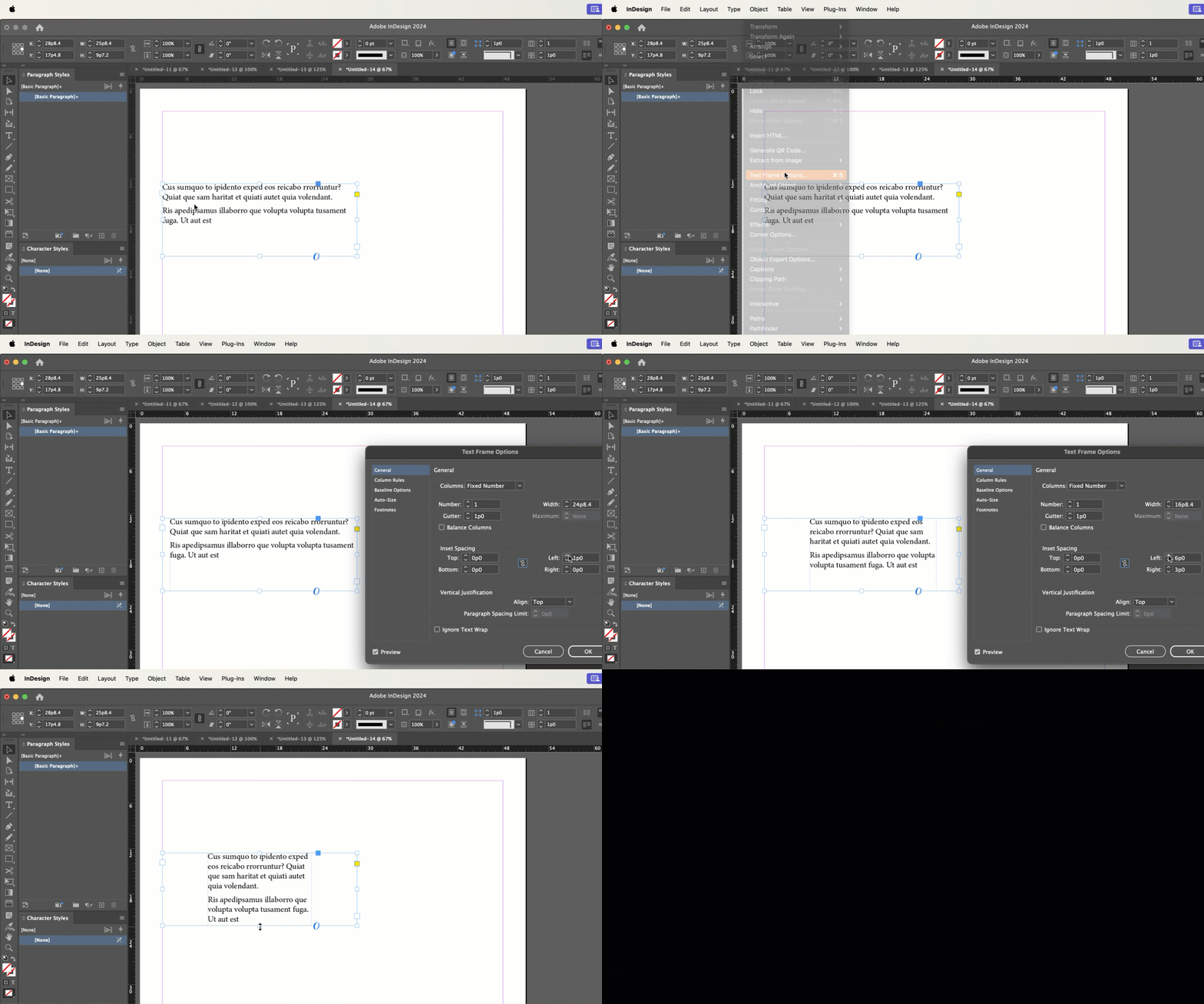
Indents on the paragraph style as per Dave or L/R text frame insets (which can be saved as an object style). But either way, set the frame width to match the white space area, and then save your formatting as a style so that the subsequent captions take care of this for you. 


~Barb


3 replies

Robert at ID-Tasker
Legend
August 5, 2024

@Werksmikkel


Or you can make your TextFrame as side as the white space - then select center point in Transformation / Control panel - and either type destination Width - you can type "33%" if you wish - or just narrow it step-by-step.


Barb Binder
Community Expert
Barb BinderCommunity ExpertCorrect answer
Community Expert
August 5, 2024

Hi @Werksmikkel:


Indents on the paragraph style as per Dave or L/R text frame insets (which can be saved as an object style). But either way, set the frame width to match the white space area, and then save your formatting as a style so that the subsequent captions take care of this for you. 


~Barb


~Barb at Rocky Mountain Training
Dave Creamer of IDEAS
Community Expert
Community Expert
August 5, 2024

I would make the text frame containing the text as wide as the white area and use the left/right indents.


David Creamer: Community Expert (ACI and ACE 1995-2023)