

Question
How to quickly remove style overrides!
Here's a quick and easy way to remove style overrides in a document at once. This may not work in all cases but as a general rule it works great in a pinch! Works for all styles!
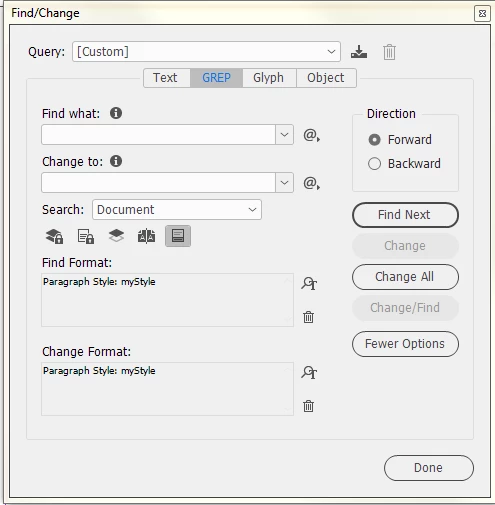
- Leave the Find/Change fields blank and add the style you want to remove overrides from into the Find Format options.
- Enter the same style into the Change Format options. (note, if its not clearing overrides completely try adding character style [None] into the Change Format options)
- Change at will.
 AdChoices