


Copy link to clipboard
Copied
Dear kings,
I was try to remove border from tables (my coding below).
This coding not working "Result: undefined"? how to remove all table borders. please suggest friends.
var mTables = app.activeDocument.stories.everyItem().tables.everyItem();
with (mTables) {
  topBorderStrokeWeight = 0;
  bottomBorderStrokeWeight = 0;
  leftBorderStrokeWeight = 0;
  rightBorderStrokeWeight = 0;
  }
alert("Done")
Advance thanks all


 1 Correct answer

try this,
if(app.activeDocument.stories.everyItem().tables.length>0)
{
app.activeDocument.stories.everyItem().tables.everyItem().cells.everyItem().bottomEdgeStrokeWeight = 0;
app.activeDocument.stories.everyItem().tables.everyItem().cells.everyItem().topEdgeStrokeWeight = 0;
app.activeDocument.stories.everyItem().tables.everyItem().cells.everyItem().leftEdgeStrokeWeight = 0;
app.activeDocument.stories.everyItem().tables.everyItem().cells.everyItem().rightEdgeStrokeWeight = 0;
}

 16
Replies
16
16
Replies
16


Copy link to clipboard
Copied
Hi,
Try this ...
var mTables = app.activeDocument.stories.everyItem().tables.everyItem().getElements();
var mLen= mTables.length;
while (mLen --) {
    mTables[mLen].topBorderStrokeWeight = 0;
    mTables[mLen].bottomBorderStrokeWeight = 0;
    mTables[mLen].leftBorderStrokeWeight = 0;
    mTables[mLen].rightBorderStrokeWeight = 0;
  }
alert("Done")
Copy link to clipboard
Copied
Hi Ronald63
Thanks your response,
I have run the your script. Sorry for saying this Ronald63, that coding not working "Result: undefined"? (attached screenshot for your reference). This same problem happening my said also. Please give me other solution and suggest Ronald63.

Copy link to clipboard
Copied
It's working for me, can you share your indesign document ?
Copy link to clipboard
Copied
Result: undefined is normal. Are you sure that the tables have a border ?


Copy link to clipboard
Copied
Good question, Ronald.
Could be that all cells have the border and the table itself has not.
Uwe
Copy link to clipboard
Copied
Occam's razor principle 😉
Copy link to clipboard
Copied
try this,
if(app.activeDocument.stories.everyItem().tables.length>0)
{
app.activeDocument.stories.everyItem().tables.everyItem().cells.everyItem().bottomEdgeStrokeWeight = 0;
app.activeDocument.stories.everyItem().tables.everyItem().cells.everyItem().topEdgeStrokeWeight = 0;
app.activeDocument.stories.everyItem().tables.everyItem().cells.everyItem().leftEdgeStrokeWeight = 0;
app.activeDocument.stories.everyItem().tables.everyItem().cells.everyItem().rightEdgeStrokeWeight = 0;
}
Copy link to clipboard
Copied
Copy link to clipboard
Copied
Dear friends, Don't mistake me, if i am asking one more question for you.
Find/change methods: "paragraph style" applying the "xml tags" including with inside of table styles also.
@step 1: Find paragraph style. Example style "Table head"
@step 2: Apply(add) with xml tags. Example Tag "<p>"
So many thanks your golden help.

Copy link to clipboard
Copied
Here's what doesn't work:
Set TABLE border width to 0
Set TABLE border color to NONE
Set all CELL border widths to 0
Set all CELL border colors to NONE
Workaround:
Set TABLE border color to "Paper"
Copy link to clipboard
Copied
Hi bernardf54817818 ,
can you show the code for the things that did not work for you?
Also provide a sample document by using your Dropbox account or a similar service and post the link.
Thanks,
Uwe
Copy link to clipboard
Copied
No clue what a code is
Copy link to clipboard
Copied
bernardf54817818 wrote
… No clue what a code is
Why are you saying this?!? You are posting in the InDesign Scripting Forum.
Nevertheless, the following code is removing all strokes from the table of your sample document. Just tested that.
app.activeDocument.stories.everyItem().tables.everyItem().cells.everyItem().properties =
{
bottomEdgeStrokeWeight : 0 ,
topEdgeStrokeWeight : 0 ,
leftEdgeStrokeWeight : 0 ,
rightEdgeStrokeWeight : 0
};
Before:

After running the ExtendScript code:

Regards,
Uwe
Copy link to clipboard
Copied
Uwe:
I posted here because there were several other posts about not being able to remove the TABLE borders. I see you had removed the CELL borders. If you look on the TABLE settings, you will see I had to select "Paper" as the TABLE border (the border that goes around the outside of the table) so that it blends with the paper. If I select NONE or set the the width to 0, it defaults to black.
Thanx.
Copy link to clipboard
Copied
Ah. Ok.
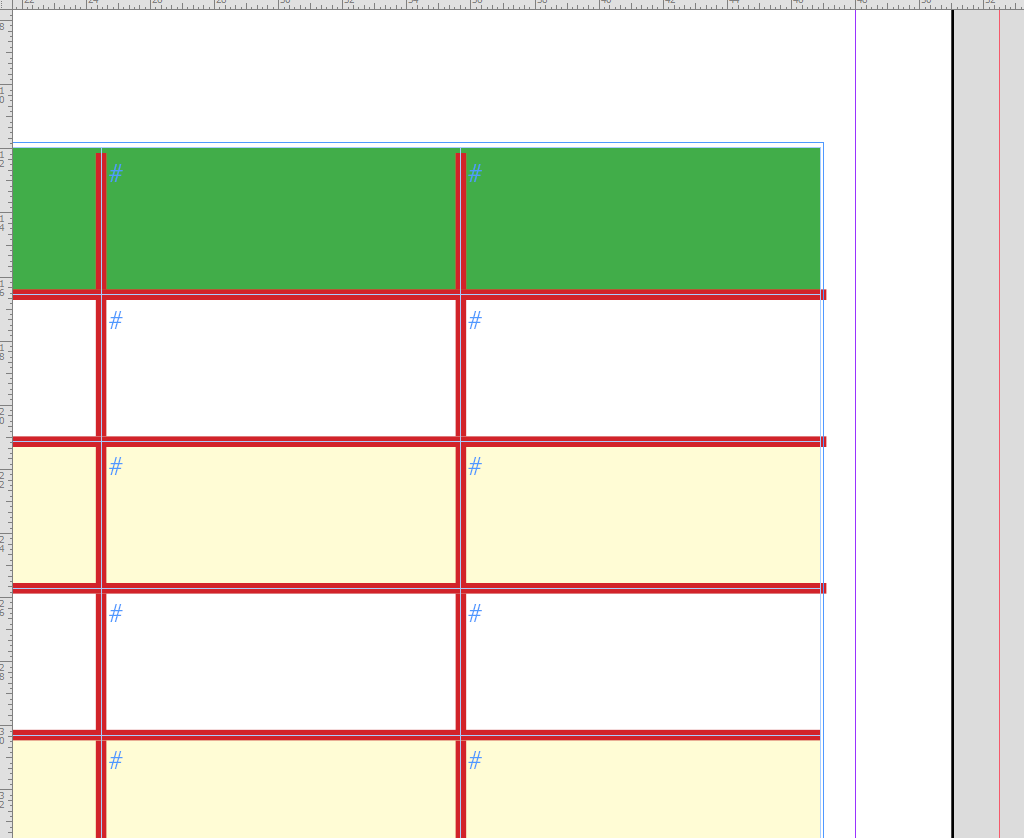
For that we have two options:
Option1:
Using the Table Options setting the stroke itself to "None".
That would maintain the height and the width of the table.

Result:
Option 2:
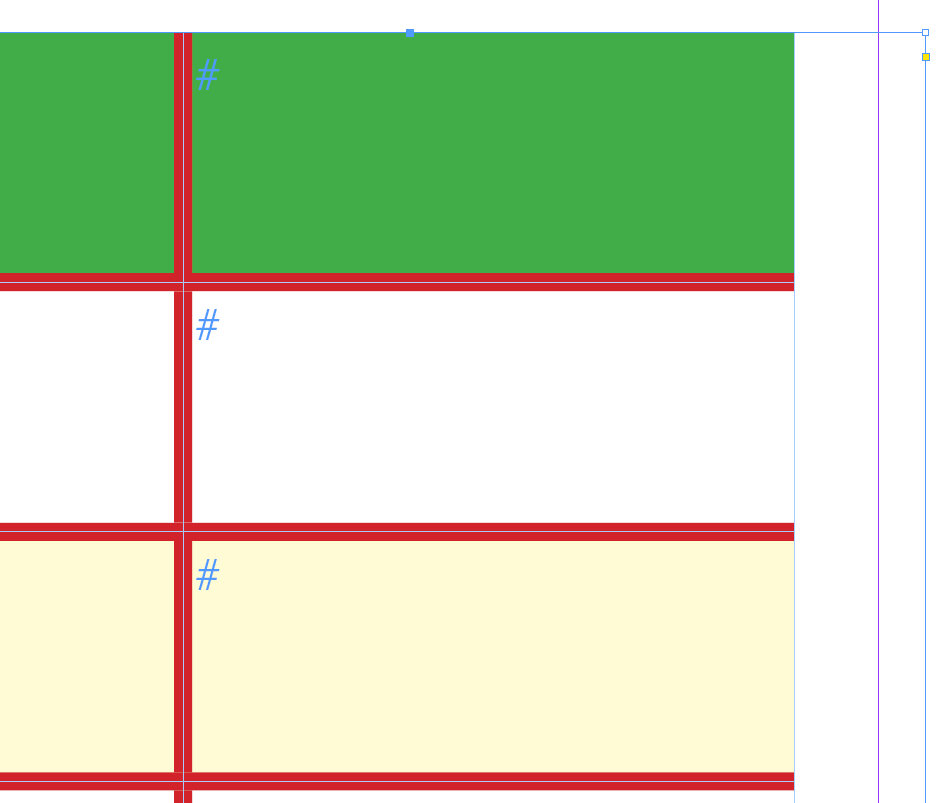
Or we set all the stroke weight of the outer cells to "0" and the stroke color to "None".
This time with the Cell Options dialog, the whole table selected.
Note, that I clicked off the inner strokes of the widget for selecting strokes in the dialog.

Result:
( I moved the text frame a bit to the left to make it more clear what happened to the table. )
Regards,
Uwe
Copy link to clipboard
Copied
Thanx...I'll give it a go!


Get ready! An upgraded Adobe Community experience is coming in January.
Learn more
 AdChoices