Participant
February 12, 2017
Answered

How to restrict font list to only Brand Approved fonts?

  • February 12, 2017
  • 2 replies
  • 676 views

Hi all.

I work for a university and we use only 2 fonts primarily. But I can't find any preference that allows me to say "only show x fonts". And my system always defaults to Times New Roman. Is there a way to only show USER fonts? Without eliminating all the fonts in the library?

Also, I should be able to always open my documents in ITC Franklin Gothic Book, but the default can't be changed that I can find. Any suggestions? What am I overlooking to make my default a university approved font?

Thanks for any help you can offer!
This topic has been closed for replies.
Correct answer Barb Binder

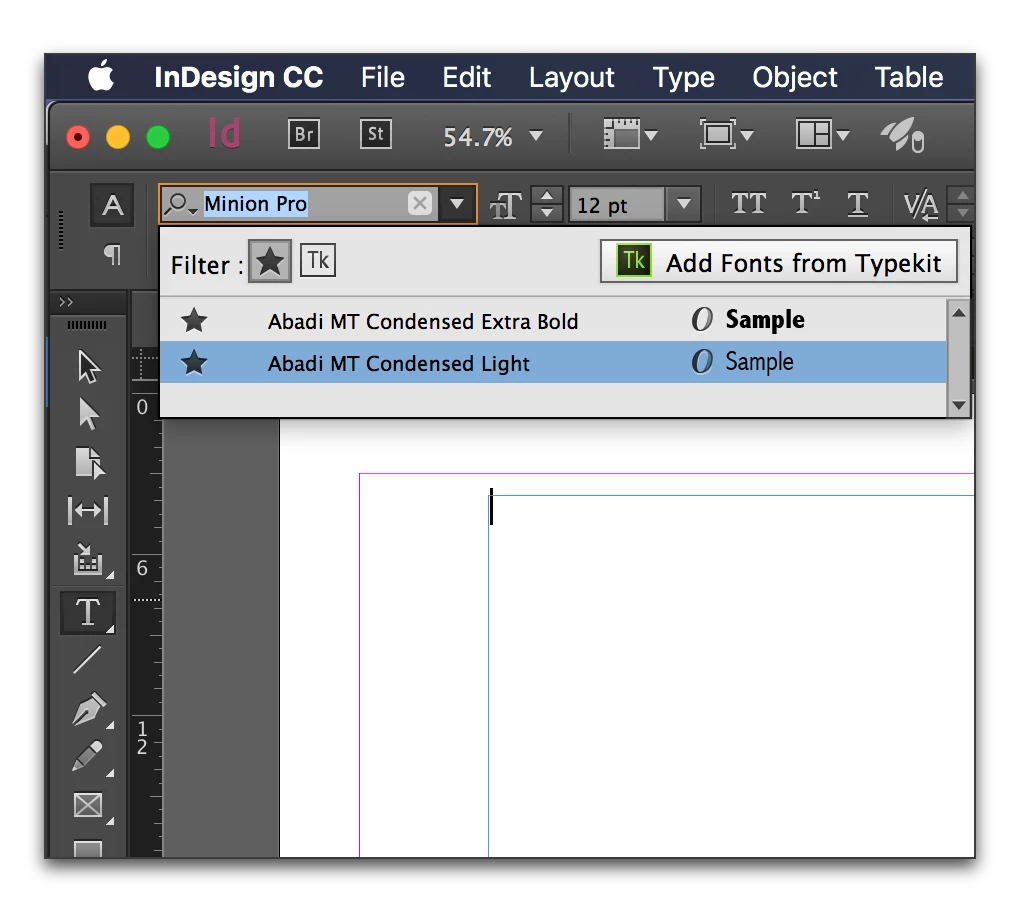
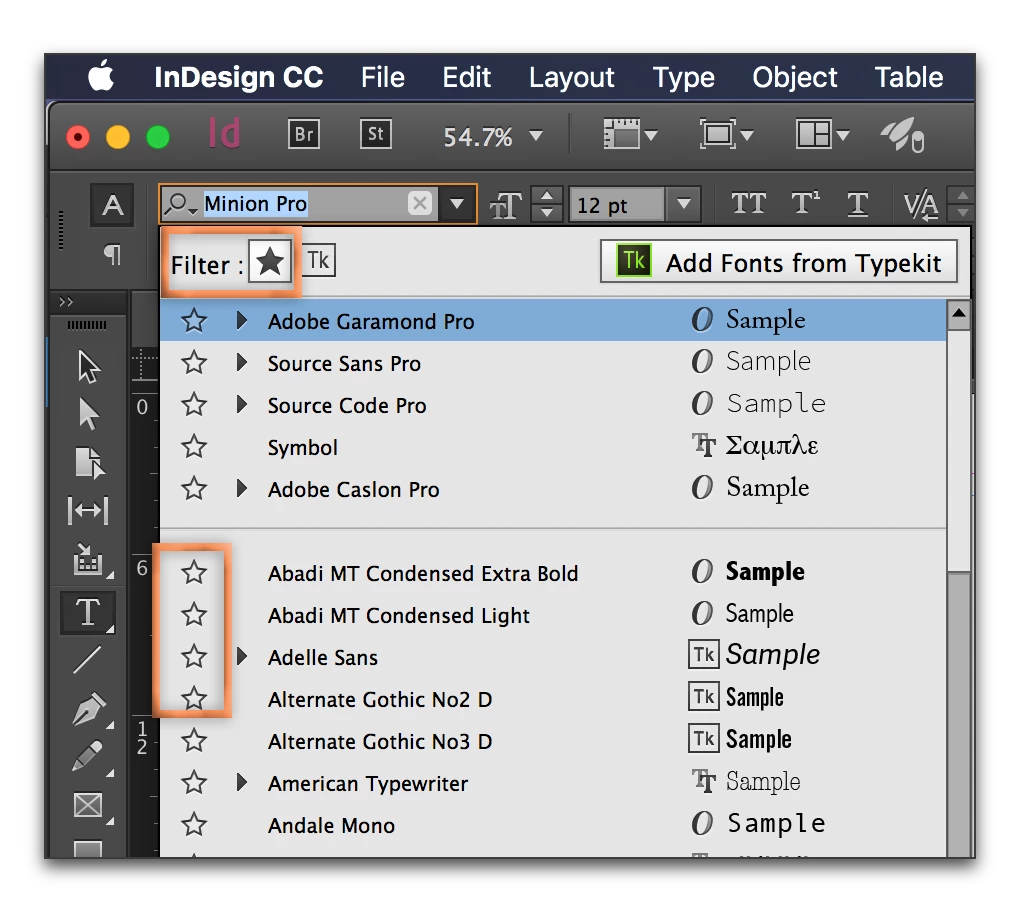
What version of InDesign are you using? Current versions allow you to mark fonts as favorites, and then you can set the filter to only show favorites:

2 replies

Melio123Author
Participant
February 13, 2017

Thank you. I just switched up to CC 2017 on Mac. I use InDesign every day for years, but this was one thing that always dogged me, esp b/c I must not have been using the right keywords for a search.

Thanks again!

Barb Binder
Community Expert
Community Expert
February 13, 2017

Glad to know that you have your answer!

~Barb at Rocky Mountain Training
Barb Binder
Community Expert
Barb BinderCommunity ExpertCorrect answer
Community Expert
February 12, 2017

What version of InDesign are you using? Current versions allow you to mark fonts as favorites, and then you can set the filter to only show favorites:

~Barb at Rocky Mountain Training
Barb Binder
Community Expert
Community Expert
February 12, 2017

Also, I should be able to always open my documents in ITC Franklin Gothic Book, but the default can't be changed that I can find. Any suggestions? What am I overlooking to make my default a university approved font?

As for part two of the question–

InDesign documents always open using the fonts specified when the file was saved. I am guessing you are trying to set the default to ITC Franklin Gothic Book for new documents?

In that case, close all open files, and then go to Type > Font and select ITC Franklin Gothic Book. This will set ITC Franklin Gothic Book as the default font for all new documents.

This is documented in the online help under the heading "Set Defaults":

Set preferences in Adobe InDesign

~Barb at Rocky Mountain Training