
Participating Frequently
September 25, 2024
Question

How to Work Efficiently Between Photoshop, InDesign, and Illustrator

  • September 25, 2024
  • 1 reply
  • 1904 views

How do you work efficently between Ps, Id and Ai?

I'm trying to design a brochure with text , vectors and photos.

I can't design the text without the backround and vice versa, but it seems like you need a different program for each  part of the  brochure.

I have tried libraries but you can only put in a single element not an entire document, and you have to either have it perfect from the start or edit without being  able to see the rest uf the design.


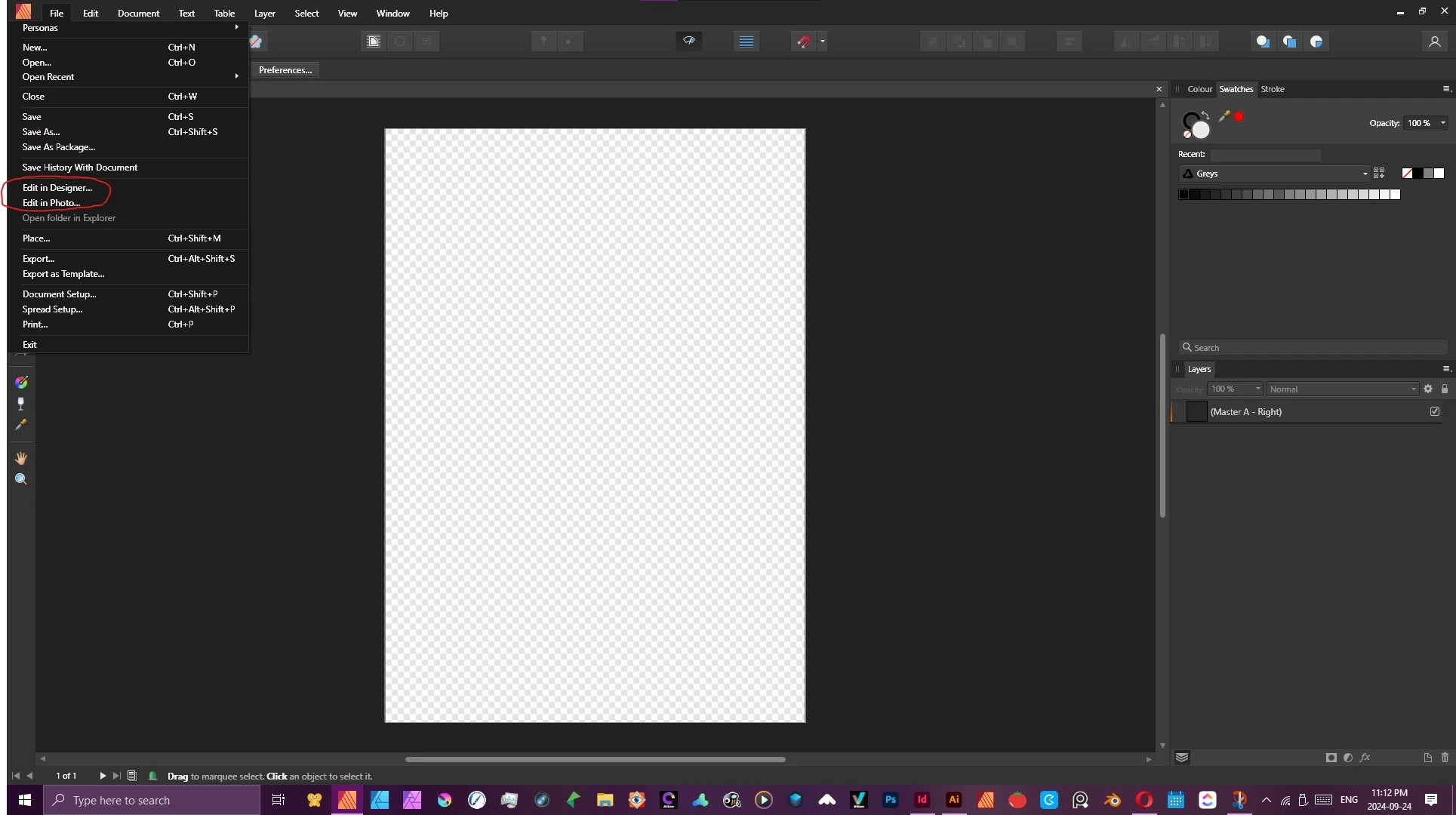
In Affinity; which I was using until now, you simply click edit with and you can edit your entire document in any of the thre design apps (see  photo below). 

Is there away to do something similair in Adobe?


<Title renamed by MOD>

This topic has been closed for replies.

1 reply

Derek Cross
Community Expert
Community Expert
September 25, 2024

Briefly, you optimise your raster images in Photoshop and then Place them as native PSDs in InDesign where you add your text and background colours. You can "round trip" between InDesign and Photoshop to make further changes to the images. And similarly with native Illustrator documents for vectors.


This book and accompanying website explains all: https://www.peachpit.com/store/adobe-photoshop-illustrator-and-indesign-collaboration-9780137908325

Participating Frequently
September 25, 2024

Is there a way to create a document in In Design add text then edit the entire document in Illustrator or  Photoshop? By placing images or vectors from  the other two programs I can edit them but I can't see the indesign text while  editing them. This makes it next to impossable to create a good layout, since the text vectors and images all rely on each other. I'm making a small two page document not an entire book.


Steve Werner
Community Expert
Community Expert
September 25, 2024

A simple answer: No, there is no way do to what you want in any simple way. You could view the InDesign layout and the Illustrator/Photoshop editing in two separate windows. Probably easier if you had two monitors.