

JonathanArias
Legend
October 13, 2021
Answered

Hyperlink error

  • October 13, 2021
  • 2 replies
  • 872 views

Hello folks,


I have a references section in a layout. One of the entries in the references has a link/url to a page.

This one:

 

And this is that url:

http://www.npcrc.org/files/news/briefpain_short.pdf


Issue is that if i click that url from the .pdf. the webpage that opens looks like this:
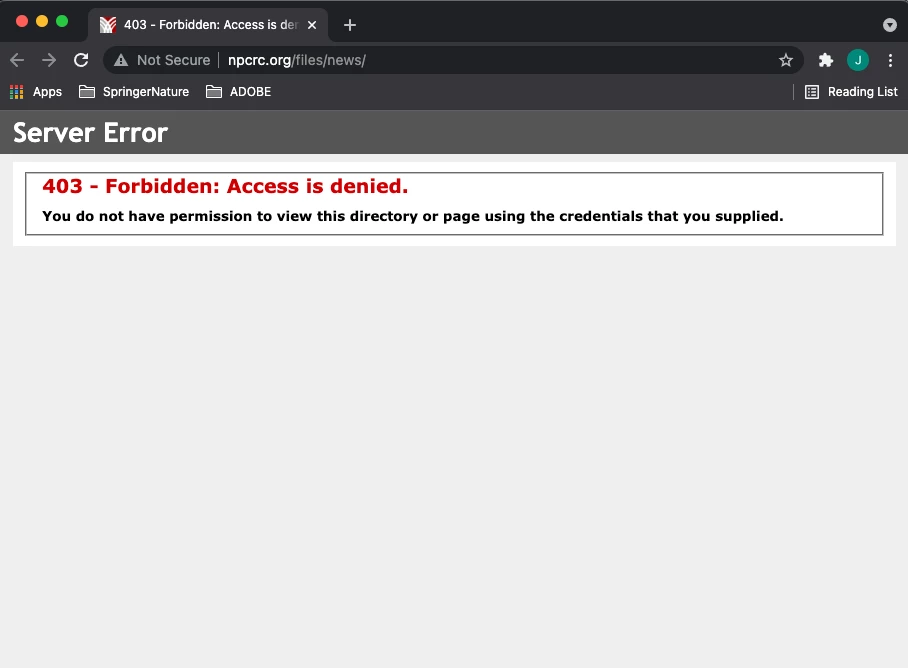
If i am to manually copy and paste the same url from the .pdf and the web browswer, it works. Why is this not working?


thanks

jonathan

This topic has been closed for replies.
Correct answer Eugene Tyson

You'll see the hyperlink in the web browser, it's stopping short at the news section.

Edit the hyperlink in InDesign - using the Window>Interactive>Hyperlinks panel


And ensure the full URL is there.


2 replies

Mike Witherell
Community Expert
Community Expert
October 13, 2021

What version of InDesign?

Mike Witherell
JonathanArias
Legend
October 13, 2021

2021

Eugene TysonCommunity ExpertCorrect answer
Community Expert
October 13, 2021

You'll see the hyperlink in the web browser, it's stopping short at the news section.

Edit the hyperlink in InDesign - using the Window>Interactive>Hyperlinks panel


And ensure the full URL is there.


JonathanArias
Legend
October 13, 2021

Thank you Eugene, got it to work via the yperlinks panel.