
Known Participant
January 15, 2020
Question

Hyperlink in zombie button
  • January 15, 2020
  • 3 replies
  • 372 views

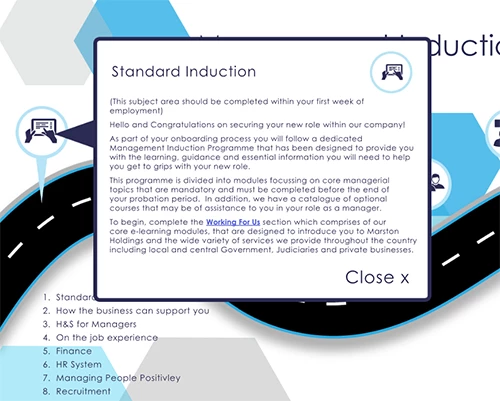
I have embeded a hyperlink into text, the text sits inside a group of objects that form a up up panel which are a zombie button which is hidden and triggered by an onscreen button. The hyperlink in the text does not work?? Is this because it sits within another button. Ive tried several solutions but it still isn't working as required.


Rob 

This topic has been closed for replies.

3 replies

Community Expert
January 15, 2020

Hi Rob,

hyperlinks on texts or other objects inside a button will not work.

Not for any of the output options InDesign will do natively: PDF Interactive, Publish Online, Fixed Layout EPUB or HTML.


The way to work around this is to create a MultiState-Object (MSO) with text showing the hyperlink.

Issue with that: MSOs will not work with PDF Interactive.


So as long as you output to Publish Online this workaround should do it.

Minimum sample below. The small yellow square with the rounded corners is the button for controlling the states of the MSO. First state is showing a yellow rectangle only. Second state is showing a text frame with a hyperlink on text.

Advance from state 1 to state 2 with a click on the button. Then try the hyperlink.


https://indd.adobe.com/view/f868d11d-f2e1-4c47-8777-b84631ff5d92


Regards,
Uwe Laubender

( ACP )


Derek Cross
Community Expert
Community Expert
January 15, 2020

Only simple hyperlinks will work successfully in Interactive PDFs, no multi-state buttons.

Known Participant
January 15, 2020

So if I take the text out of the group. turn it into a button and then have it hidden until triggered, would that work

Eric Dumas
Community Expert
Community Expert
January 15, 2020

Hi,

That looks great, well done.

Can you confirm the version of your software and operating system you are using?

Also, can you explain how you are testing the result, in Adobe Acrobat? Is the text of the hyperlink on top of other items (look at your layers panel)

Known Participant
January 15, 2020

The layers are fine the document is to be published as online and will be viewd through a browser. I've tested in several browsers. I am fairly experienced with creating similar documents but have never encountered this issue. I started to assume it was because the hyperlink was embeded in text which sat inside a group of objects which had to be turnrd into a button in order fror them to display. 

Known Participant
January 15, 2020

Its ID 2019