Answered

This topic has been closed for replies.
You need to create a PDF preset which includes turning on the Hyperlink option at the bottom of the Export Adobe PDF dialog
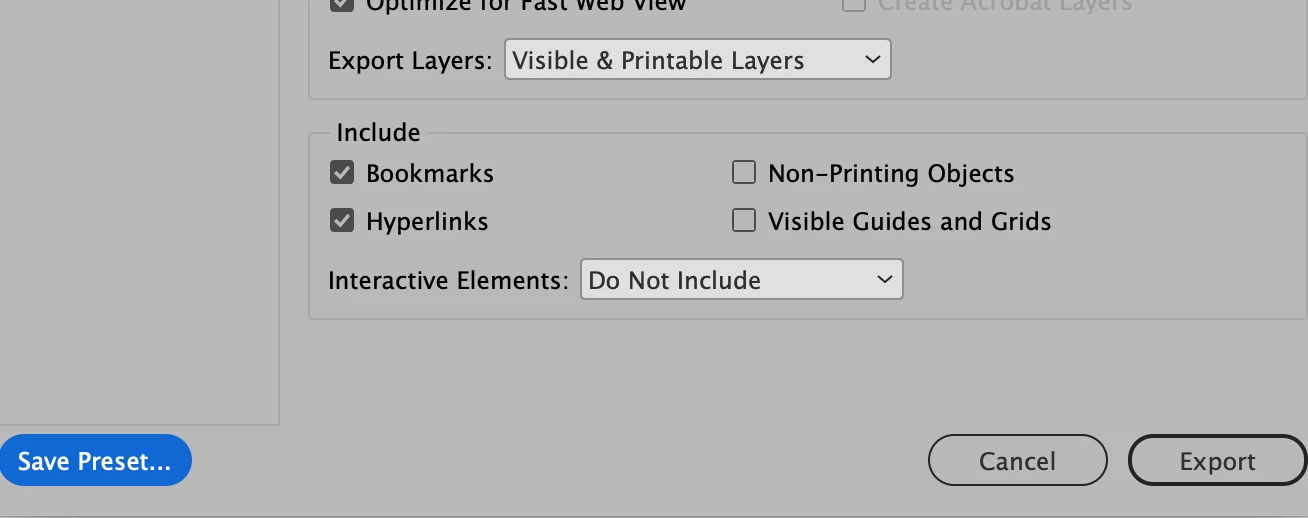
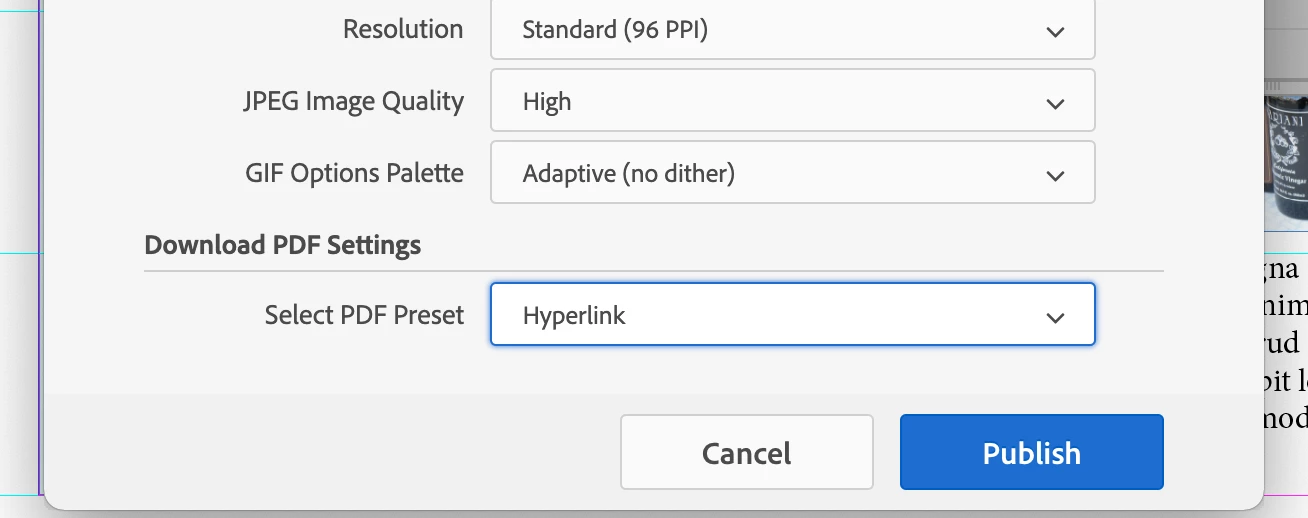
Then when uploadimg you INDD file for Publish Online, turn on the option to allow readers to download the document as PDF (Print). In the Advanced settings, select the PDF Preset you've created to use for PDF export.


Sign up
Already have an account? Login
To post, reply, or follow discussions, please sign in with your Adobe ID.
Sign inSign in to Adobe Community
To post, reply, or follow discussions, please sign in with your Adobe ID.
Sign inEnter your E-mail address. We'll send you an e-mail with instructions to reset your password.
 AdChoices