
Copy link to clipboard
Copied
I cannot see the hyperlinks panel on any of my files. It has over ridden with cross references. I cannot see the links I want to put onto the Interactive doc. -I have followed all advises and it defaults back to cross referencing every time. What do I do? I have CS6 and workoing on Windows 10 Pro.
Thank you in advance !
Rebuilding your preferences should fix this. See the article about it linked below
https://indesignsecrets.com/how-to-mess-up-your-hyperlinks-panel.php
-Manan
In your InDesign document you highlight the word or words (or image) you want to be the link.
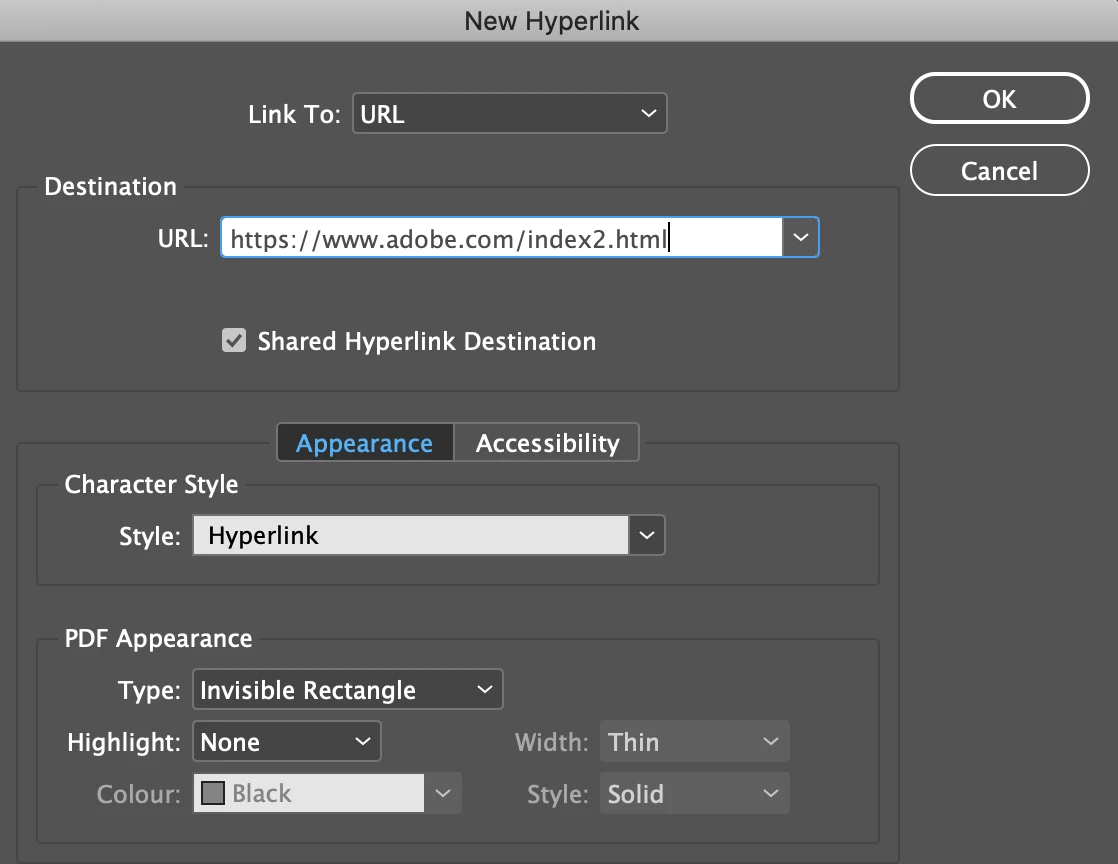
Then select (there are other methods) Type > Hyperlinks & Cross References > New Hyperlink in the resulting dialogue box in the Link to drop down menu select URL and enter the complete URL (I always copy and paste from the actual website). You can select a Character Style, if you've set one up, for your hyperlinks. Select OK.
Back in InDesign export your document as an Interactive PDF.
Copy link to clipboard
Copied
Rebuilding your preferences should fix this. See the article about it linked below
https://indesignsecrets.com/how-to-mess-up-your-hyperlinks-panel.php
-Manan
Copy link to clipboard
Copied
Nothing but this helped. BIG THANKS.
Copy link to clipboard
Copied
In your InDesign document you highlight the word or words (or image) you want to be the link.
Then select (there are other methods) Type > Hyperlinks & Cross References > New Hyperlink in the resulting dialogue box in the Link to drop down menu select URL and enter the complete URL (I always copy and paste from the actual website). You can select a Character Style, if you've set one up, for your hyperlinks. Select OK.
Back in InDesign export your document as an Interactive PDF.
Copy link to clipboard
Copied
Copy link to clipboard
Copied
Hi Sladva,
please show a screenshot of your Hyperlinks panel when no document is open.
Thanks,
Uwe Laubender
( ACP )
Get ready! An upgraded Adobe Community experience is coming in January.
Learn more