
Participant
April 18, 2025
Question

Hyperlinks to Text Anchors with new document name

  • April 18, 2025
  • 2 replies
  • 551 views

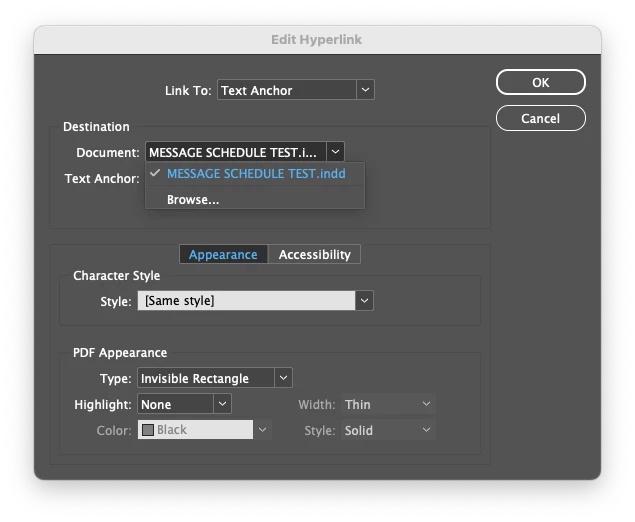
Hello, I am working on a set of construction documents with a table that has a ton of hyperlinks set to text anchors throughout the document. 
We need to be able to create new versions of the document with the file name updated. Each time I do this, it breaks the destination link because it still points to the old document name. Is there a way to set it up differently so the hyperlink is always pointing to the current document rather than a specific file name? Or am I stuck manually changing hundreds of text anchor destinations every time we rename the file? 
Thank you!
2 replies

Robert at ID-Tasker
Legend
April 18, 2025

OR - how do you create a new version? 


Copy&paste in the folder - or Save As with a new name - from within InDesign? 


Participant
April 18, 2025

I've been doing a save-as and saving with the new name. Which means then I have to go into each hyperlink and point it to the new file. Yikes!

Participant
April 18, 2025
quote

I've been doing a save-as and saving with the new name. Which means then I have to go into each hyperlink and point it to the new file. Yikes!


By @christina_6759


But that should rewrite Hyperlinks? 


Unfortunately, it doesn't.

Robert at ID-Tasker
Legend
April 18, 2025

A long shot - "thinking outside the box" 😉 - try exporting as IDML and edit one of the files inside? 


IDML is just a ZIPed archive full of XML files.