
New Participant
April 26, 2023
Answered

I can't move a frame incrementally in InDesign 2023

  • April 26, 2023
  • 3 replies
  • 702 views

For some reason, I can't figure out how to move a frame (text is especially problematic, but I'm having trouble with objects as well) incrementally since the update to 2023.

As an example, this is a detail from a current annual report I'm working on. The green-bordered text frame is behind everything else. I want to nudge it up slightly.
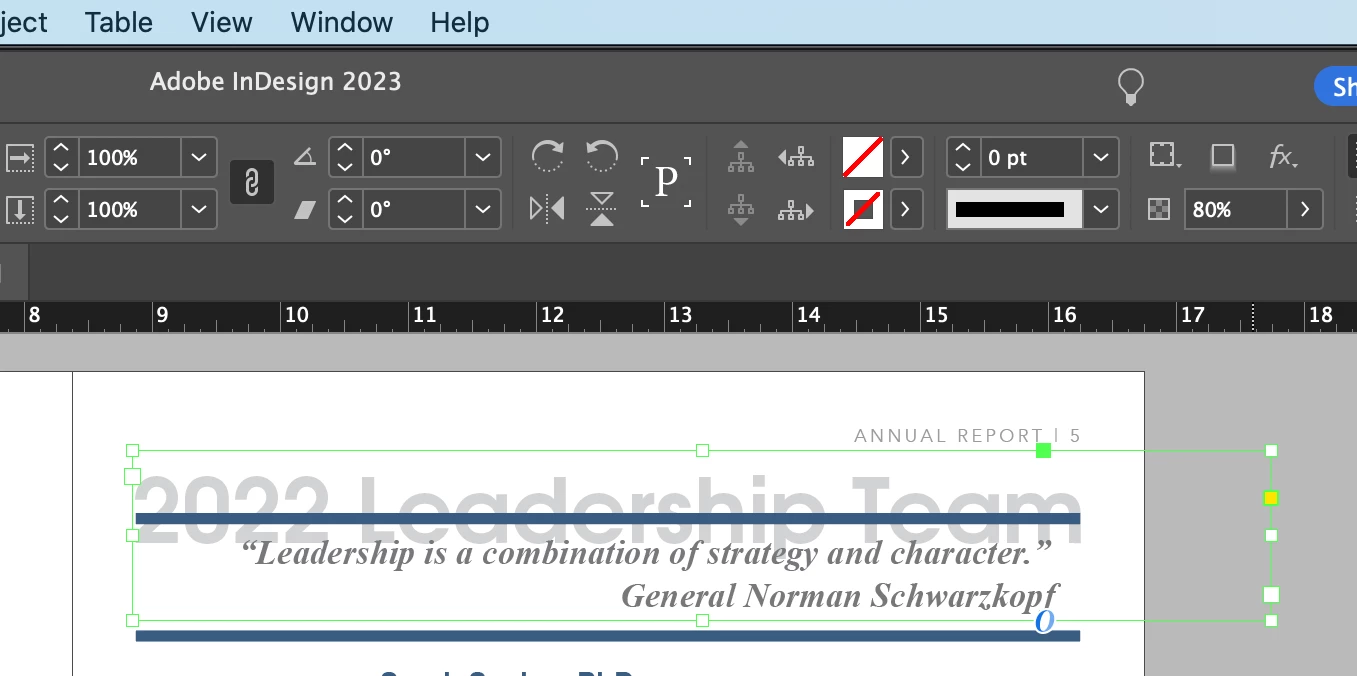
 

When I nudge it by what should be one increment (a few pixels, I would hope), this is what happens:
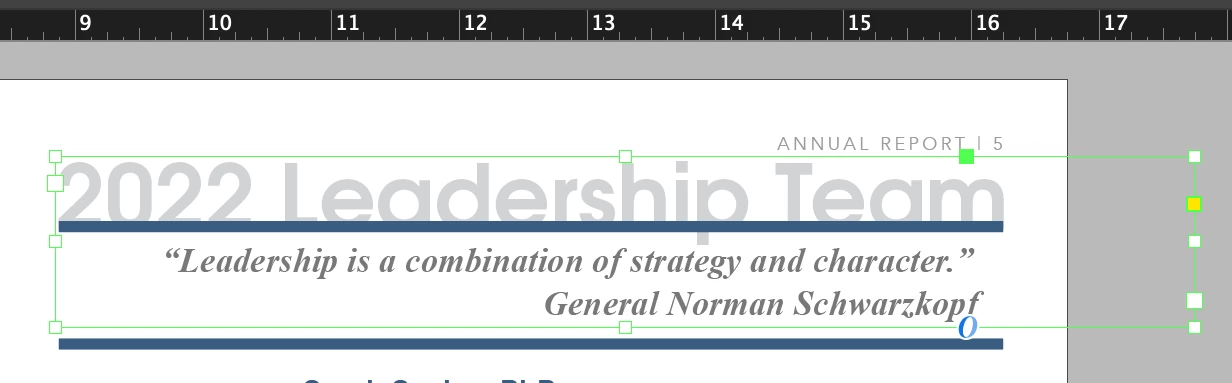
 

That's more like a quarter of an inch!

I have searched and searched. I've turned off all the things it could possibly be snapping to, I've checked the "ignore text wrap" and turned off anything that might have text wrap enabled. I have the ruler in inches (which hasn't been a problem as far as I could tell for most of the past decade). So...what is going on? Is this a layer problem?
This topic has been closed for replies.
Correct answer Barb Binder

Hi @Wyrthen:


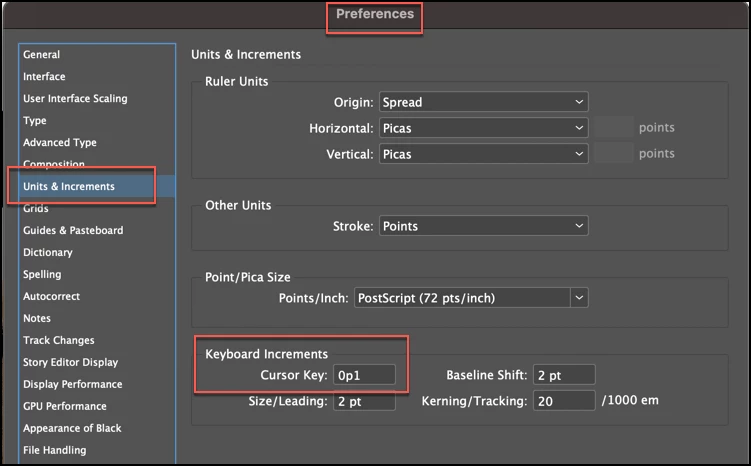
Are you nudging with the arrow keys on the keyboard? What is the increment set to in Preferences?


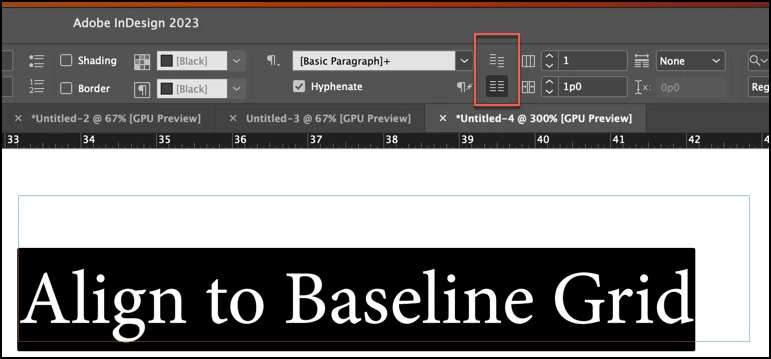
And are you 100% sure you don't have the text set to Align to the Baseline grid? It can be enabled in Paragraph view of the Control panel (shown below) but it can also be enabled for a frame in Type > Text Frame Options. 


~Barb

3 replies

Barb Binder
Community Expert
April 27, 2023

Terrific. Glad we were able to help.


~Barb

~Barb at Rocky Mountain Training
Robert at ID-Tasker
Legend
April 26, 2023
WyrthenAuthor
New Participant
April 27, 2023

Thank you so much for your response! Barb's did help me, but I'm always glad to have multiple ideas.

Barb Binder
Barb BinderCorrect answer
Community Expert
April 26, 2023

Hi @Wyrthen:


Are you nudging with the arrow keys on the keyboard? What is the increment set to in Preferences?


And are you 100% sure you don't have the text set to Align to the Baseline grid? It can be enabled in Paragraph view of the Control panel (shown below) but it can also be enabled for a frame in Type > Text Frame Options. 


~Barb

~Barb at Rocky Mountain Training
WyrthenAuthor
New Participant
April 27, 2023

Oh my gosh. It was aligned to baseline grid in the Paragraph control panel and I just kept missing it (because I don't ever set that). Thank you so much!