Inspiring
January 17, 2025
Answered

I need help exporting RGB colour CORRECTLY to jpg or png

  • January 17, 2025
  • 3 replies
  • 3695 views

Ok so I before I start please don't tell me to use phtoshop for this thanks 🙂


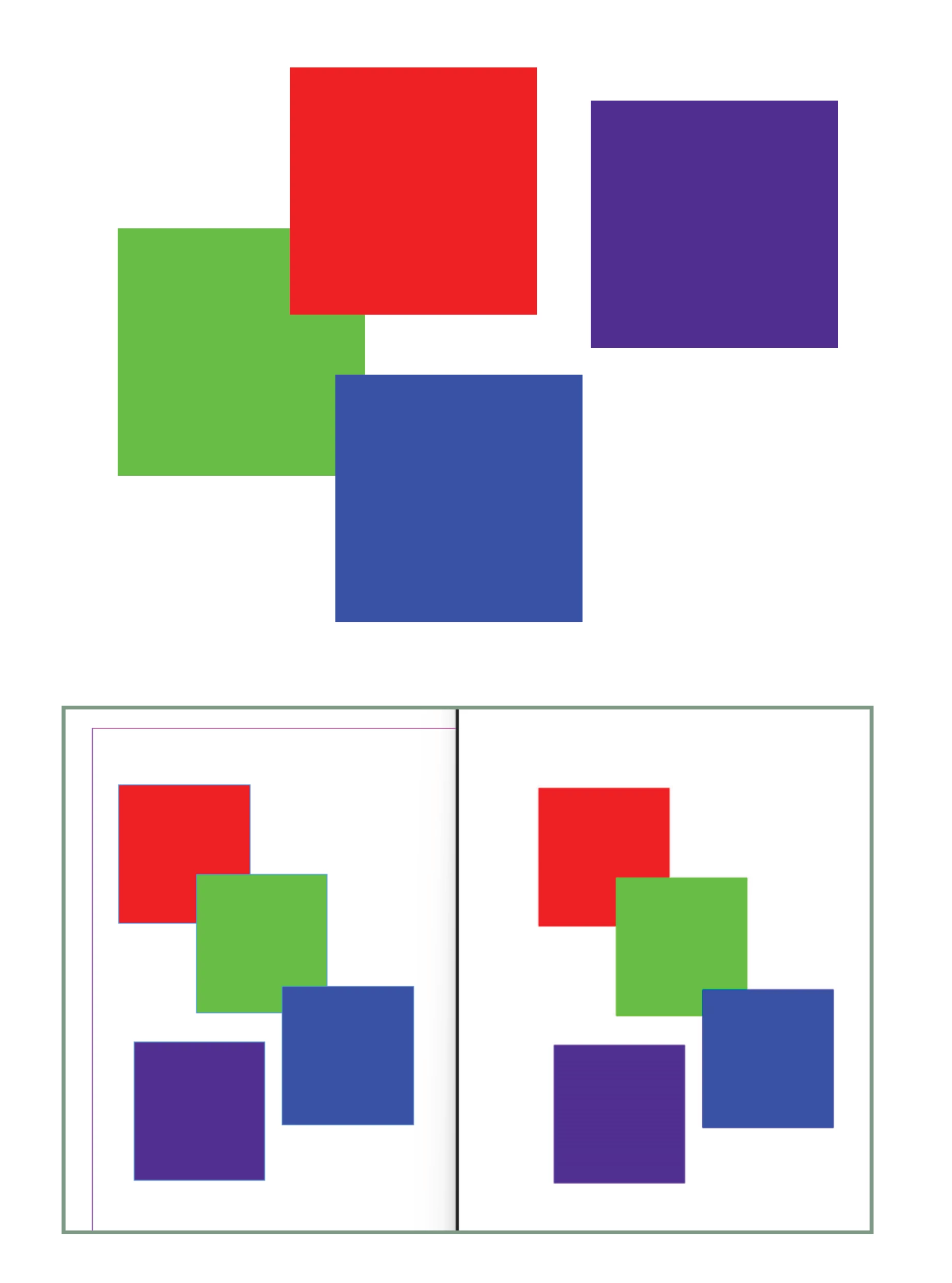
So my issue is RGB's displaying correctly both in indesign and once exported to jpg or png. 

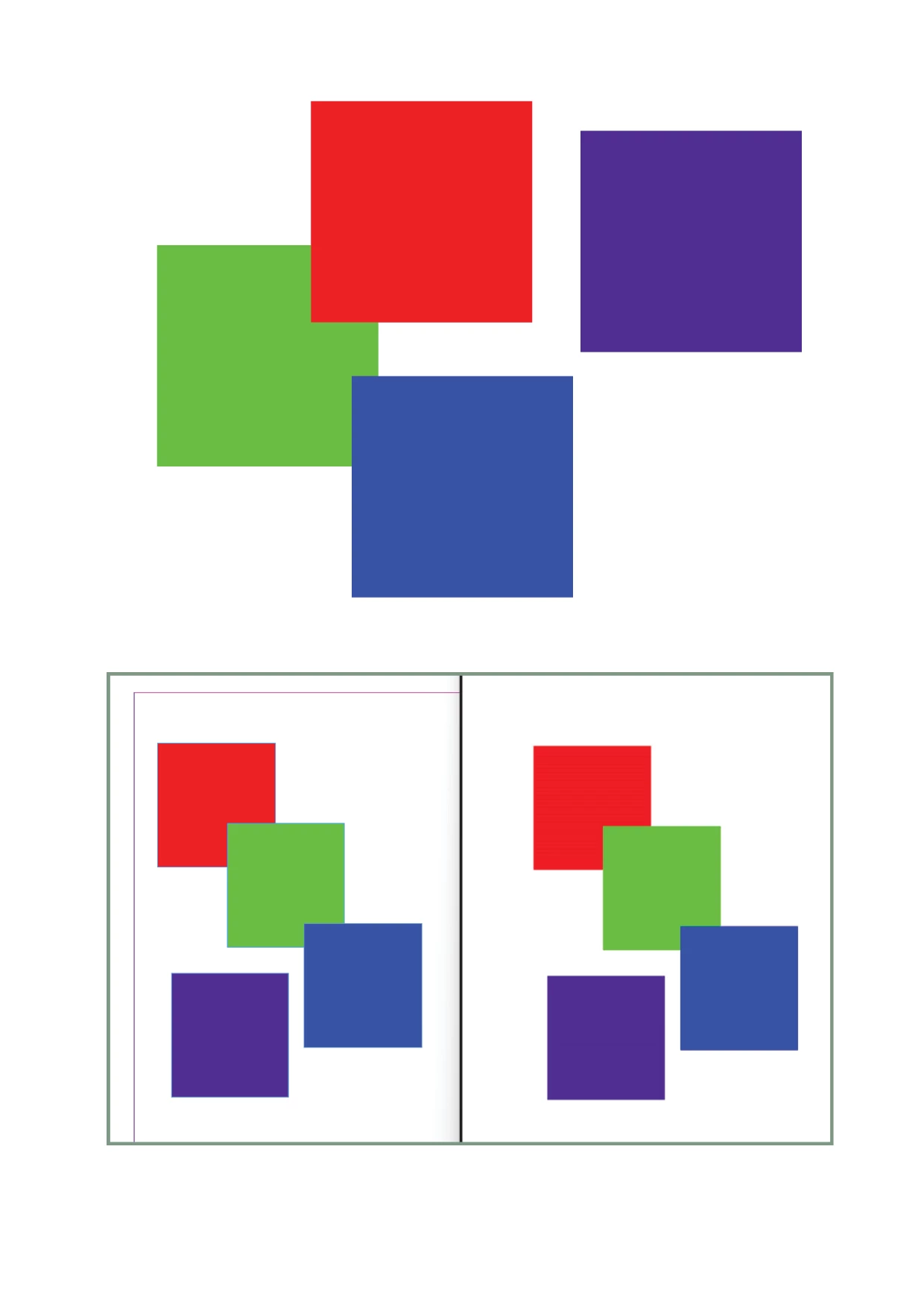
They work fine if I export to Interactive PDF in RGB mode, so I am curretly exporting to .pdf and saving as a jpg in Photoshop which is annoying and an extra step. 


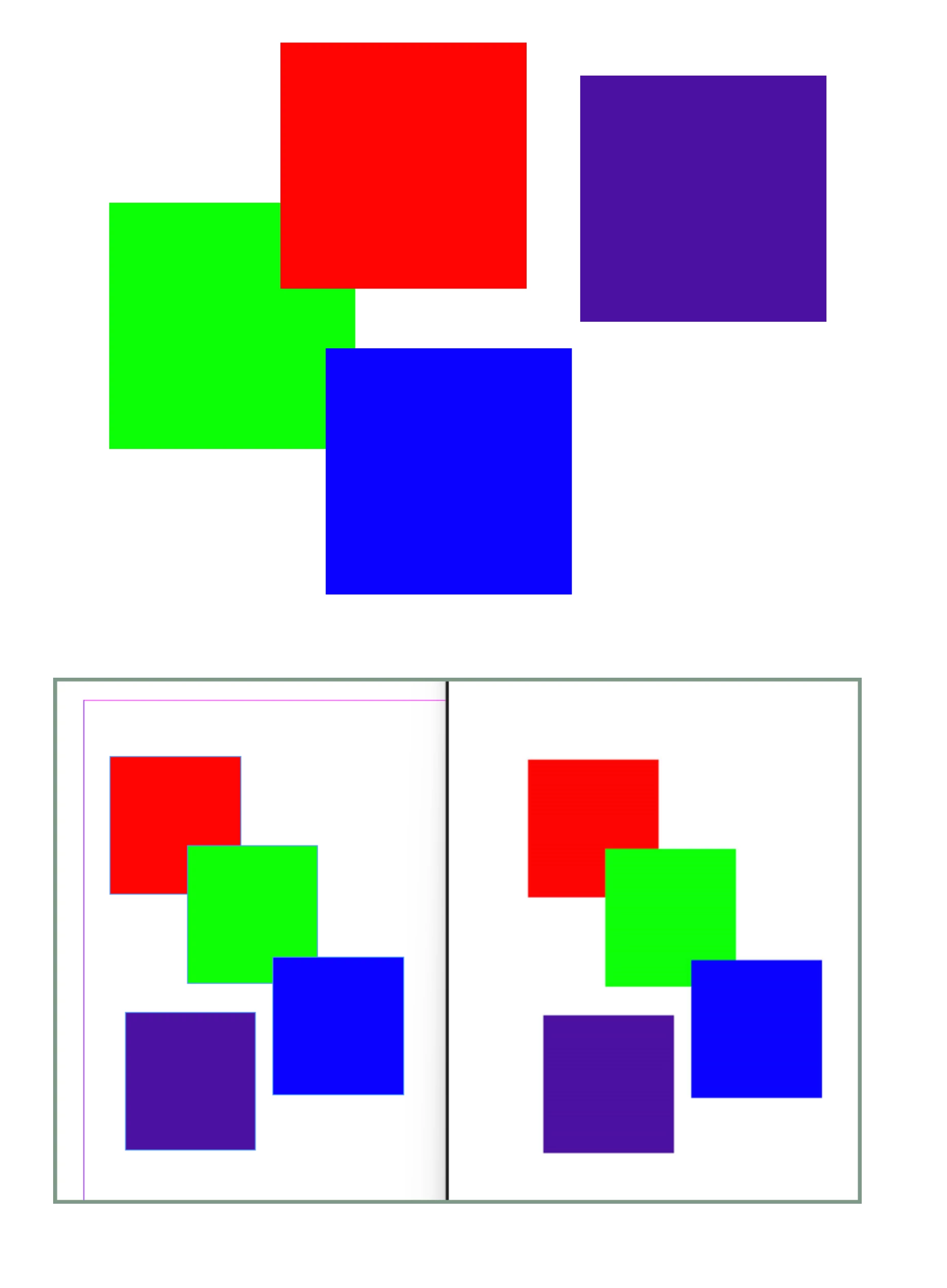
See images the colour on the left is correct #4c11a1

Incorrect colour is #502e90


Interestingly when I open the colour swatch it tells me that the colour is 'out of Gamut' and if I click to correct it changes it to a very similar colour to #502e90, which is my theory of what it is doing. 


I've tried changing the RGB profile, currently sRGB IEC61966-2.1 and nothing seems to make a difference. 


Anyone know what the issue is and why the Interactive PDF is fine and how to fix the Export to jpg setting? 
Correct answer StephenJohnBryde


Holy Moly I fixed it !!!

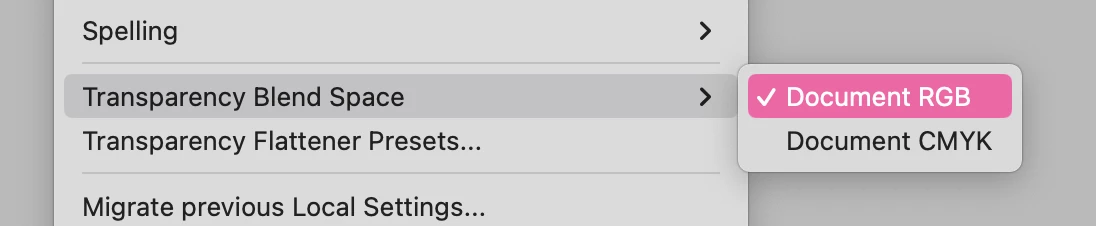
This setting, 'Transparency blend Space' !!!!! What is that even for? Why would that be an option? Why can't indesign work without that redicutlous setting !! I changed it to RGB and it instantly changed, and the export worked too !!!!!

3 replies

Inspiring
March 11, 2025

Did you find a way around this? I'm having more or less exactly the same issue. Importing an RGB Illustrator file into InDesign, doing textual layout work, exporting as RGB image that is losing all of the original colour.


I realise obviously that InDesign is built around CMYK, but it appears that it won't do proper RGB image exports.


The only way I've found around it is to export the final InDesign file to a PDF in RGB, and then in Acrobat export that PDF into a jpeg. This appears to retain the correct colours.

Abhishek Rao
Community Manager
Community Manager
March 25, 2025
 
I am not able to reproduce the issue on InDesign 20.2. Maybe I am missing any steps. Could you please confirm your InDesign version and the details of the operating system? Also, please share a short recording demonstrating your workflow.
 
Looking forward to your update!
 
^
Abhishek
Robert at ID-Tasker
Legend
January 17, 2025
quote

Ok so I before I start please don't tell me to use phtoshop for this thanks 🙂


By @StephenJohnBryde


Why not? What's the problem with Photoshop?


Inspiring
January 19, 2025

It just can't do what Indesign can do in terms of layout etc. So it's to hard to use for what I'm doing 🙂

Robert at ID-Tasker
Legend
January 19, 2025
quote

It just can't do what Indesign can do in terms of layout etc. So it's to hard to use for what I'm doing 🙂


By @StephenJohnBryde


I thought you want to include Photoshop in the workflow - ID -> PS -> image. 


Eric Dumas
Community Expert
Community Expert
January 17, 2025
Inspiring
January 19, 2025

Hey Eric,


Thanks 🙂


My goal is to correctly export a web banner with the background RGB colour#4c11a1. It's their brand colour and they want to use it.


I realize the colour will change when saving or jpg, but this is a large difference, I'm used to a few numbers different. Did you see my attachment? The correct colour is: rgb(76, 17, 161) and the incorrect is: rgb(80, 46, 144).

That's a huge difference especially in the Green value, 17 > 46 !!!


I'm not sure what this means sorry...


  • Also, make sure the exporting process does not use print simulation, that could try to 'mix the inks'


My question is why does it work for Interactive PDF? 


Thanks so much 🙂

Stephen