Lorrieann
Inspiring
February 11, 2025
Answered

I need help showing the number of pages in a book

  • February 11, 2025
  • 5 replies
  • 1787 views

I am laying out a technical manual and need to have the page numbers styled as  "Page 1 of 299"  Each chapter is it's own document and I have them in a book.  Book panel shows pages fine, but when I print the page numbers are inaccurate only showing the number of pages in that section.   Example: Section one has 14 pages  and the next starts at 15 as it should.  However the number of pages just won't  go.  Example:  Chapter 1  Page 1 of 14,  Chapter 2:  Page 15 of 15 etc.  I want it to be  Page 1 of 27, Page 15 of 27. 


In each document I used the "Last Page Number" but it is only counting for that one chapter.   How can I make it when I print to have this correct.   I can't hard code the number of pages because it is a living document. 


Can some one help please?   

Book panel is correct
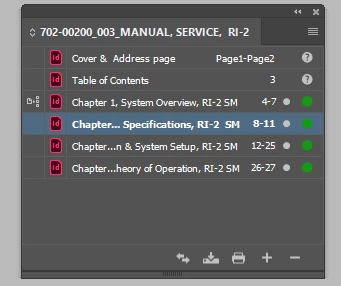
Last page of Chapter 2
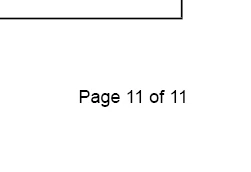
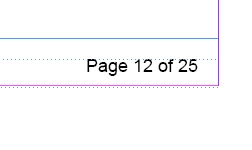
First page on Chapter 3


Correct answer FRIdNGE

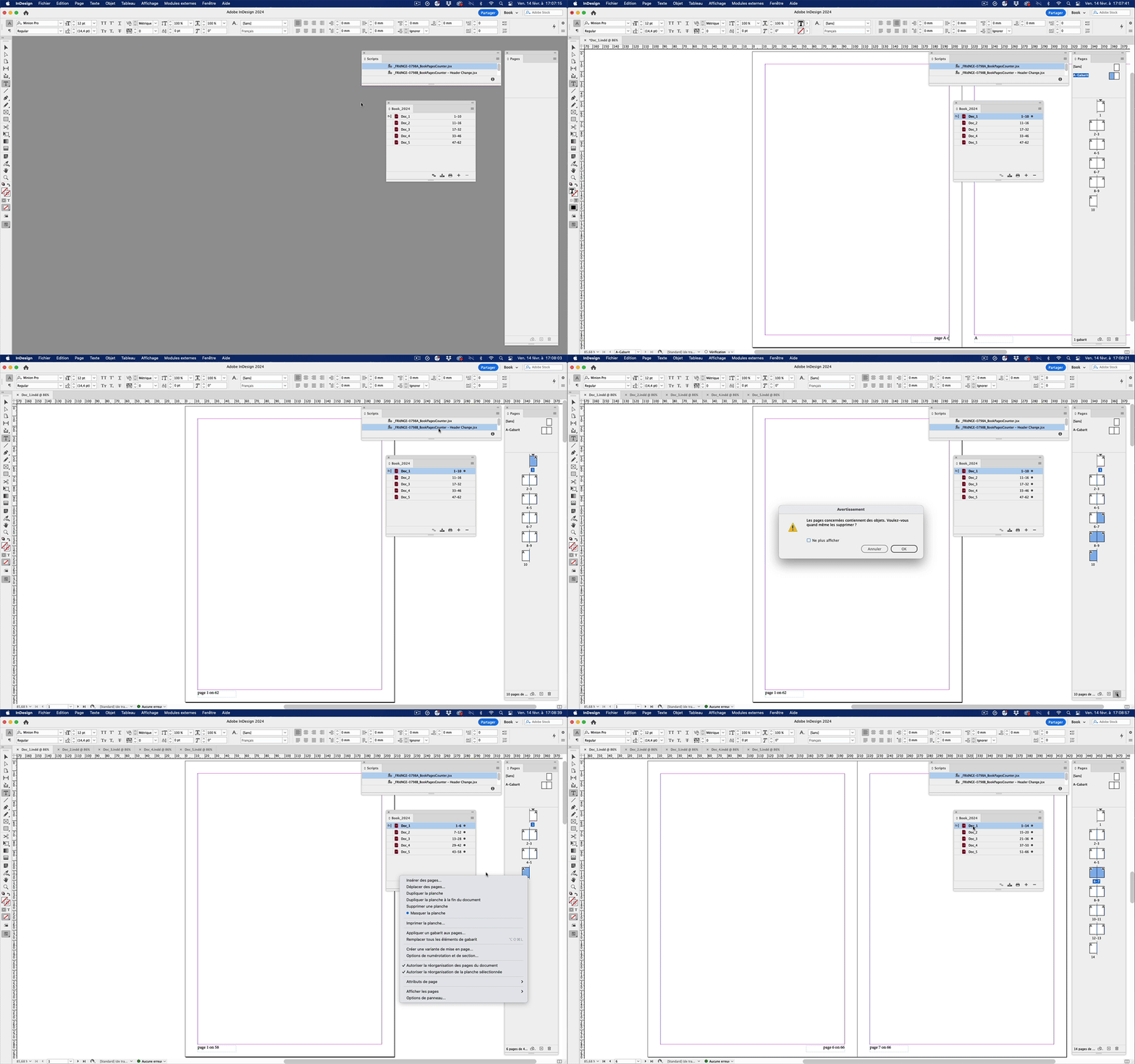
I've found an old Script written for a client 7 years ago [mai 2018].

I've added a "B" version to make it more fun! …


Simple Process:


• The op opens a book with docs using a basic page numbering on parent pages [I mean e.g. just "A"].

• [s]he runs the first Script [_FRIdNGE-0798A]. It mainly creates the "Total Pages Number" text variable in all the docs and accessorily updates the book page numbering.

• [s]he opens any document, jumps to any parent page with a page numbering text frame and types the right header text (here:  "page A on ") and finishes by inserting the "Total Pages Number" text variable.

WARNING: the op needs now to select the header text and copy it in the clipboard.

• [s]he runs the second Script [_FRIdNGE-0798A]. It mainly updates the header text on all the parent pages and accessorily updates the book page numbering.


Now, if the Layout moves by pages addings/removings, or, e.g., if new documents are added (or removed) at the end of the book, the op will still just need to update the pages numbering by running the first Script [_FRIdNGE-0798A] again. So just "1 click"!  😉


(^/)

[paid Scripts]

5 replies

FRIdNGE
February 12, 2025

Smple way to play the game:


Create a personalized Text Variable you can call "Total Pages Number" and give to it the total pages current number of the book, e.g. "142". If, in the future, this number changes, just modify this number in the main document (doc_1.indd here).


Insert this Text Variable on the parent Pages of all the Book documents, with the Page Number, as, e.g. "Page A of 142".


To finish, make sure the "Text Variables" are checked in the Book Synchronization Settings …


Select All the Documents and Synchronize them! That's all!


I've added 14 pages in the book! It took me 23 seconds to change the number of the Text Variable in the doc_1.indd, select all the documents in the Book Palette and synchronize.


(^/)  The Jedi


Dave Creamer of IDEAS
Community Expert
Community Expert
February 12, 2025

It's difficult at all, in fact, @Randy Hagan already mentioned that technique. However, if the page count is still in flux, the cross-reference method is more efficient. It's the method that has been used in Adobe FrameMaker for decades until they finally added a book page count variable. 


David Creamer: Community Expert (ACI and ACE 1995-2023)
Lorrieann
LorrieannAuthor
Inspiring
February 14, 2025

I have tried that approach, but could not get it to work as you suggested. I like this idea a lot and just need to get it to work properly. 

Dave Creamer of IDEAS
Community Expert
Community Expert
February 12, 2025

Create a unique paragraph style, such as "Last Page Number" and place an empty paragraph at the very end of the document. Then use a cross-reference to that file/page. The cross-reference will update when you update the book.


David Creamer: Community Expert (ACI and ACE 1995-2023)
Randy Hagan
Community Expert
Community Expert
February 11, 2025

There are a lot of scripting pros around here that may be able to offer a way to account for all the pages in a given InDesign book file and populate a text variable that takes all of that into account.


But if not, I'd suggest you have two remaining options: either compile a single InDesign document with all your pages and then let your "Last Page Variable" do the work, or simply let the book file paginate all your InDesign documents, then go to each document's parent page(s) and replace the variable with the total number of those pages. Given the volume of work, I think the second option would be the best course of action.


Randy


Lorrieann
LorrieannAuthor
Inspiring
February 12, 2025

Thank you.  The reason I have the chapters separated is there are common pages across other books.  I want to update once.   

Robert at ID-Tasker
Legend
February 11, 2025

@Lorrieann 


I'm not sure if it's possible - to get number of pages in the Book - but you can cheat a little - insert a TextFrame instead of the "last page number" - and link it to a file on your drive.


You need to use RTF/DOCX as TXT won't keep formatting applied when you update contents of this file.


You just need to make sure that the name of the ParaStyle in Word will be EXACTLY the same as in your InDesign document.


Robert at ID-Tasker
Legend
February 11, 2025

@Lorrieann 


You can even set Auto Width option in the applied Object Style:


And after editing contents of the RTF file and updating link in InDesign:


davecourtemanche
Inspiring
February 11, 2025

When you created the Text Variable to define the total page count in the document, did you choose "Document" as the scope? When I chose that, it gave me total page count of doc.

Robert at ID-Tasker
Legend
February 11, 2025

@davecourtemanche 


But the scope you're referring to is for the current Document - @Lorrieann needs the scope for the Book - which isn't available.


davecourtemanche
Inspiring
February 11, 2025

If you look at the screen shots I posted, that is a book file. Showing the proper page count. ???