kai*smith
Known Participant
April 21, 2017
Answered

I would like to make a table with rounded corners

  • April 21, 2017
  • 3 replies
  • 5089 views

I saw on the forum that someone else asked this question and someone else gave step by step instructions on how to achieve this, but I haven't been able to figure out how to follow all of the instructions. I asked on that post if someone could show screenshots or help me figure out where to find the tools they referenced, but haven't gotten any reply. If anyone can help me with this it would be very much appreciated! Thanks!

    This topic has been closed for replies.
    Correct answer paperdollkai

    Hi kailar,

    I think I found one important ingredient that is missing if you want to be successful with fitting frames to tables:

    1. Work with integer values in Points when defining cell height and column width.

    If you are using Millimeters InDesign may not fit the text frame accurately enough.

    This one was already mentioned by me:
    2. Use Align Center for justification of the paragraph holding the table.

    Finally I can create a super accurate fit for my table.
    With integer values in Millimeters that was not doable before…

    After testing a bit more:
    Using integer values in points will at least better the chance for an accurate fit.
    It's not always working with small tables, but the results are better than working with integer values of Millimeters.

    Regards,

    Uwe


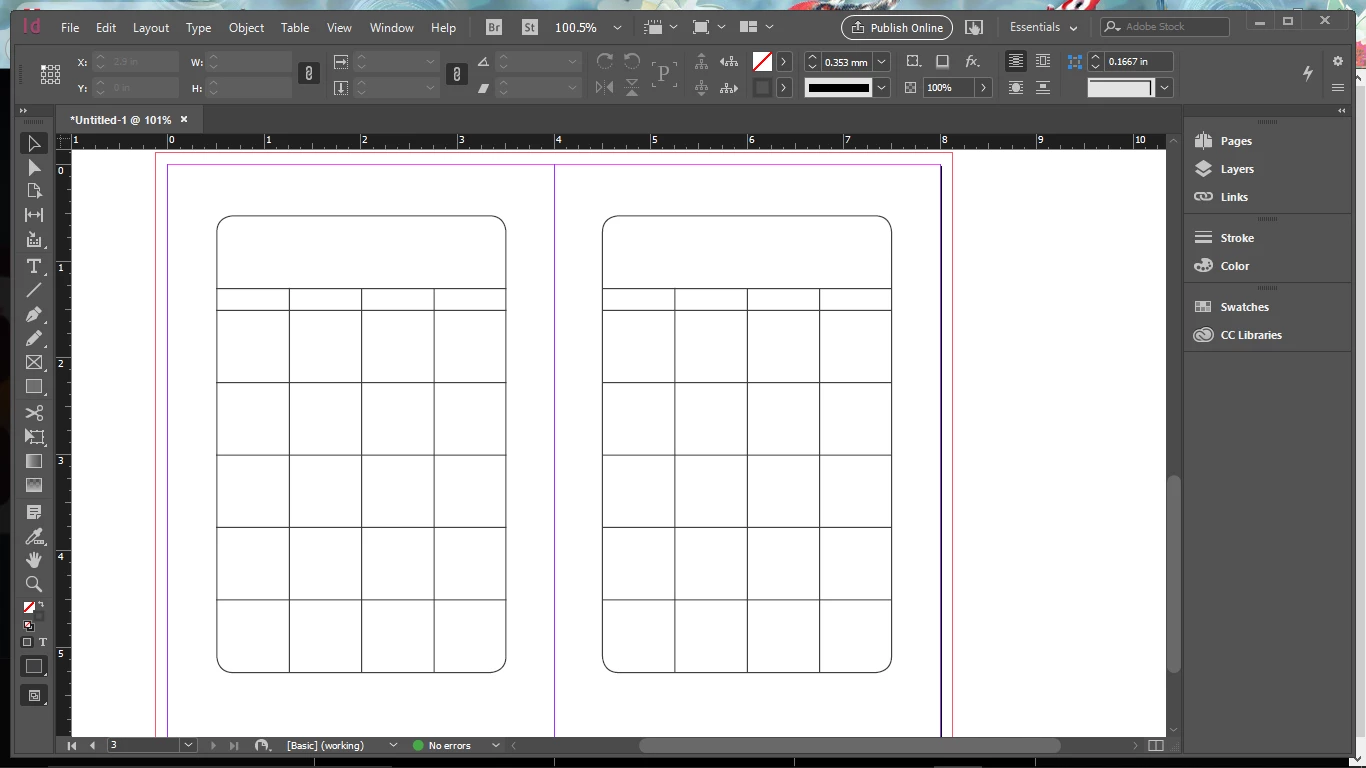
    I couldn't ever get it the way anyone explained, so I just made my own. Probably a lot more difficult than it had to be, but it's done so I am finally happy. Thanks to all who gave advice!

    3 replies

    Frans v.d. Geest
    Community Expert
    Community Expert
    April 23, 2017
    Barb Binder
    Community Expert
    Community Expert
    April 21, 2017

    Hi again. I saw the other thread first, so I tried to clarify the steps over there. If you still need help, just come back to this thread and Aman or I (or whoever is around) can offer screen shots to document the process, if you need them.

    Round corners of a table in InDesign

    ~Barb at Rocky Mountain Training
    kai*smith
    kai*smithAuthor
    Known Participant
    April 22, 2017

    As I continue to play with it, I think I have figured out some mistakes I was making. However, when I apply a stroke to my frame, it pushes my cells out of the frame and adds the little red "error" marker, and I cannot figure out how to get past that. Here is the latest..

    Barb Binder
    Community Expert
    Community Expert
    April 23, 2017

    Sorry... ^ that is me. I somehow ended up with 2 Adobe ID's.


    I'm very glad to hear that you got it figured out.

    ~Barb at Rocky Mountain Training
    amaarora
    Community Manager
    Community Manager
    April 21, 2017

    Hi,

    As i too was following up on that thread Round corners of a table in InDesign  i found that you were "stumped" on step 3.

    Let me explain it in different words(only step 3)..

    1. Select the frame that has your table

    2. Choose selection tool and hover it on the frame edges so that its shape changes.Something like...

    3. Double click on now at this point

    This will make the frame fit to the table!

    If not, you may have paragraph returns added after (or before) the table, which too can be removed by placing cursor after(or before) the table and pressing the delete(or backspace) key.

    Hope this solved your query!.

    -Aman

    kai*smith
    kai*smithAuthor
    Known Participant
    April 21, 2017

    Thank you so much! I thought maybe the post was too old and no one saw my questions. I believe I can do all the other steps.. I might have more questions, but I'm hoping I can get it from here! Thanks again! Have a wonderful weekend!